The JetStream DR Product Evaluation Program allows potential customers to install and use the full-featured JetStream DR software free for a 30-day trial period.
To obtain JetStream DR for AVS software, the Tenant ID of the account where JetStream DR for AVS will be used must be provided to a JetStream Software representative so a private plan can be created. After the user account has been registered, JetStream DR software can be obtained as a private product available through the Azure Portal Marketplace.
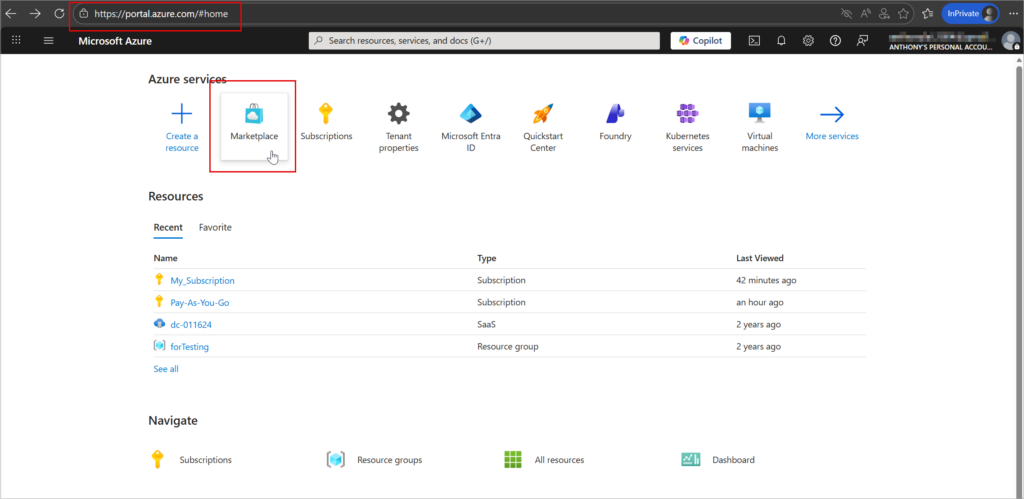
- Log into Azure Portal then navigate to the Marketplace.
(Important: Navigate to the Marketplace via Azure Portal as a logged in user. Do not go to the Azure Marketplace directly or the private plans link will not appear.)
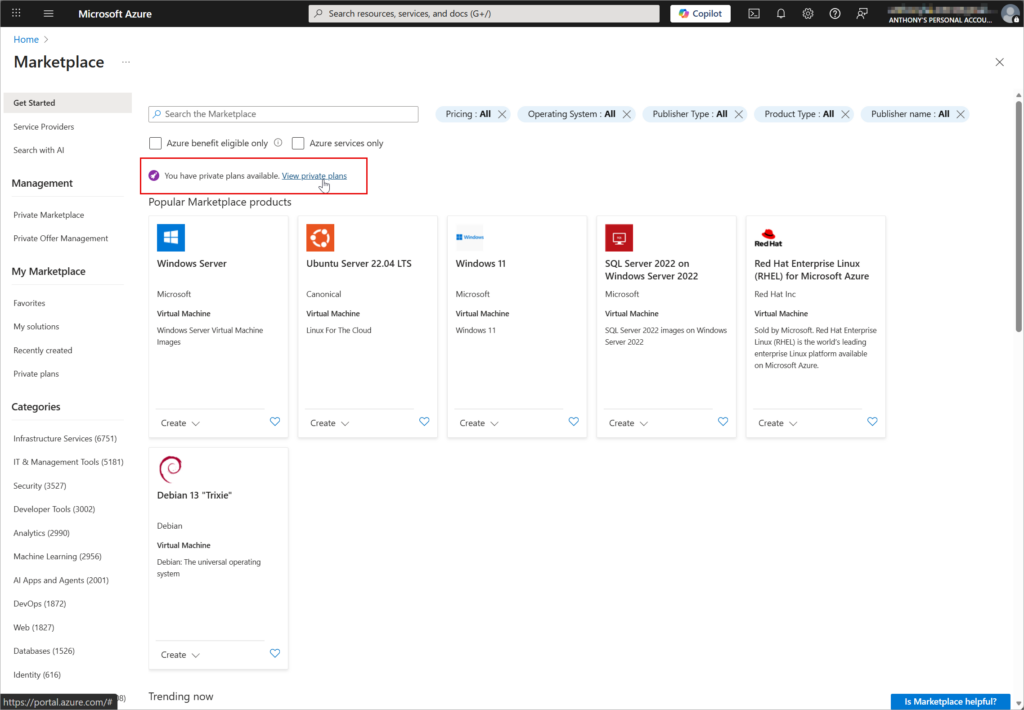
- On the Marketplace screen a banner will appear indicating access to private plans.
- Click the View private plans link.
- If the banner with the link to private plans does not appear, your user account has not been registered yet. Contact your JetStream representative and provide your Tenant ID.
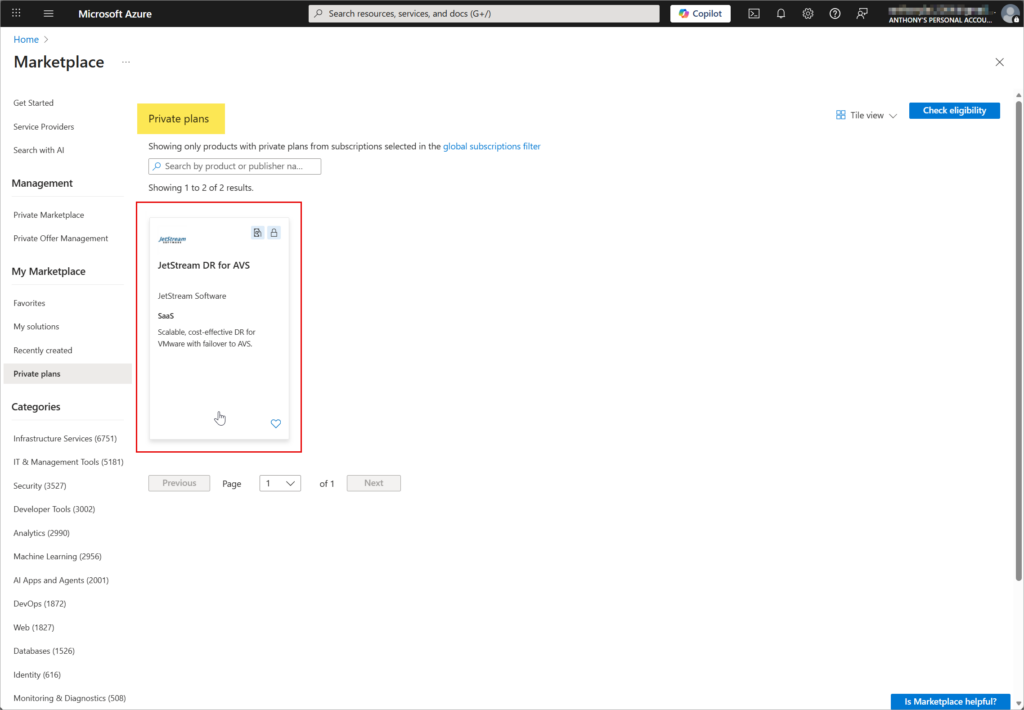
- The Private plans screen will appear displaying a listing for JetStream DR for AVS.
- Click the plan listing.
- Subscribe to the plan JetStream DR for AVS (Product Evaluation Program).
- The plan will be flagged with a “Private” tag.
- The plan must be associated with an Azure subscription; however, it is a free evaluation and no billable charges will be generated by this plan.
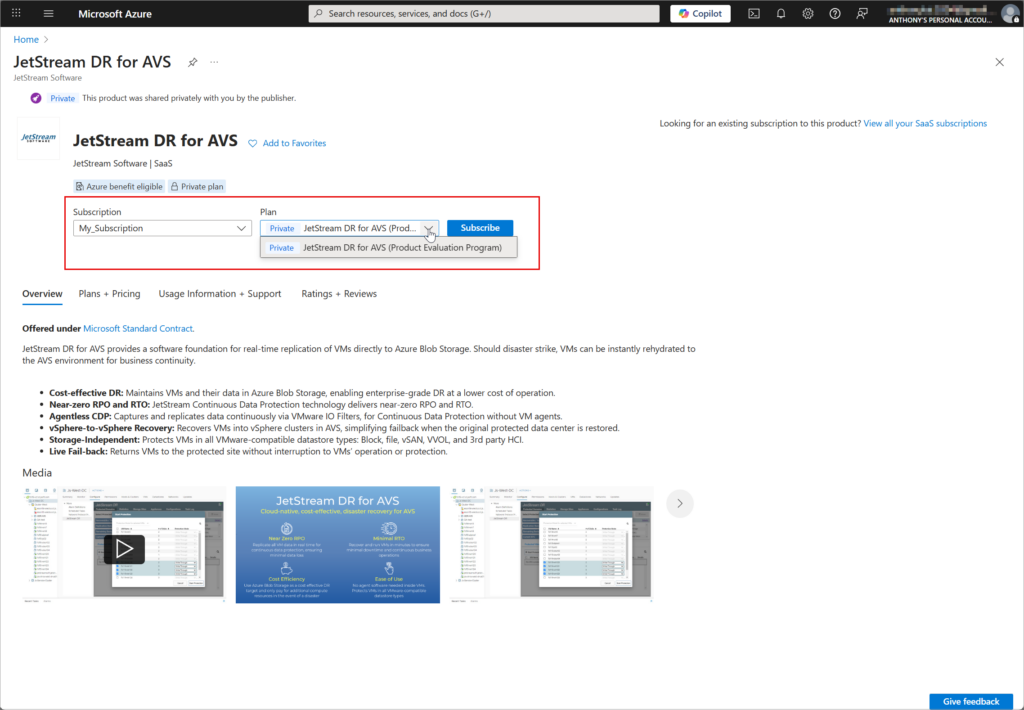
- Complete the subscription details screen.
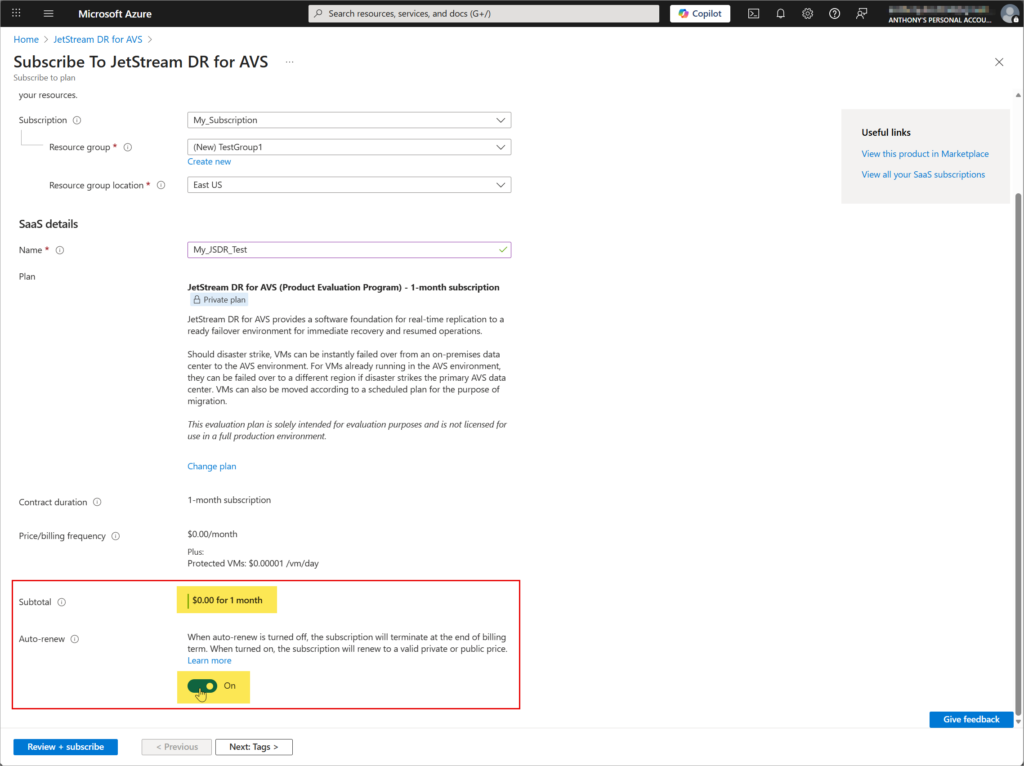
- Verify the subscription will be billed at $0.00 for 1 month
- Turn ON the Auto-renew option. This will allow your evaluation to automatically continue beyond the default 30 day trial period.
- No additional charges will be applied during the extension.
- Click the Review + subscribe button to continue to the next step.
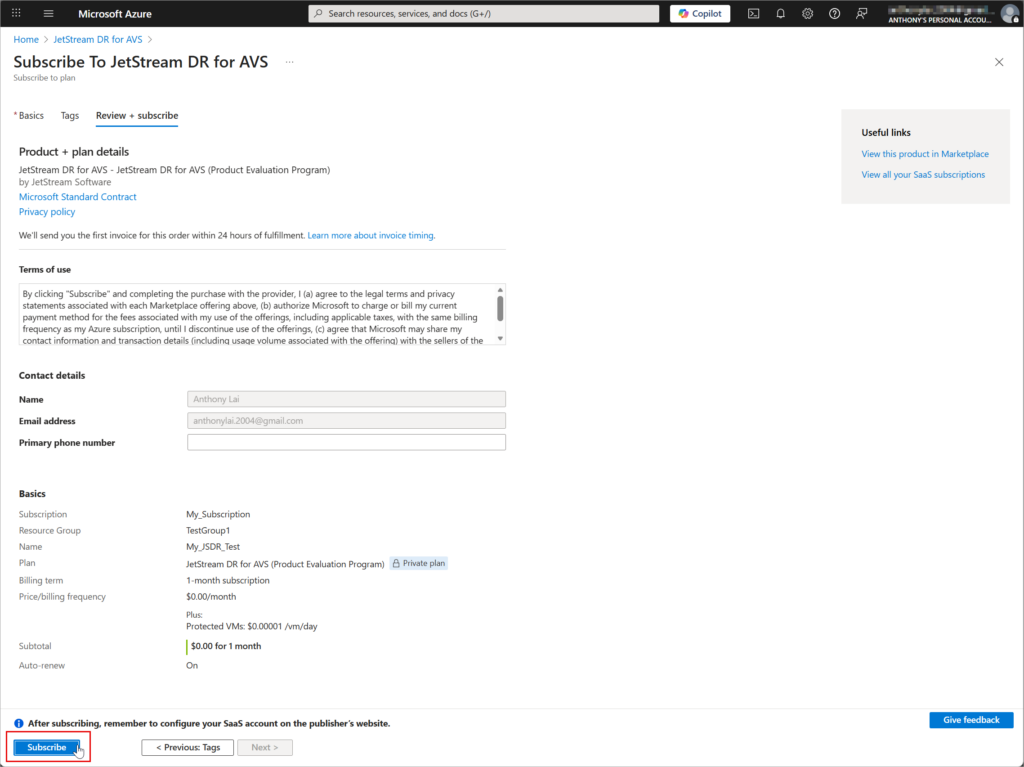
- Review the terms and conditions of the subscription then click the Subscribe button.
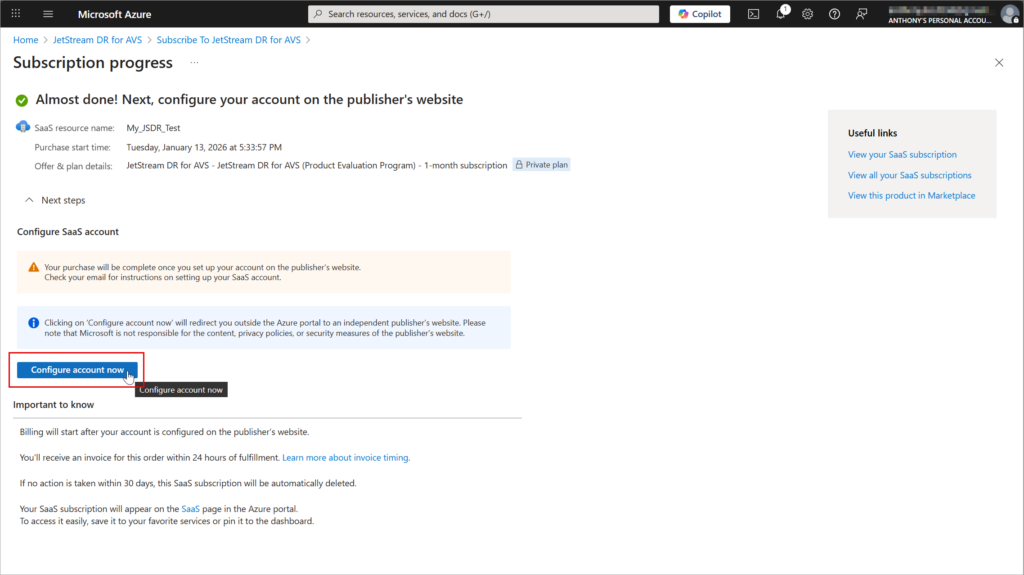
- The subscription will be registered and a link will be generated to begin configuring the account.
- Click the Configure account now button.
- JetStream DR software will be installed on your AVS cluster and a Subscription ID will be issued permitting connection to Azure Blob Storage.
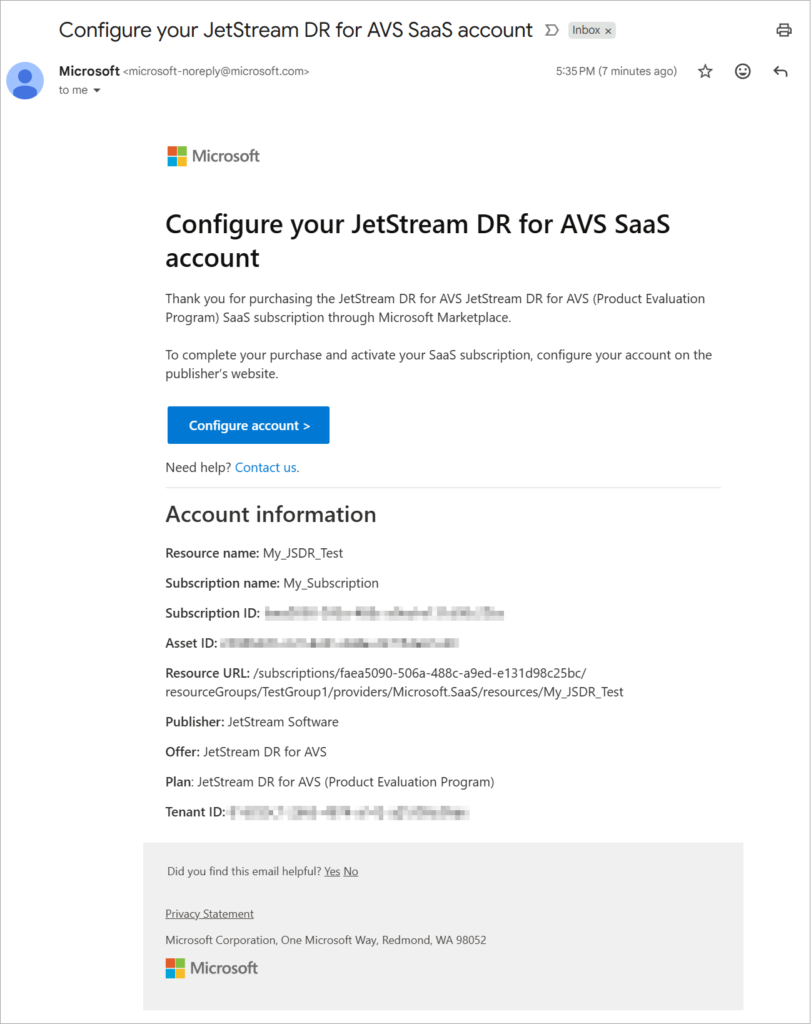
- An email confirmation will also be sent with the subscription details and a link to configure the account if you wish to complete setup at a later point in time.