Problem
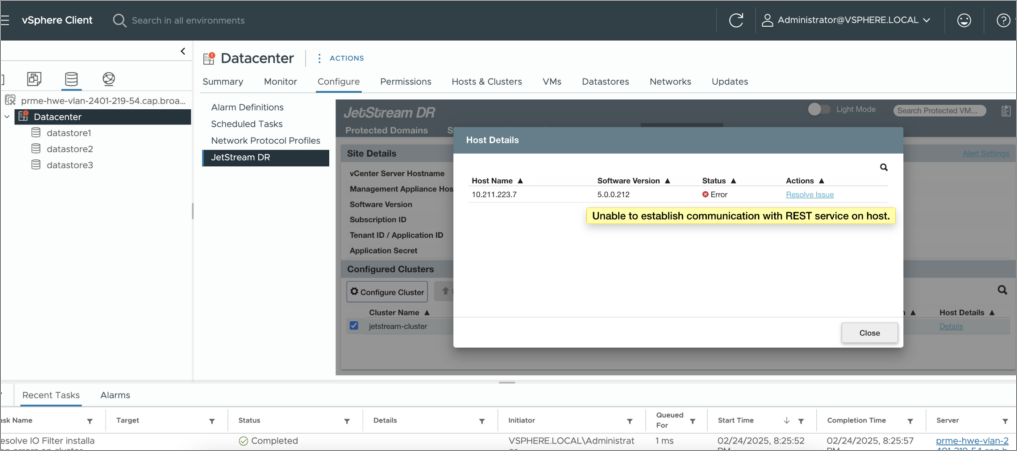
The MSA uses the IOF REST user to communicate with hosts. The warning message “Unable to Establish Communication with REST Services on Host,” may be triggered due to various error conditions:
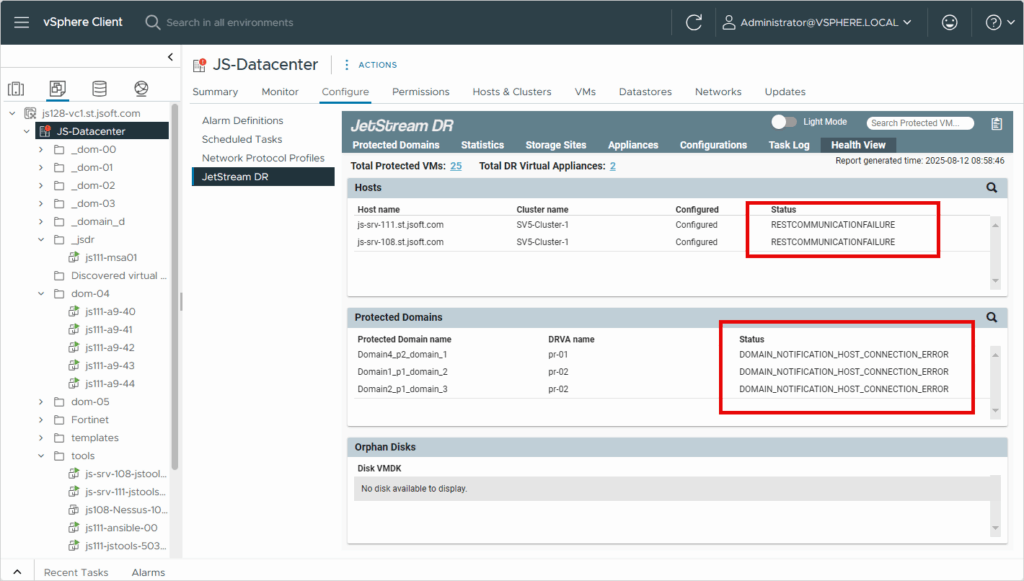
- The Health Viewer status indicates RESTCOMMUNICATIONFAILURE on hosts:
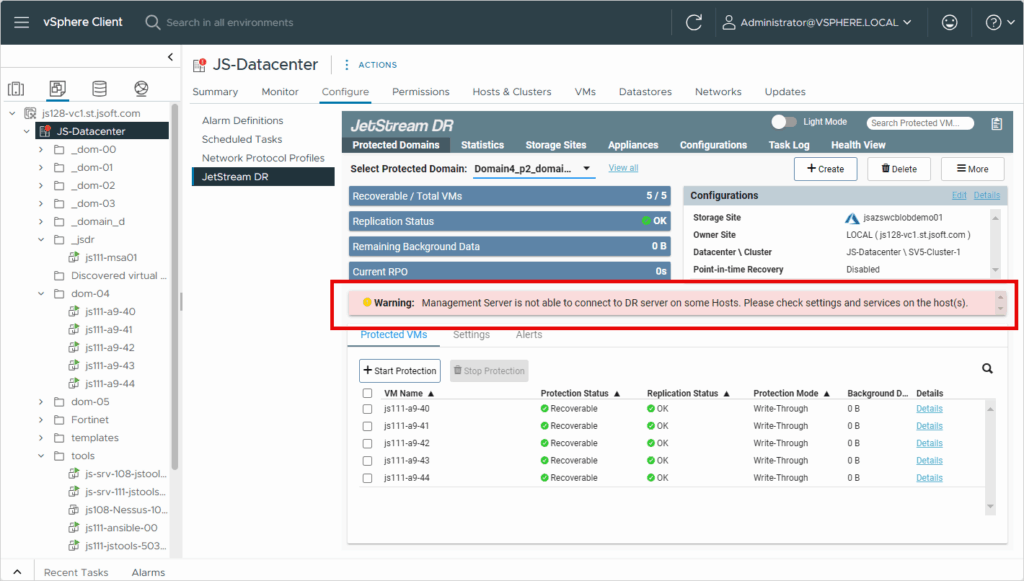
- The protected domain summary page reports a warning, “Management Server is not able to connect to DR server on some Hosts.”:
Cause
The above errors may be caused by any of the following issues:
Issue 1
If the IOF REST user password expires, the error message can be triggered per the vCenter SSO user password expiration policy.
- The IOF REST user account is authenticated through vCenter SSO. The vCenter SSO password expiration policy is applied to the IOF Rest user account when it is created.
- To review the current vCenter password policy details navigate to: Administration –> Single Sign On –> Configuration –> password policy –> edit
- By default, the vCenter SSO password expires every 90 days.
- Refer to this KB article to address the issue:
https://jetstreamsoft.com/portal/jetstream-knowledge-base/how-to-fix-password-expiration-of-iof-rest-credentials/
Issue 2
If the MSA cannot communicate with hosts, the error message can be triggered due to necessary ports not being opened or improper networking configuration.
- MSA to ESXi host TCP/IP port 443 needs to be allowed. To validate, execute the following command from MSA SSH.
- curl -v https://<Esxi_host_IP/FQDN>:443
- Validate the “jetiofrest” service is running on the host (ESXi host → Configure → Service). In case the jetiofrest service is stopped, follow the steps below to start the service again.
- For AVS: execute the run command Restart-JetDRDaemon (for DaemonName use jetiofrest).
- For On-prem: start the service jetiofrest directly on the host (from Configure → Service).
Issue 3
Differences in time settings between JetStream appliances, MSA, vCenter, and ESXi hosts can trigger the error message.
- Refer to this KB article to address the issue:
https://jetstreamsoft.com/portal/jetstream-knowledge-base/troubleshooting-jetstream-msa-time-skew-issues
Issue 4
The warning “Unable to establish communication with REST services.” can appear for hosts on the cluster configuration page:
- Shortly after creating the IOF REST user using the AVS Run command:
(Enable-JetStreamRestUser) - When creating the IOF REST user using the PowerShell script:
(manage_iofrest_user.ps1) for on-prem installations - This can also occur when the MSA tries to authenticate the IOF REST user while it is locked.
- Example log snippet from the MSA:
Caused by: com.sun.xml.internal.ws.fault.ServerSOAPFaultException: Client received SOAP Fault from server: The account of the user trying to authenticate is locked. :: The account of the user trying to authenticate is locked. :: User account locked: {Name: jetstream, Domain: vsphere.local} Please see the server log to find more detail regarding exact cause of the failure.
- Example log snippet from the MSA:
Unlocking the IOF REST User
Two solutions can be used to unlock the JetStream IOF REST user to resolve the problems described above:
Solution 1: Unlock the User by Restarting MSA-Tomcat Services
- Log in to the MSA and execute the following command to restart MSA-Tomcat services:
sudo systemctl stop msa-tomcat
sudo systemctl start msa-tomcat
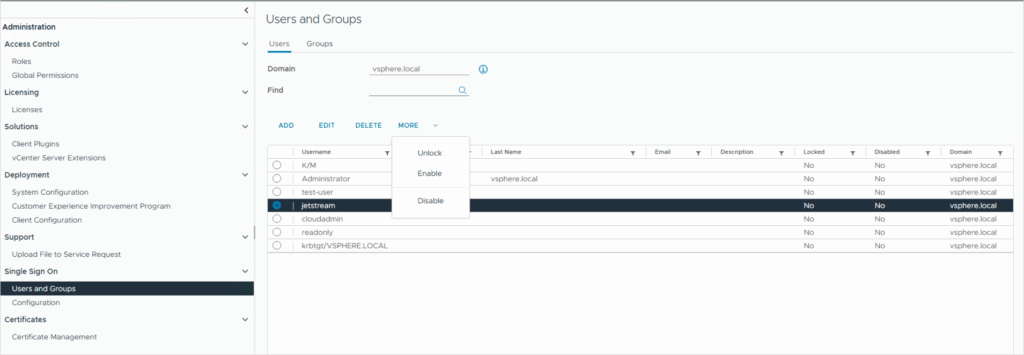
Solution 2: Unlock the IOF Rest user through vCenter
- Navigate to:
Administration > Users and Groups > Select the domain ‘vsphere.local’ from the domain drop-down menu. - Select the username: “jetstream”.
- Click the arrow icon next to the “More” tab.
- Select the Unlock option.