This article applies to all JSDR software versions.
This is how to verify the port and service status of a DRVA.
Check DRVA Port Status
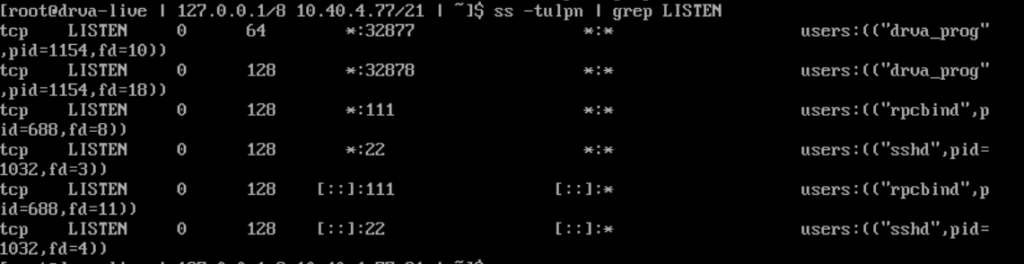
Check port status using the sscommand. ss -tulpn | grep LISTEN
The ss (socket statistics) tool is a CLI command used to show network statistics. The ss command is a simpler and faster version of the now obsolete netstat command. Together with the ip command, ss is essential for gathering network information and troubleshooting network issues.
Check DRVA Service Status
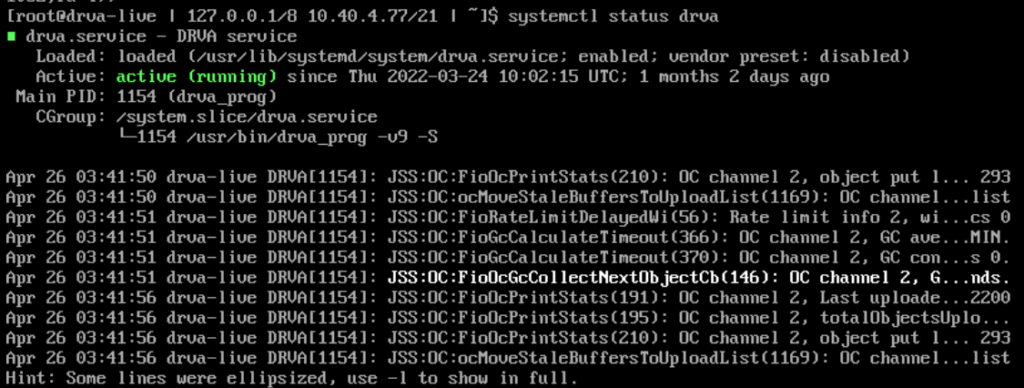
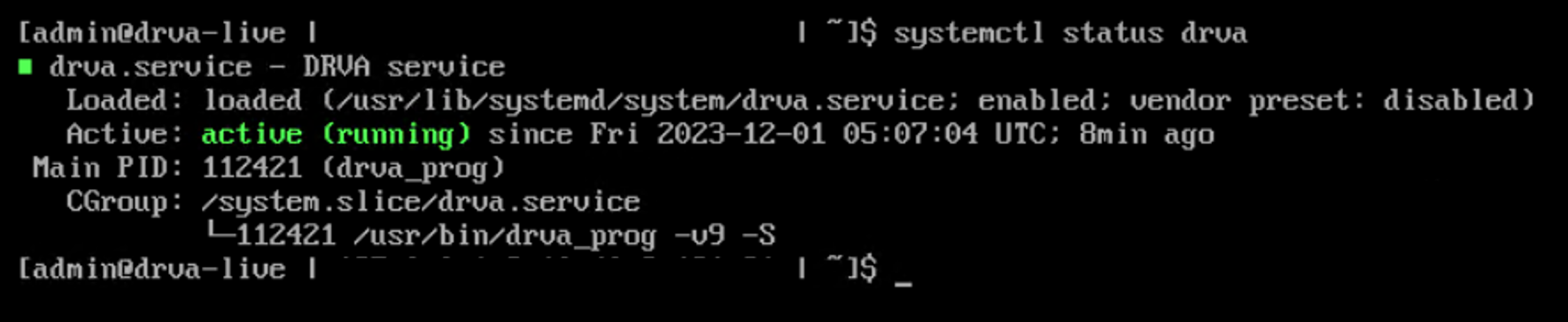
Check service status using the systemctlcommand. systemctl status drva
systemctl is a Linux command-line utility used to control and manage systemd and services. You can think of systemctl as a control interface for systemd init service, allowing you to communicate with systemd and perform operations. systemctl is a successor of init.
Example
This is an example of the DRVA service in an inactive state:
If the DRVA service is reported as inactive, issue the command: sudo systemctl start drva
A functioning setup should report the DRVA status as “active (running)”