Critical Alerts
Follow the setup dialog steps to create critical alerts:
- Step 1, specify alert details:
- Alert Policy Name
- Policy Severity Level – Set the level to Critical
- Any text documentation to be sent with the alert (optional)
(Learn more about constructing alert documentation: https://cloud.google.com/monitoring/alerts/doc-variables)
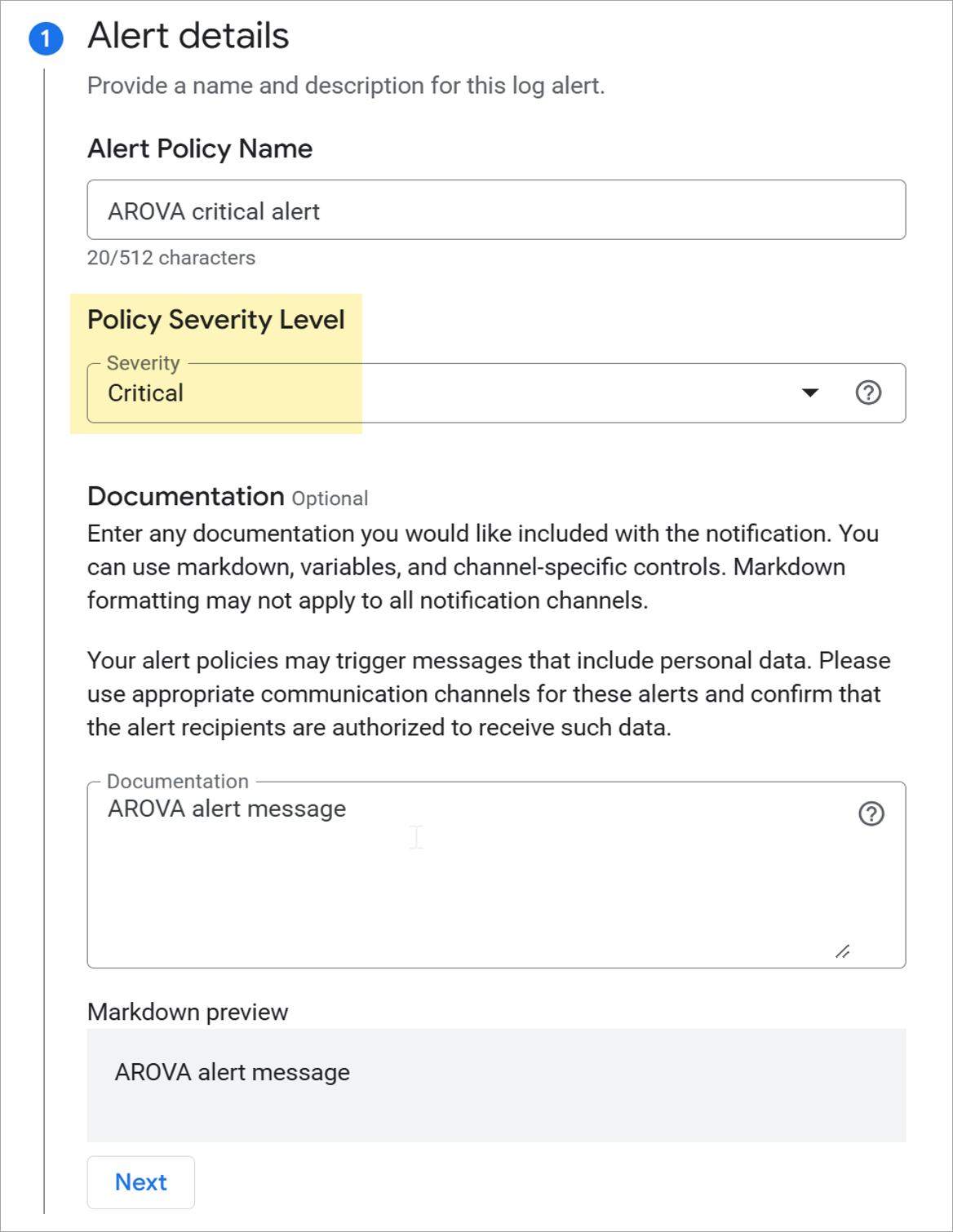
Figure 157: Specify critical alert details.
- Step 2, specify logs to include:
- Use the log filter labels.product=jetARO AND severity=ALERT to include the events generated by all AROVAs
- Include payload details with the notification by configuring two log labels:
- Log label: "Resource"
- Log field name: labels.resource_name
- Log label: "Message"
- Log field name: textPayload
Note: Log configuration information needs to be manually typed in by the user. It cannot be selected from a menu entry.
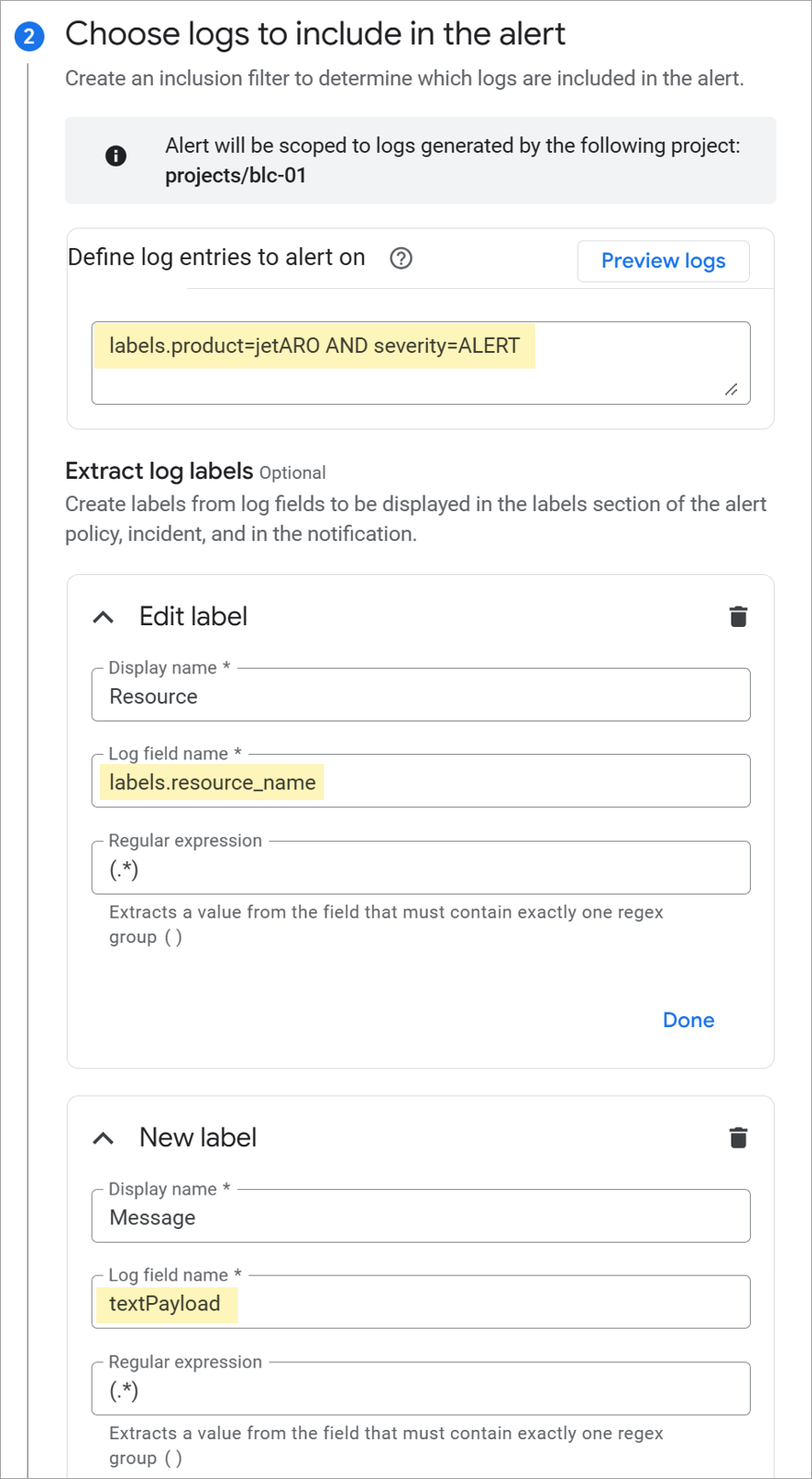
Figure 158: Specify critical alert logs to include.
- Step 3, configure the notification frequency:
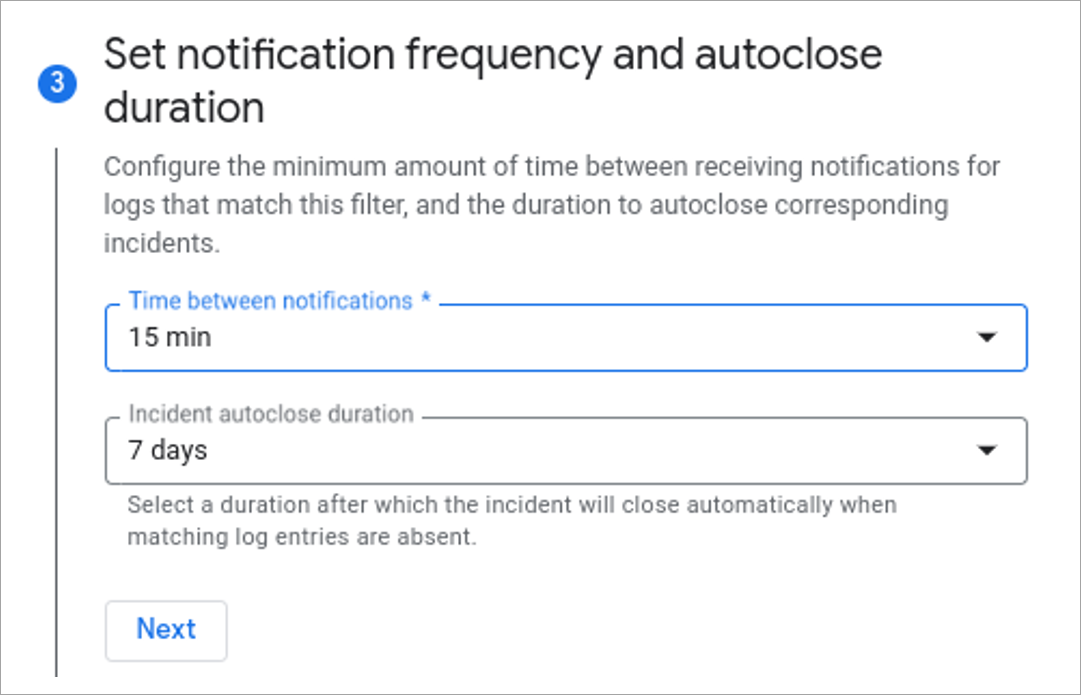
Figure 159: Configure notification frequency.
- Step 4, configure notification channels:
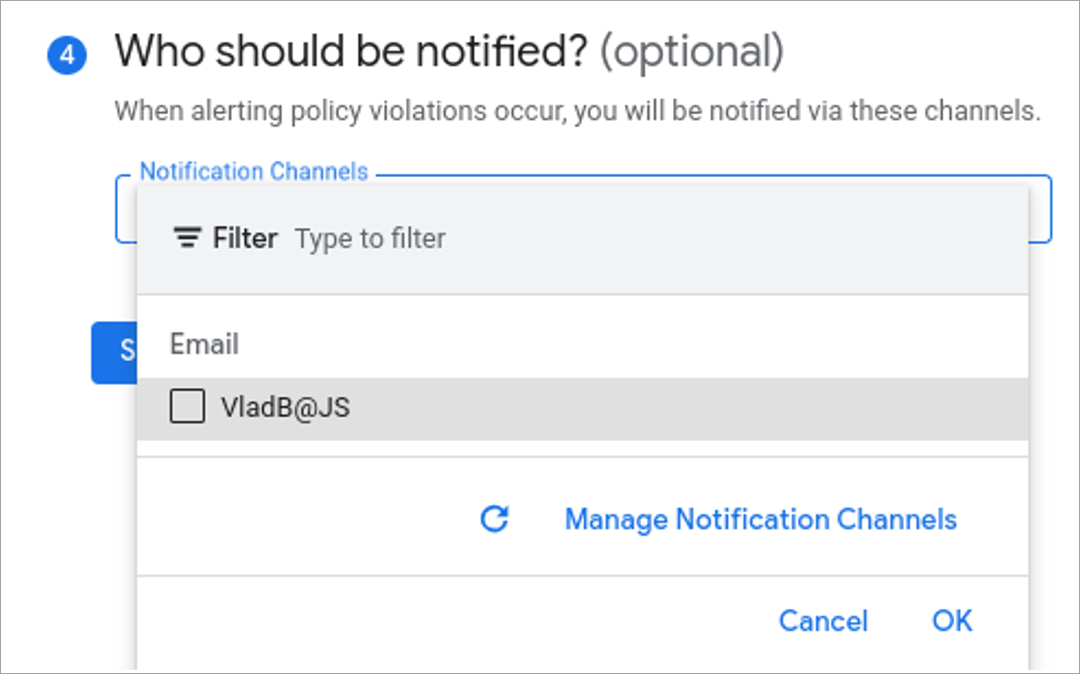
Figure 160: Configure notification channels.