Protecting Independent VMs
An independent protected VM is a virtual machine that can be protected and replicated on its own, without any dependency on other VMs.
- Navigate to the Protected Domains screen.
- Select the Independent Protected VMs tab then click the START PROTECTION button that appears on the screen.
- A pop-up window will appear listing all VMs available in the protected project under the primary region.
- VMs that do not meet all protection requirements will appear grayed out.
- To understand why a VM may not be eligible for protection, hover the mouse over its row.
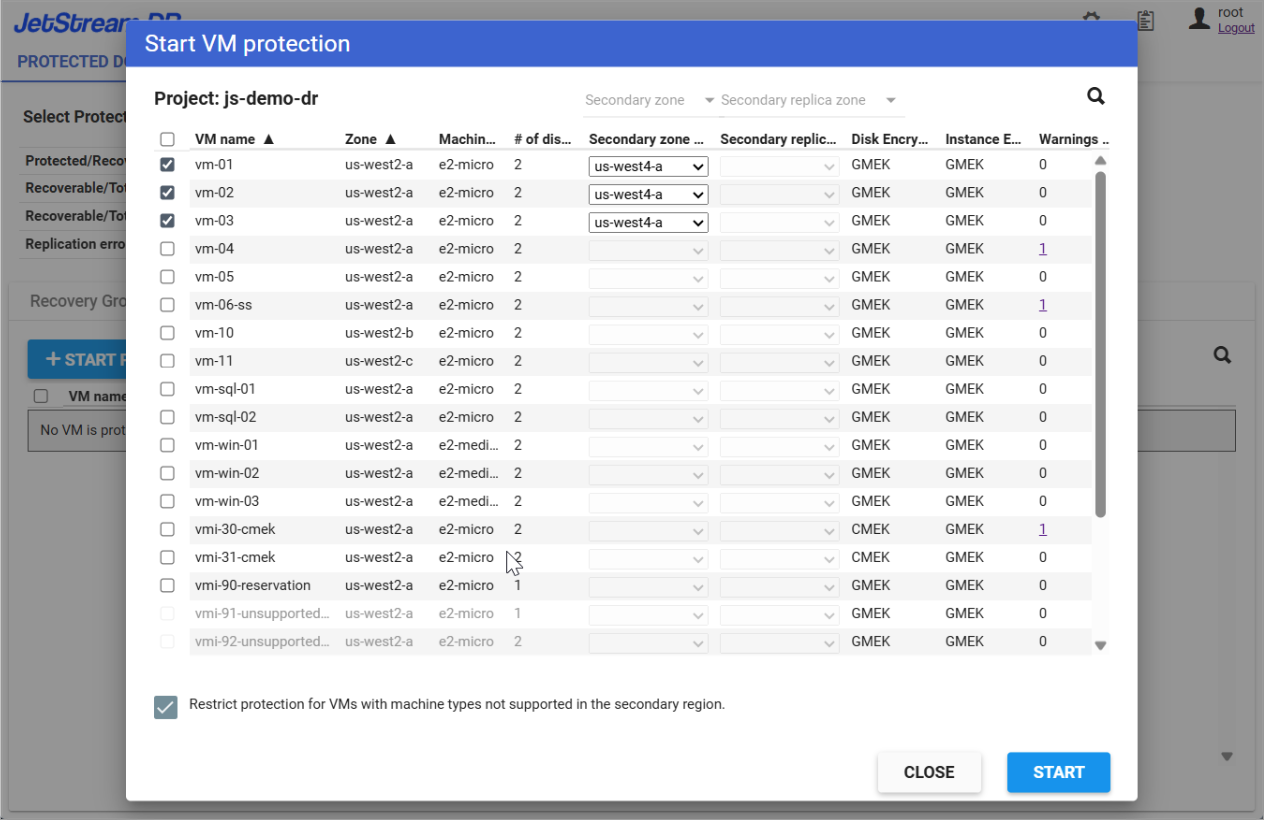
Figure 47: Selecting Independent VMs for protection.