Create a Client Secret for the Registered Application
To create a client secret for JetStream DR software as a registered application:
- Under Manage, select Certificates & secrets > Client secrets > New client secret.

Figure 326: Create a New client secret.
- Add a description for the client secret, then click the Add button.
- Select an expiration for the secret or specify a custom lifetime.
- Client secret lifetime is limited to two years (24 months) or less. You cannot specify a custom lifetime longer than 24 months.
- Microsoft recommends setting an expiration value of less than 12 months.
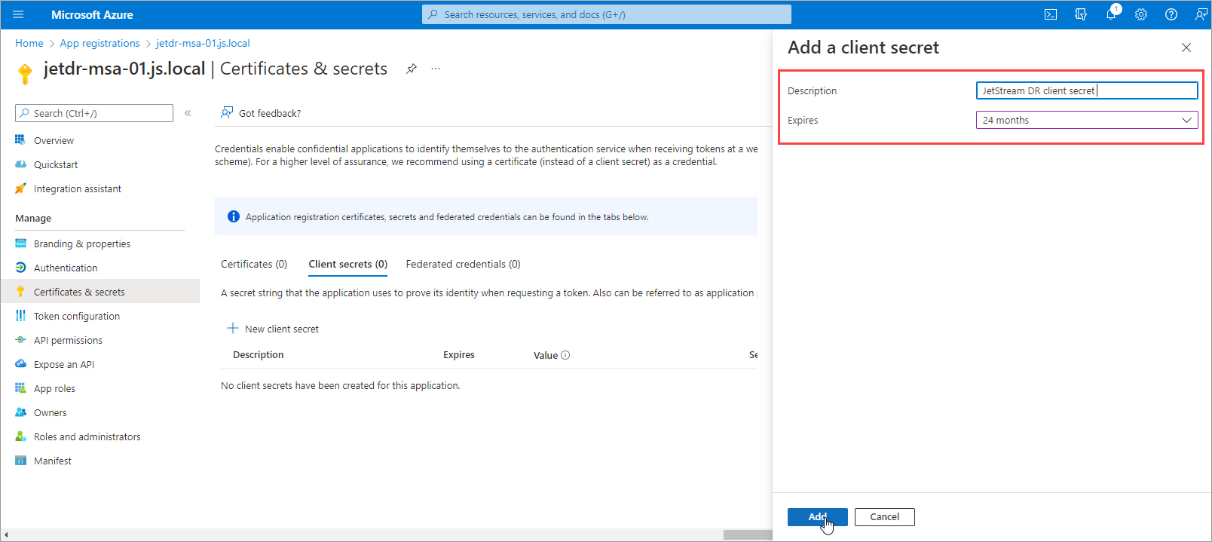
Figure 327: Enter details for the client secret.
- Record the client secret value to use in the client application code.
- This information will be used later to configure JetStream DR.
Important: The secret value will never be displayed again after you leave the page.
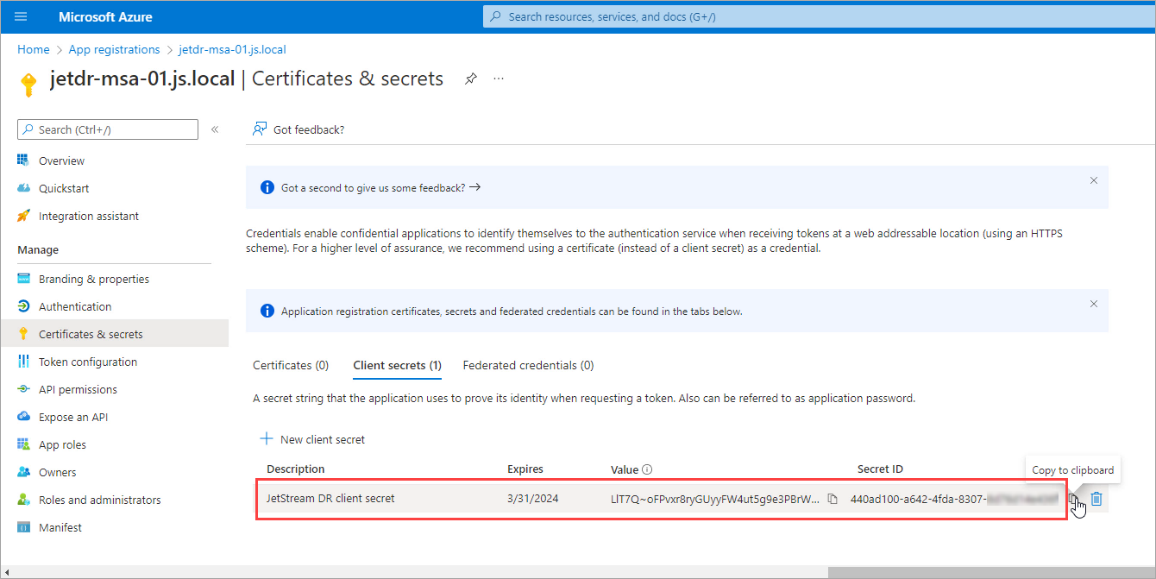
Figure 328: Copy the generated client secret.
Note: Perform all the above steps for each site that will access Azure Blob Storage.