Manual Key Rotation
Access Key Stopped Working
If the access key of the Azure storage account used by JetStream DR for replication is rotated, the JetStream MSA and appliances will lose access to the object store and cease to function optimally.
- The following types of error messages may appear across the system:
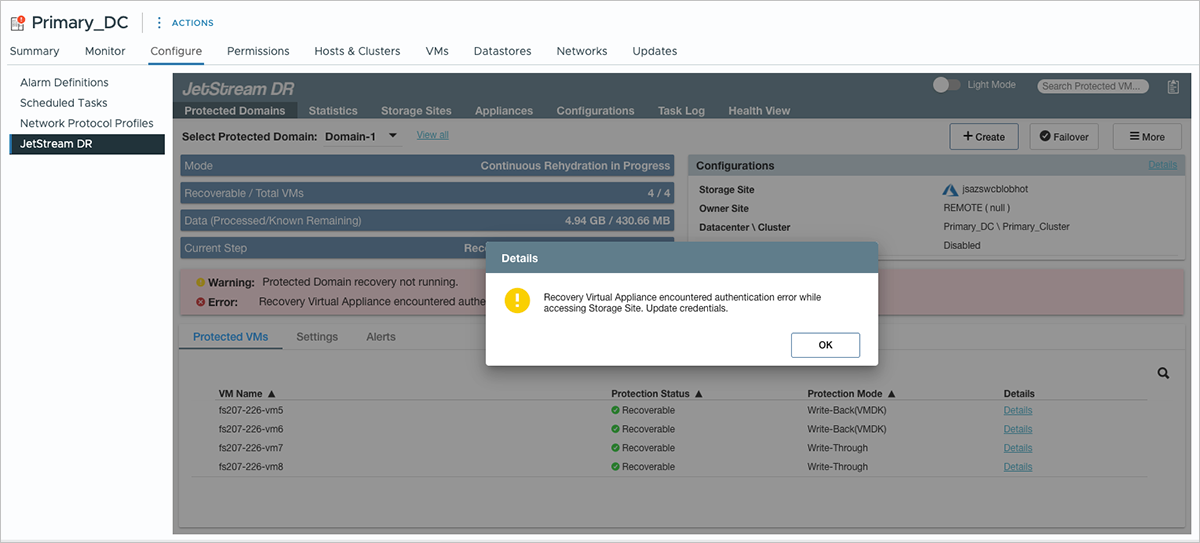
Figure 336: Error messages shown from the protected site.
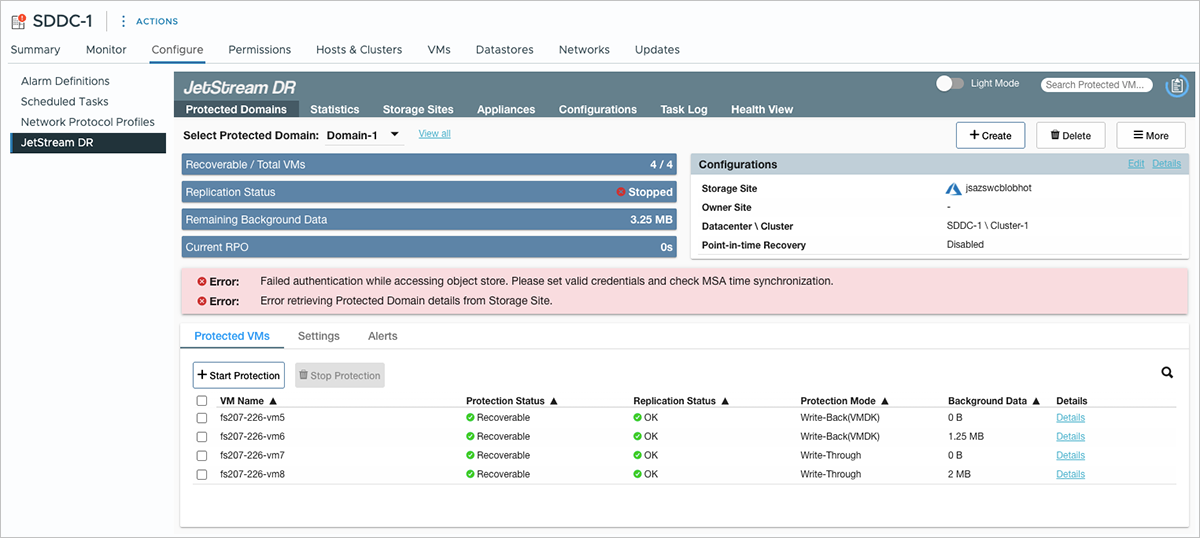
Figure 337: Error messages shown from the recovery site.
- While this error condition exists, data replication will be handled using bitmap protocol mode.
- When access to the object store is re-established, bitmap data will be replicated as dirty content and regular replication will be resumed.
Restore Access Key Connection
Manually restore connection to the object store with a new access key:
- Navigate to the Storage Sites screen and click the Credentials button.
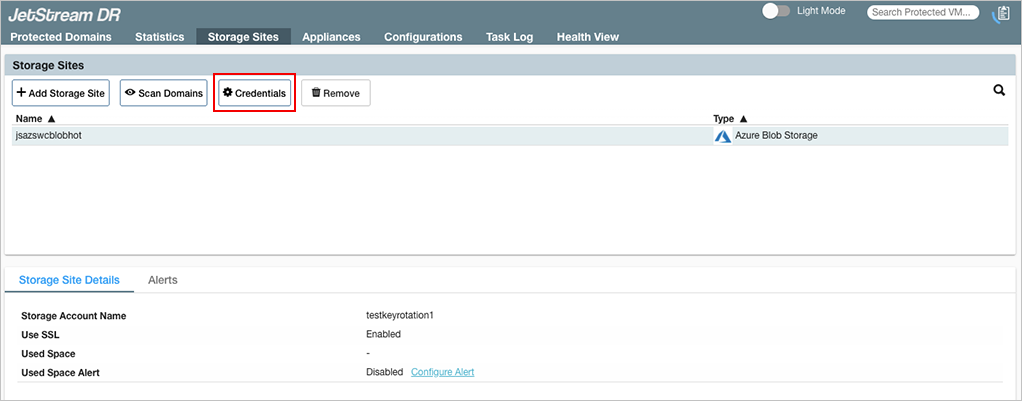
Figure 338: Click the Credentials button.
- A pop-up window will appear allowing a new access key to be supplied.
- Enter a valid access key then click the Save button.
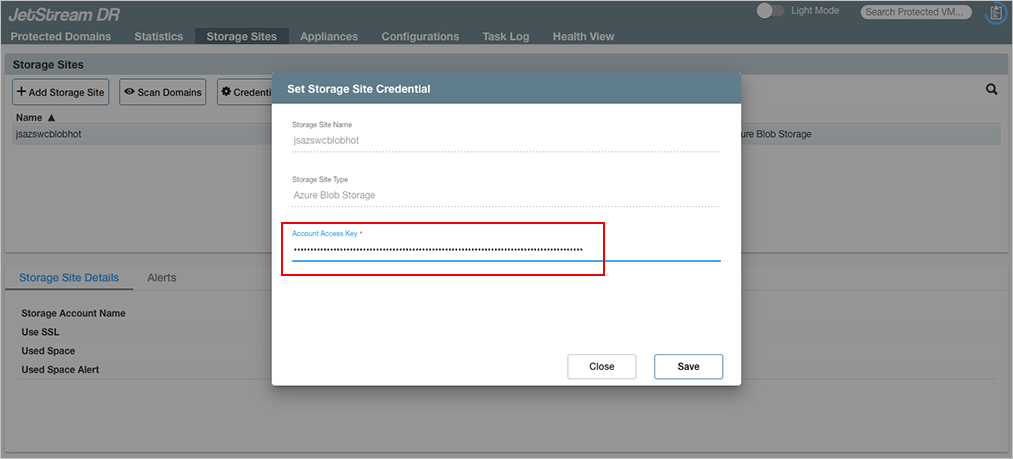
Figure 339: Enter a new access key.
- The system will display a success message if the new access key is accepted.
- Normal replication will resume on the system.
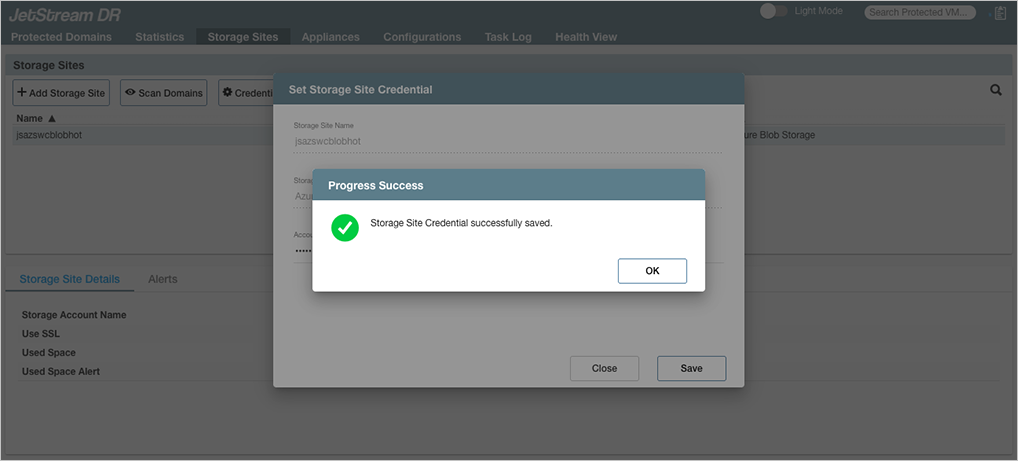
Figure 340: The new access key is accepted.