Alert Example
This example illustrates how a replication log volume issue might be handled when an alert message is received.
- An alert message is triggered indicating a problem with the Domain log space of Domain-1.
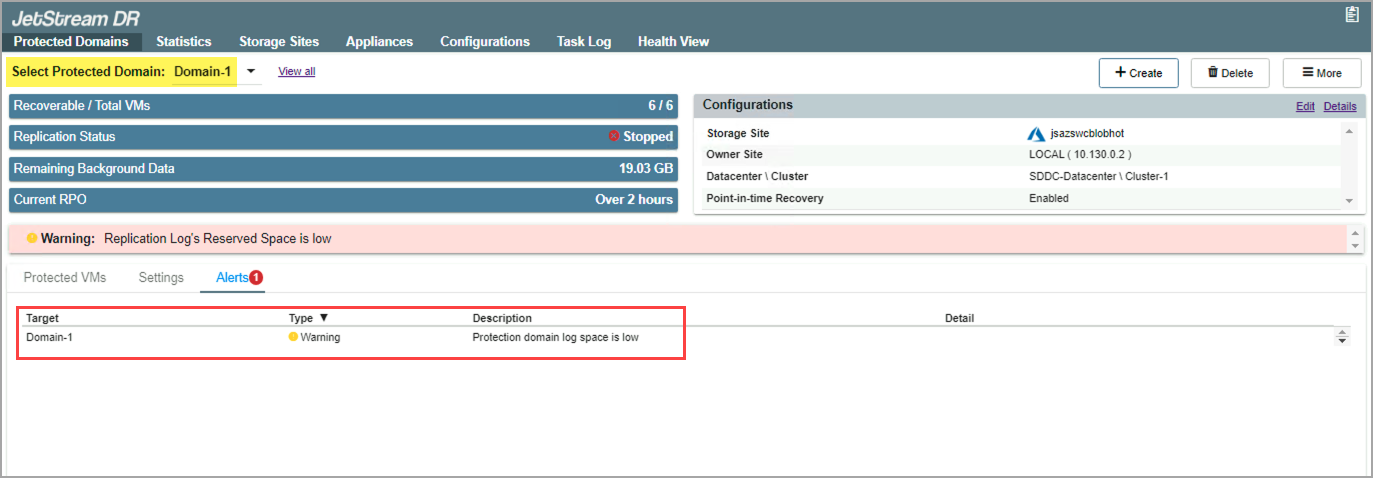
Figure 152: An alert message has been generated.
- Navigate to the Appliances screen and select the DRVA that contains Domain-1.
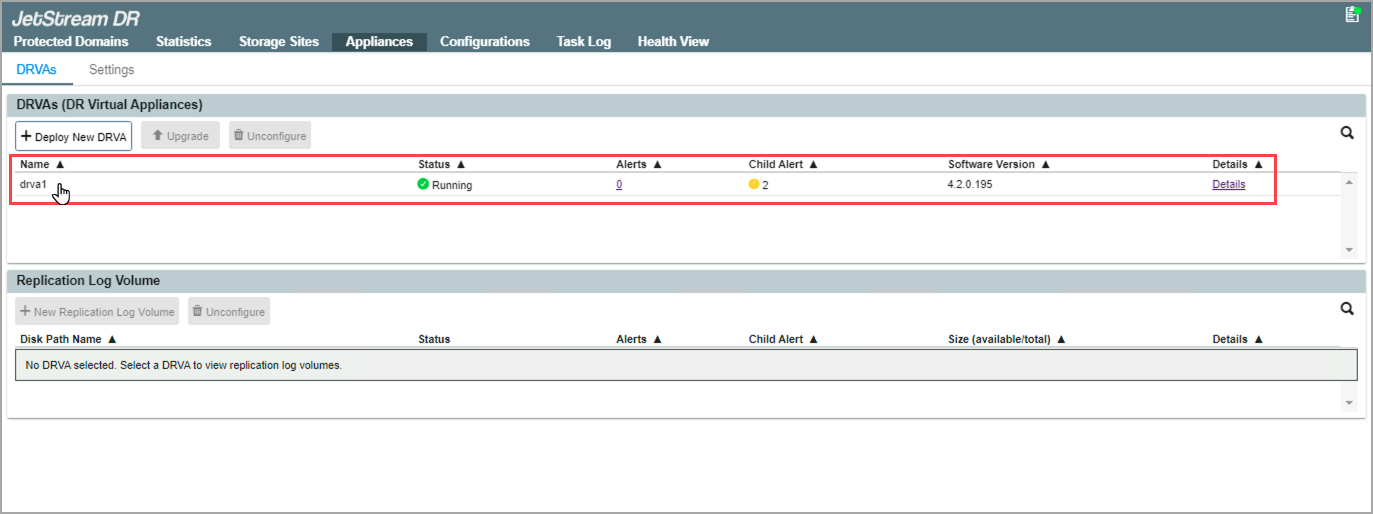
Figure 153: Navigate to the cause of the alert.
- Received alert messages will be indicated in the DRVA details and can be investigated by clicking the associated Alerts link.
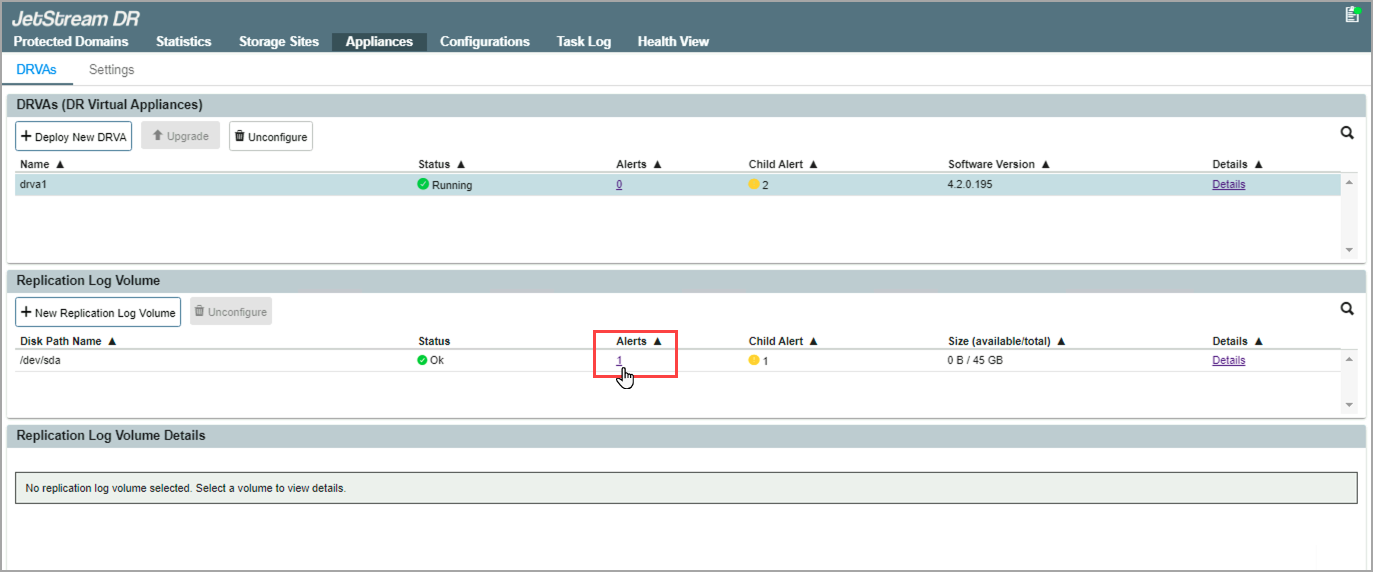
- A pop-up window appears exposing details about the alert.
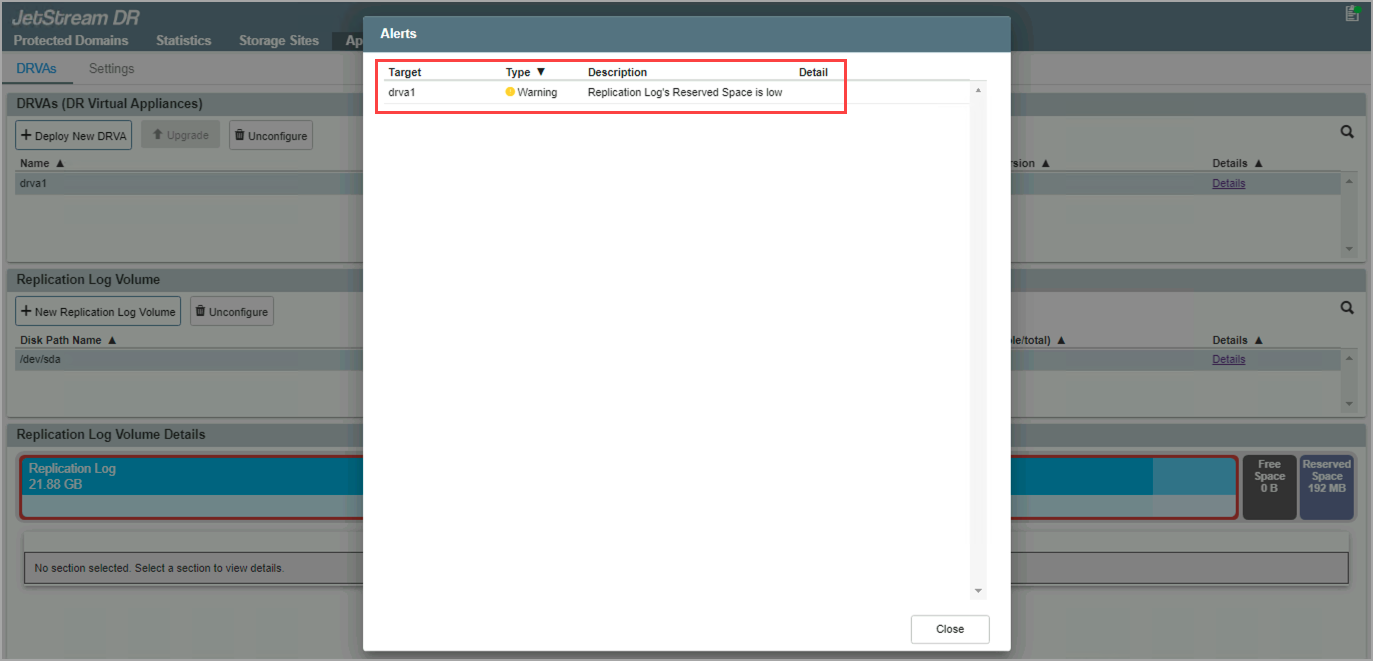
Figure 155: Review the alert details.
- With knowledge about the problem, the user can address the issue with the DRVA that triggered the alert.
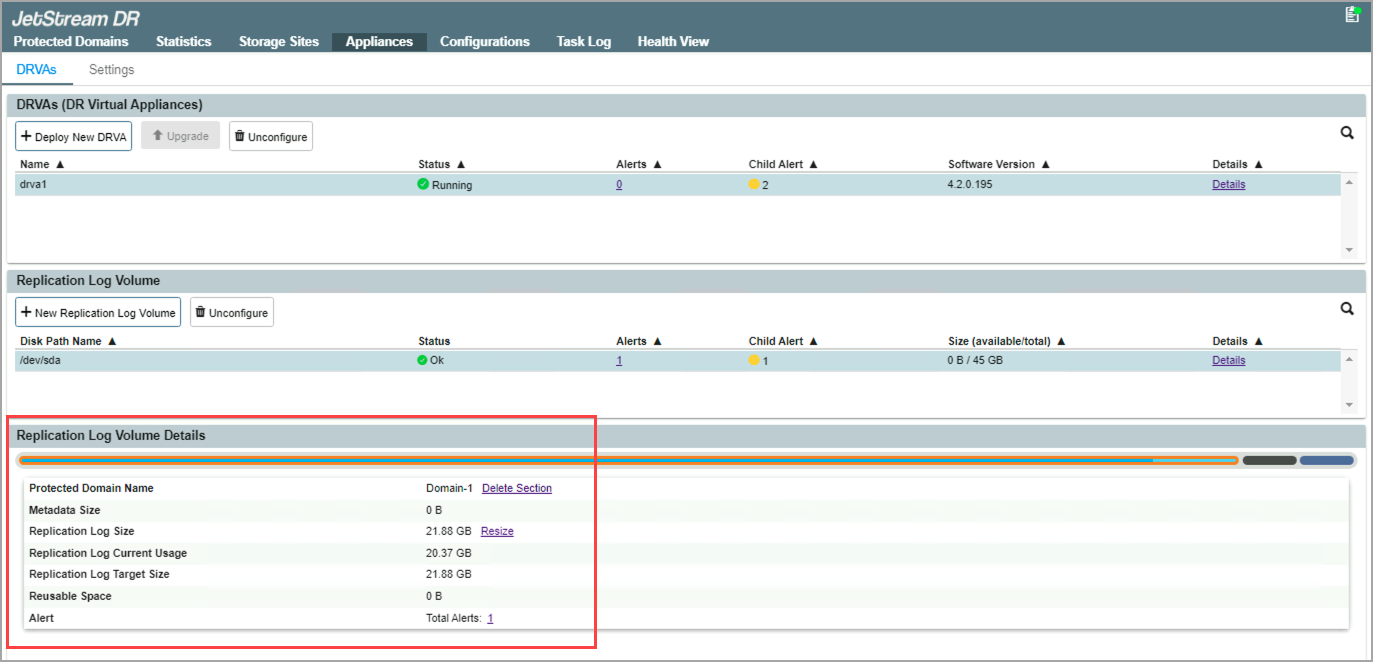
Figure 156: Resolve the cause of the alert.
- After the issue has been resolved, the Protected Domains screen will be updated and the alert message will no longer appear.
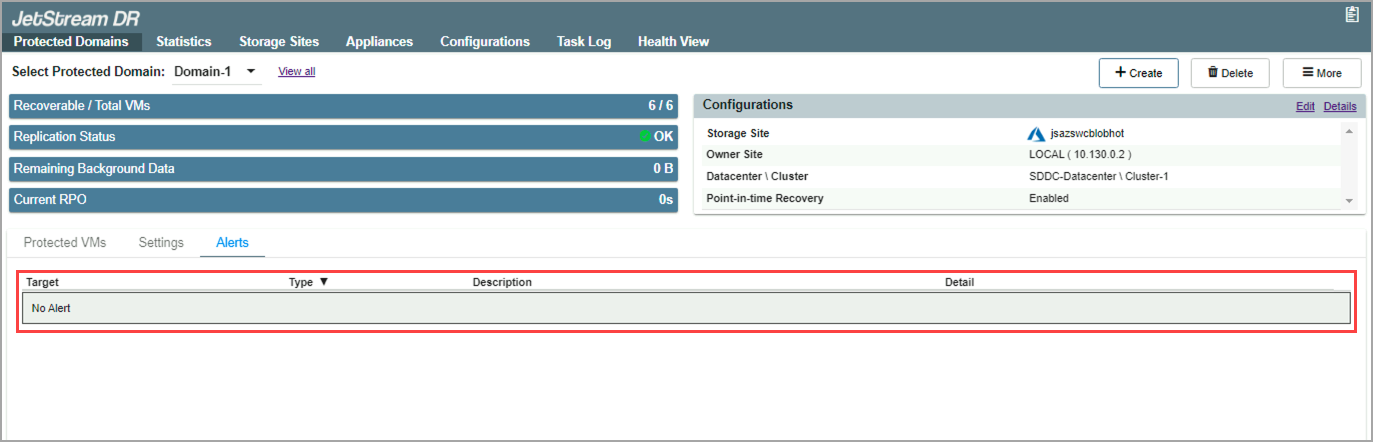
Figure 157: The alert is cleared.