Stop Protection of Detached Disks
A JSDR function is provided to stop protection of detached disks that are not being used.
- In vCenter, detach the disk from the protected VM.
- Right-click the VM then select Edit Settings > Detach/remove disk.
- The disk will be detached from the VM.
- This will be noted by JetStream DR.
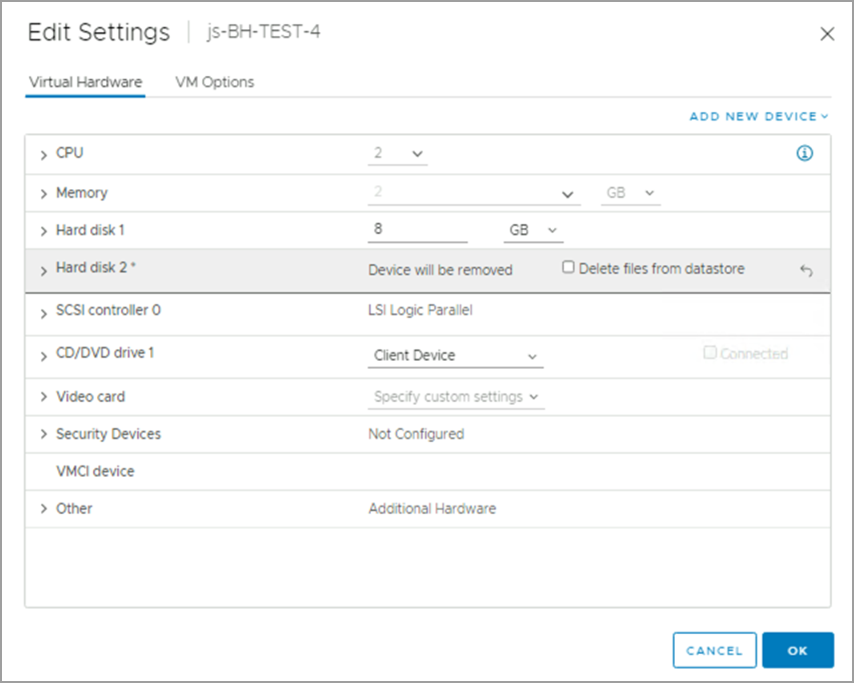
Figure 305: Example: Hard disk 2 is detached.
- From the JetStream DR GUI, open the details of the of the protected VM and select the detached disk to stop protection.
- Stop protection can only be performed on detached disks.
- Stopping protection of unused disks will free up system resources and can improve performance.
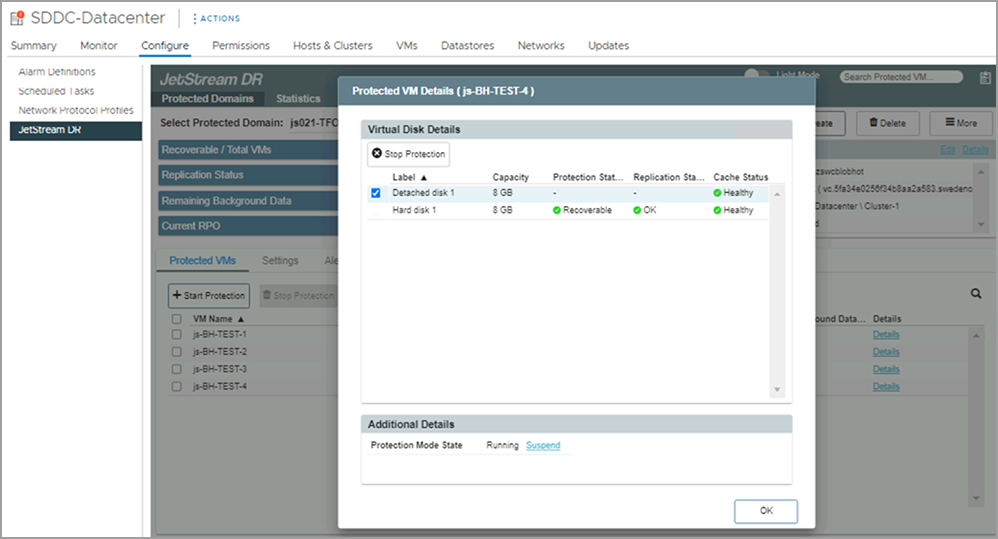
Figure 306: Select the detached disk to stop protection.
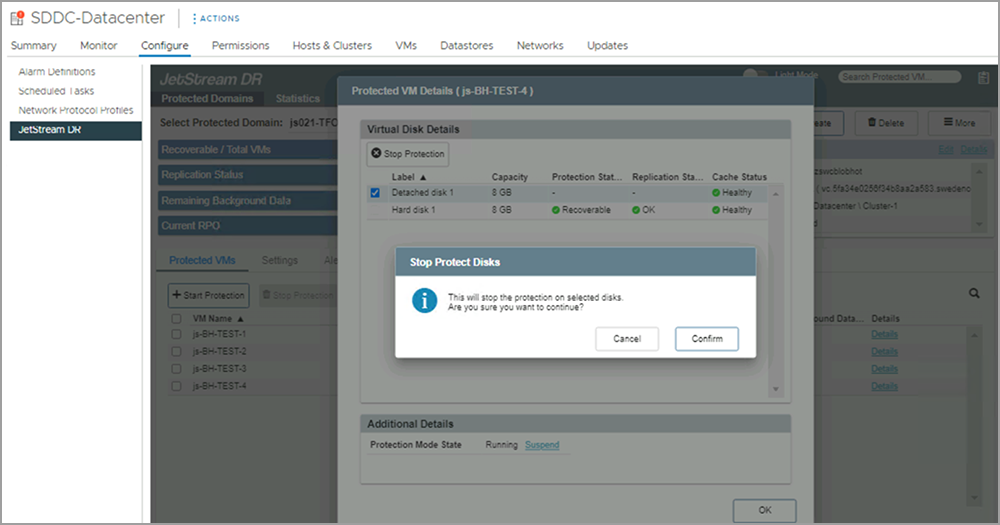
Figure 307: Confirm stop protection of the disk.