Azure Marketplace
JetStream DR for AVS is obtained from the Microsoft Azure Marketplace.
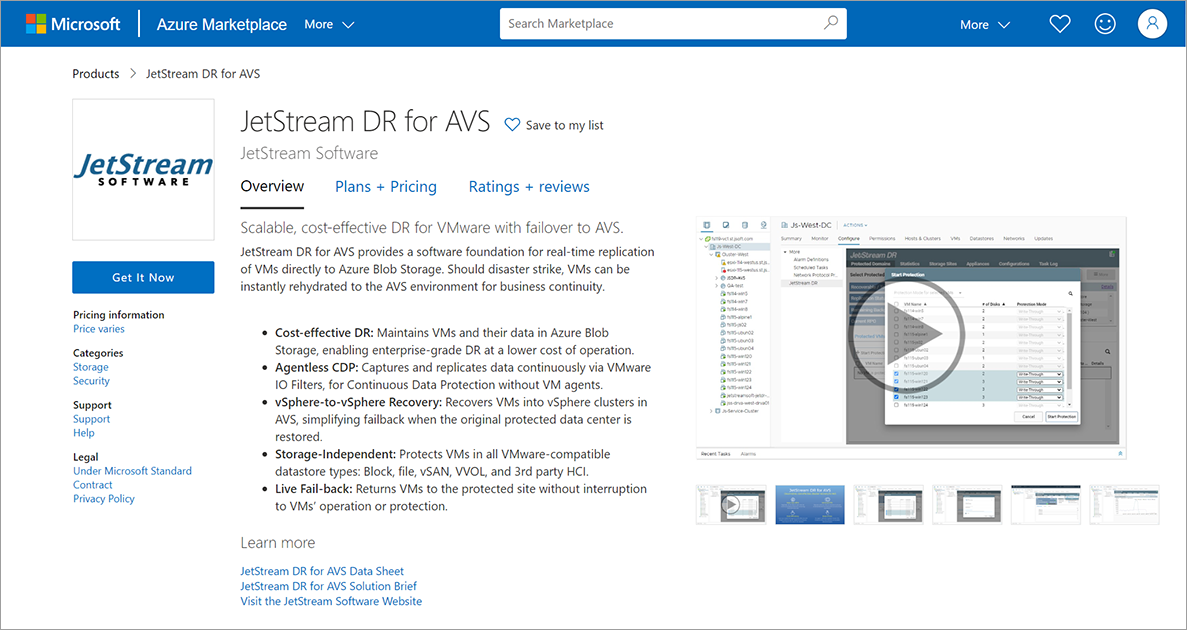
Figure 8: JetStream DR for AVS software listing in Azure Marketplace.
- Select a plan and follow the screens to subscribe to JetStream DR software.
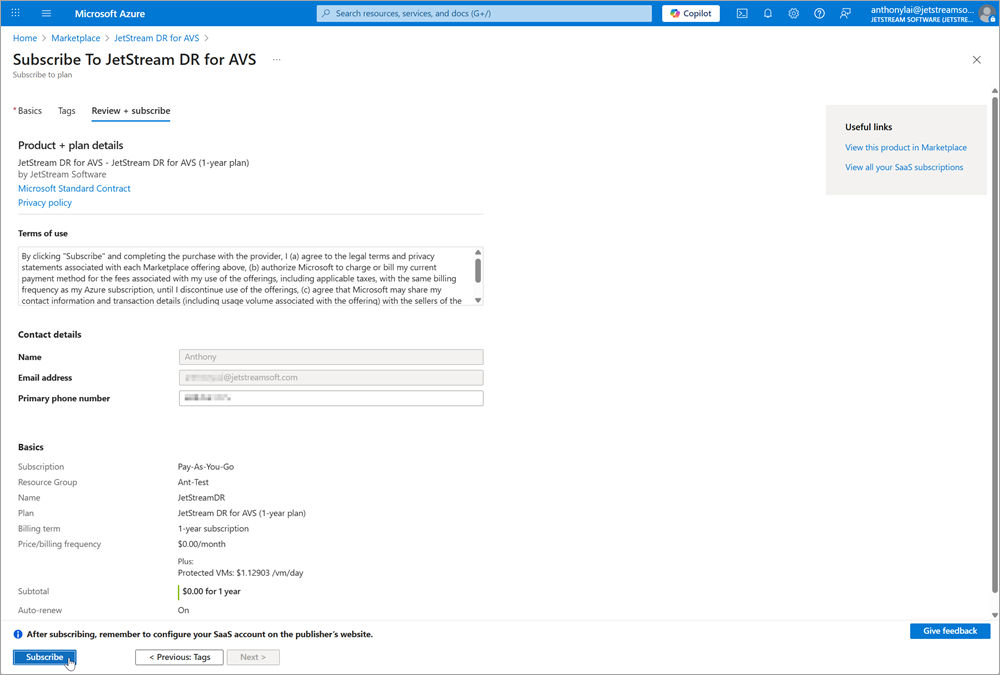
Figure 9: Subscribe to JSDR software from Azure Marketplace.
Note: Make sure you have the Azure user privilege to subscribe to new services. If you do not, you may see a message asking you to justify the subscription to JetStream DR for AVS. After making the request, check with your business admin to have them approve the transaction on Azure Marketplace.
- On the final step of the subscription process, click the Configure account now button.
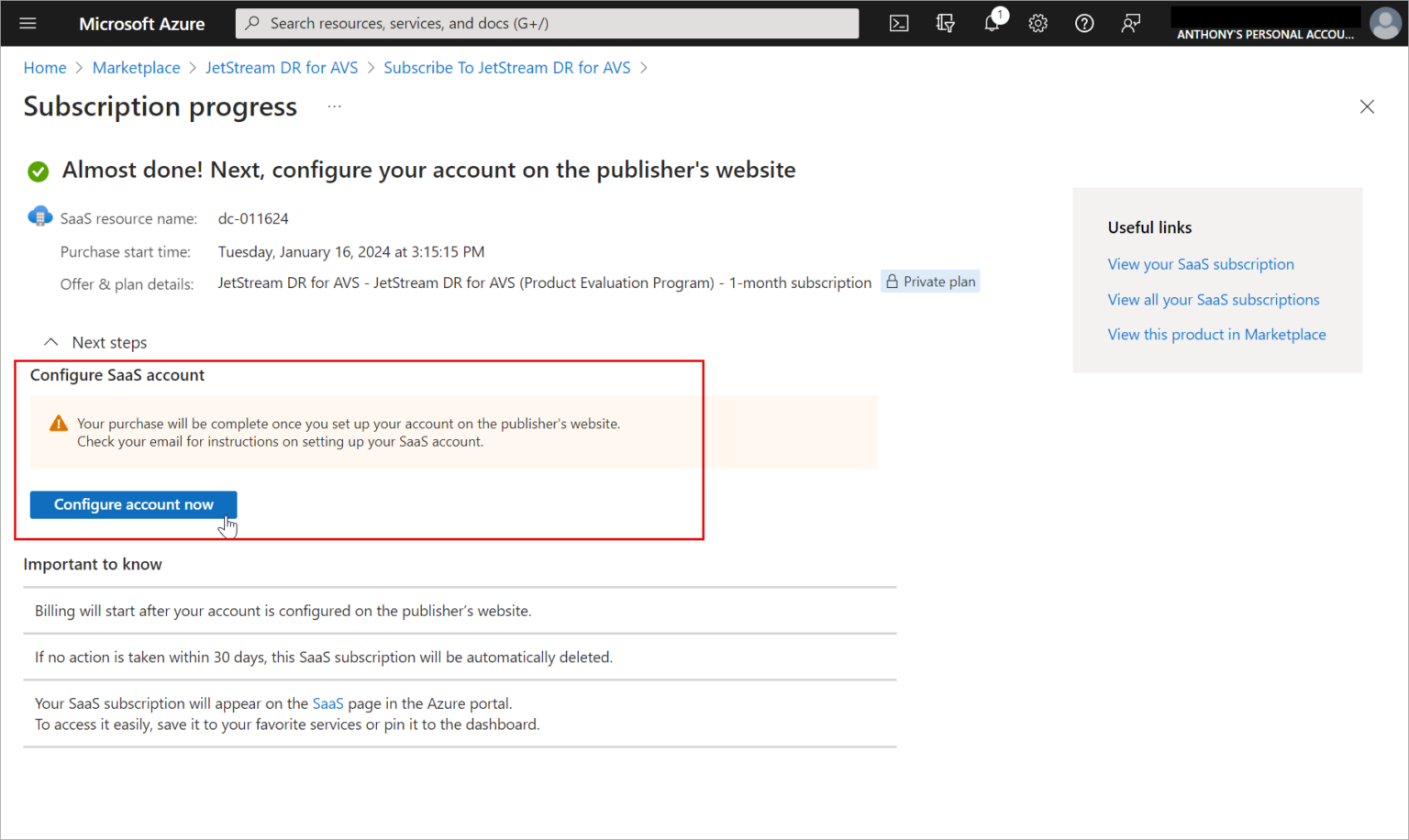
Figure 10: Click the Configure account now button.
- You will be asked to log into your Microsoft Azure account again then a new window will open displaying a screen to activate the subscription. Enter the requested information then click the Activate Subscription button.
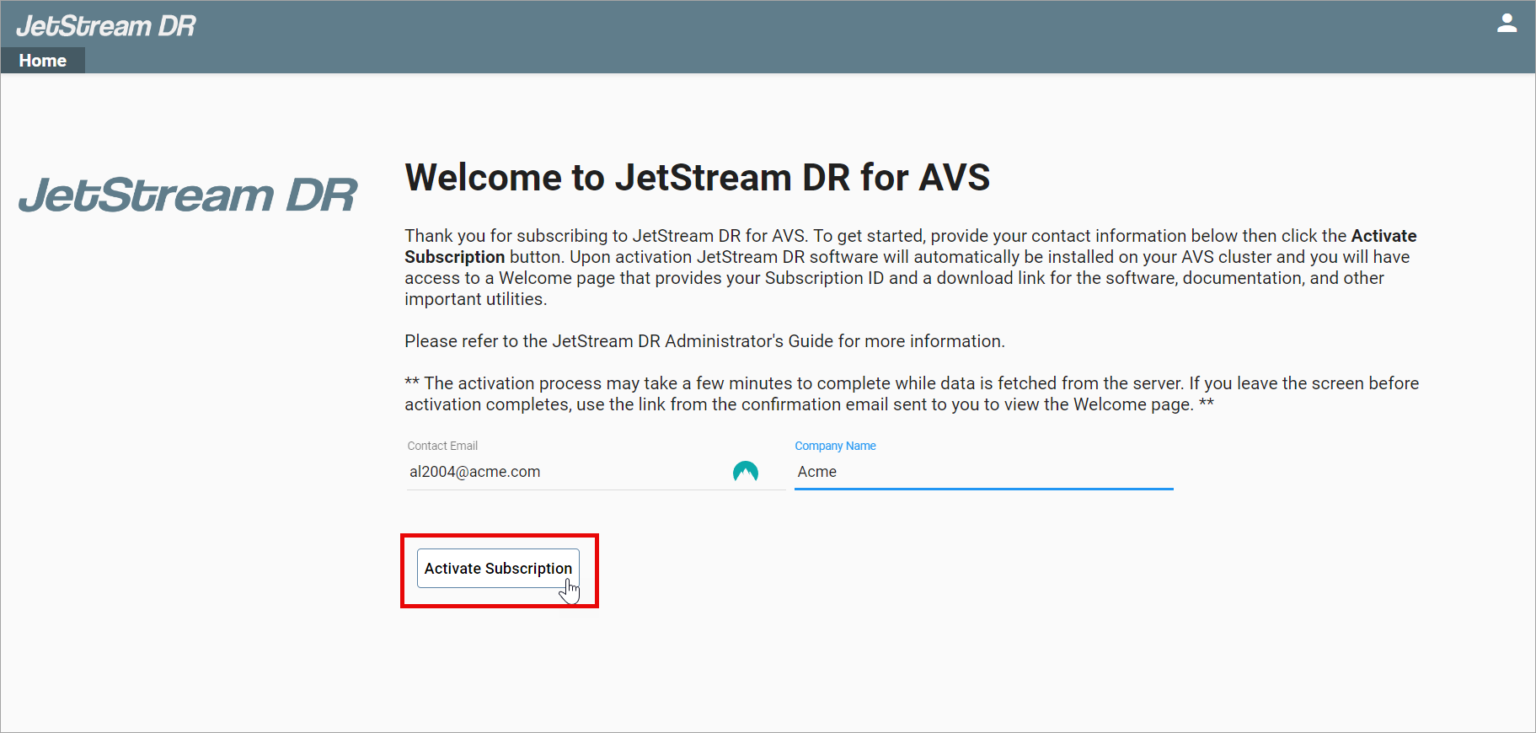
Figure 11: Enter contact information to activate the subscription.
- A follow up screen will display the issued JetStream DR for AVS Subscription ID. Record and save the subscription ID number. It is necessary for connecting to Azure object storage and protecting VMs and workloads. You may need to re-enter this information at a later point in time if the the software or connection to Azure object storage becomes disconnected or changed.
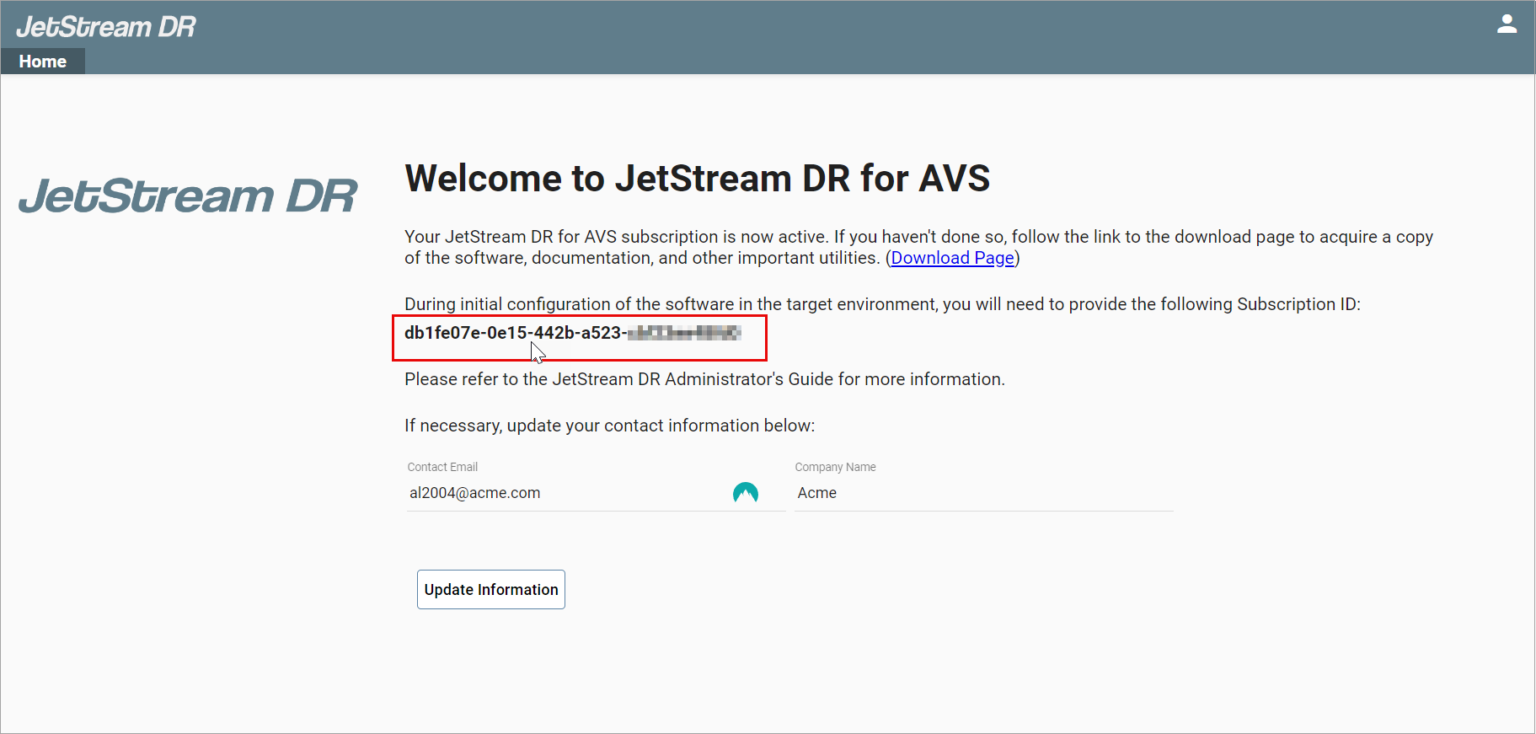
Figure 12: The JSDR subscription ID is issued.