"Failover" Mode
Failover mode is initiated as needed (i.e., in response to a disaster) and runs a complete process to recover Protected Domains to a recovery site.
- After failover has been configured and started and all data has been recovered from the storage site to the recovery site, a final set of steps will automatically be performed to conclude the failover process, including:
- VMs of the Domain will be powered off at the primary site.
- Ownership of the protected VMs will be shifted to the recovery site.
- The recovery site will become the protected site (assume ownership of the Domain).
- The primary site (where the Domain was originally created) will assume the status of "remote site."
- Temporary VMs used for the failover process will be cleaned up, and final recovered VMs created.
- DR storage policies will be applied.
- Protection of the Domain will be resumed.
- Failover runbook settings will be applied, and VMs of the domain may be powered on at the recovery site.
- When failover is complete, a message box will appear confirming completion of the failover recovery task.
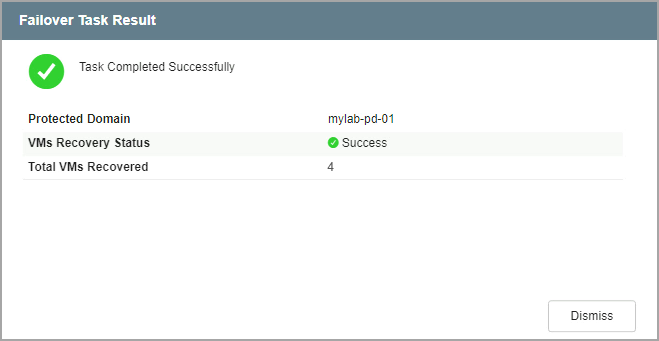
Figure 202: Failover task is complete.
- The mode will indicate “Running in Failover” and VM protection status will be “Recoverable.”
- All VMs of the Protected Domain will now be running at the recovery site configured with any applied failover runbook settings.
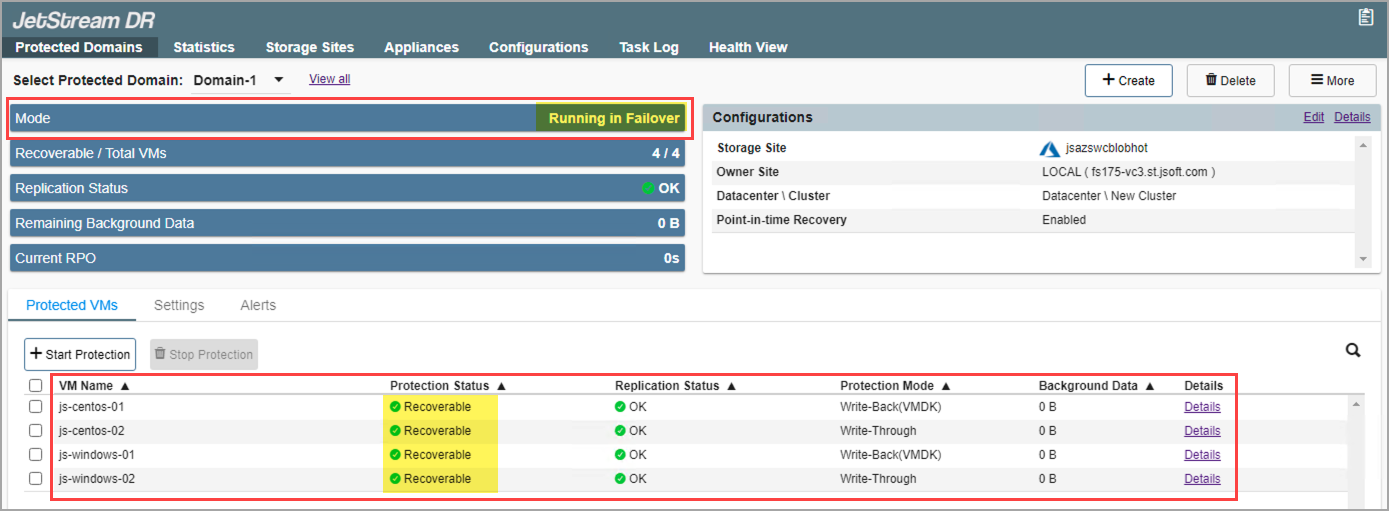
Figure 203: Running in failover mode.