View Protected Domain Alert Messages
A list of alert messages received for the currently selected Protected Domain is displayed on the Alerts screen.
- The list of alerts is "display only" and describes the general nature of issues received.
- The user is responsible for determining the cause and deciding an appropriate course of action to remedy each issue.
- A reported alert will be cleared from the list automatically after the underlying issue has been resolved.
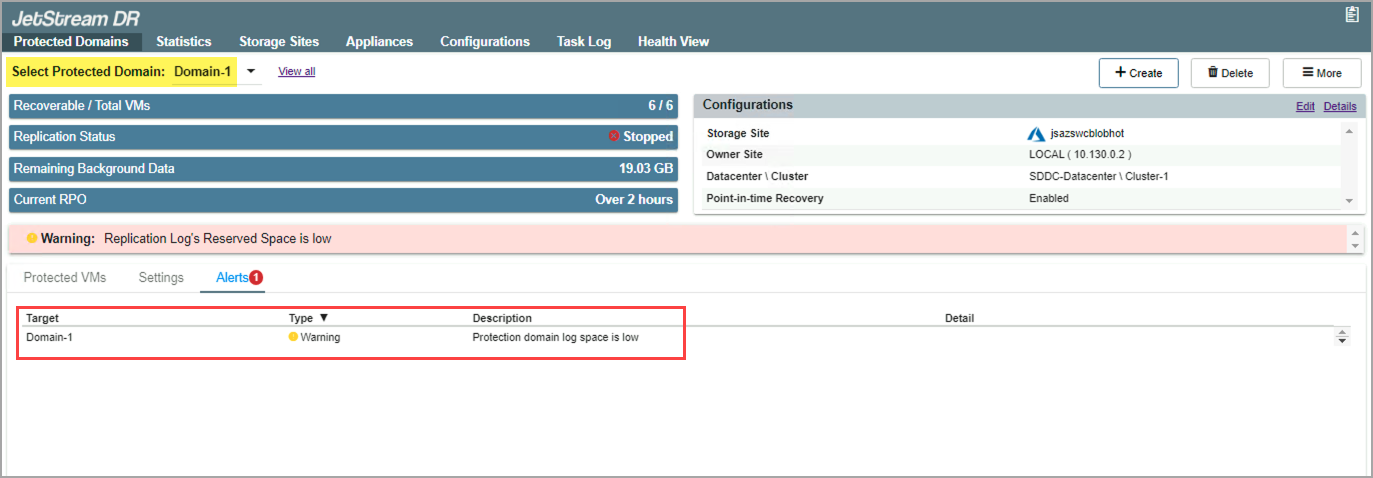
Figure 151: Reviewing an alert message.
Note: The alert messages displayed on this screen are informational only. They are not directly actionable.
Also see:
Example handling a received alert message