Script-based Upgrade
JSDR software components can be upgraded using an automated script-based process.
Upgrade Process Overview
The first stage of the upgrade process updates the MSA and plug-in.
- A new version of the MSA is deployed and all configuration from the current MSA is copied to it.
- The existing MSA is then powered off to begin the upgrade process. (Note: Replication is not impacted during the upgrade process).
- After the MSA and plug-in upgrades are complete, the existing MSA will be renamed to <MSA_Name>_Backup and the new MSA will be renamed to <MSA_Name>.
Next, associated JetStream components are upgraded. This includes: DRVA, ROCVA, and RVM.
- If the existing JetStream version is lower than 4.2.2, the upgrade will also update the IOFilter (which requires the hosts to be moved to maintenance mode one at a time).
- If the existing JetStream version is 4.2.2 or higher, no IOFilter update is involved.
- If the upgrade fails at any step after the MSA and plug-in have been upgraded, the script can be re-triggered with the command
-Resume:$true to resume the upgrade process from where it last failed. - If the upgrade failed during the MSA or plug-in upgrade, the script should be re-triggered from the beginning.
Upgrade Procedure
Perform the following steps to upgrade JetStream DR:
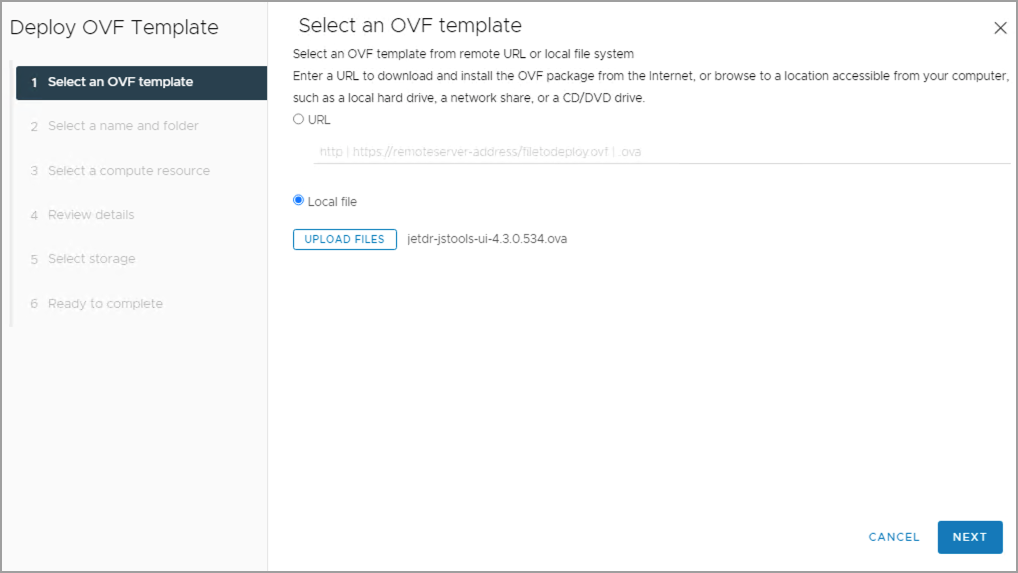
- Deploy the jstools OVA provided by JetStream Software.
(Contact JetStream support for additional assistance.)
- Specify a name and select a folder to install the target virtual machine.
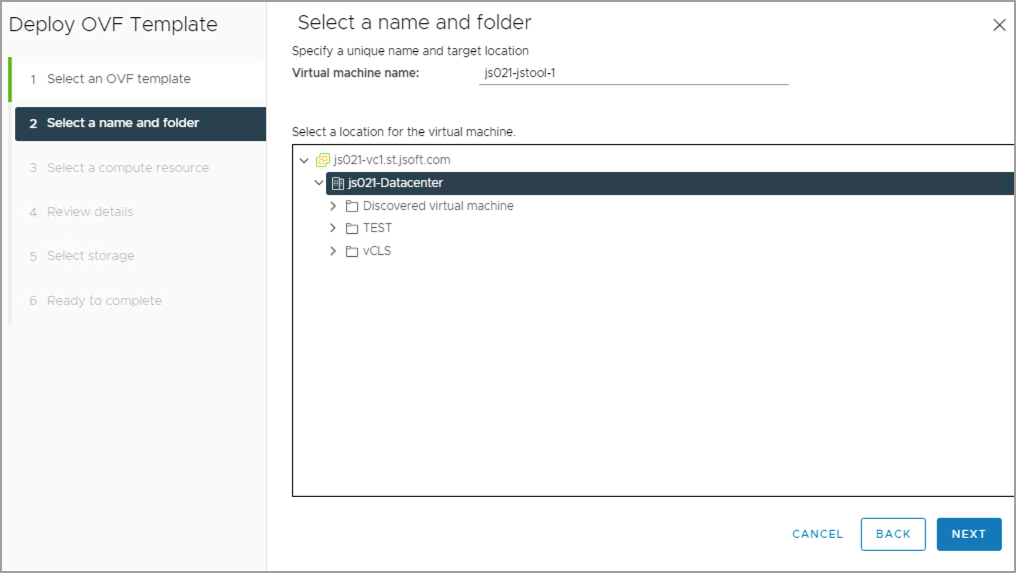
Figure 389: Specify name and folder.
- Verify the installation template details.
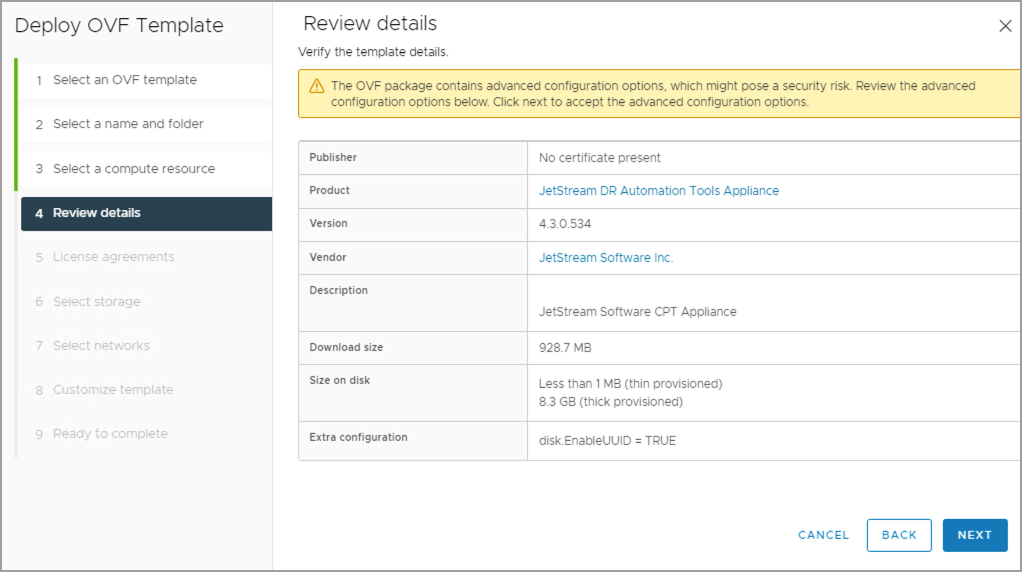
Figure 390: Verify installation template.
- Complete the remaining required installation details then review.
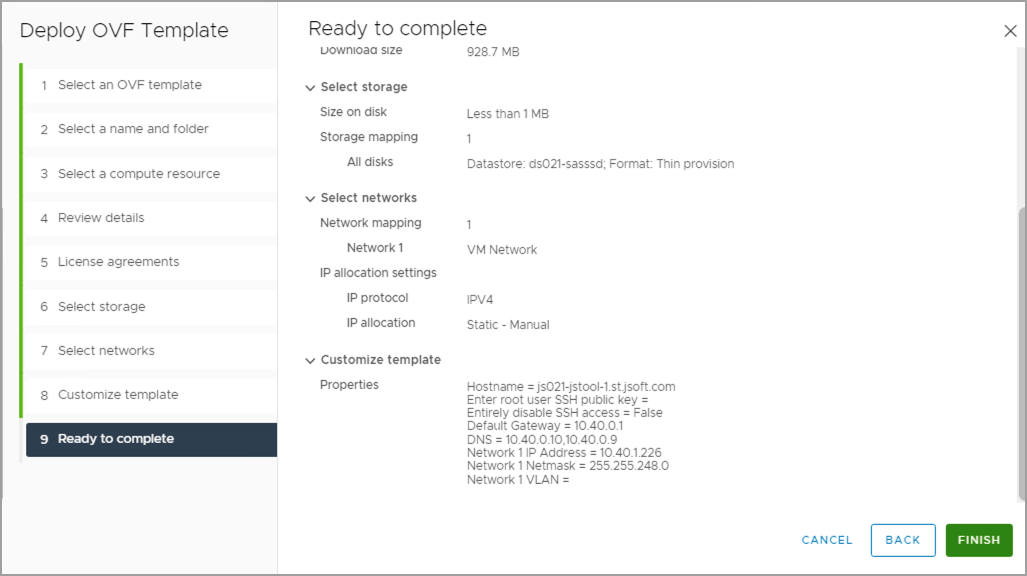
Figure 391: Provide installation details.
- After jstools has been successfully deployed, power on the virtual machine.
- SSH to the jstools virtual machine and execute the following commands (adjust parameter values as needed):
# cd /opt/jetstream/jetdr/script/support
# pwsh
# ./upgradeJetDRTo43.ps1 -VCIp <vCenter ip/fqdn> -MSAVMName "old-MSA-name" -MSAIp "old-MSA-ip" -NewMSAVMName "new-MSA-name" -DownloadPath /tmp
- Script parameters:
PARAMETER VCIp: Ip of vCenter
PARAMETER VC_Credential: vCenter credential of user with administrator privilege
PARAMETER MSAVMName: Name of existing MSA
PARAMETER MSAIp: IP of existing MSA
PARAMETER MSACredential: Credentials of root user of MSA
PARAMETER NewMSAVMName: Name of new MSA to be deployed
PARAMETER DownloadPath: Absolute path of downloaded JetStream software bundle. Skip if the bundle doesn't already exist and needs to be downloaded
PARAMETER Resume: Resume upgrade if it failed during upgrading of any components after upgrading MSA
- Upgrade logs will be located under: /var/lib/vme2/log
- During the upgrade, MSA logs from the current existing MSA are copied to the newly deployed MSA. The logs can be checked from a web browser after the upgrade at: <MSA IP>/pkg