RocVA Upgrade
RocVA upgrade for JetStream DR:
For Protected Domains that are operating using Continuous Failover (CFO), the RocVA must be manually upgraded.
- Navigate to: (Datacenter) > Configure > JetStream DR > (Protected Domain with CFO running) > More.
- Click the option Upgrade RocVA.
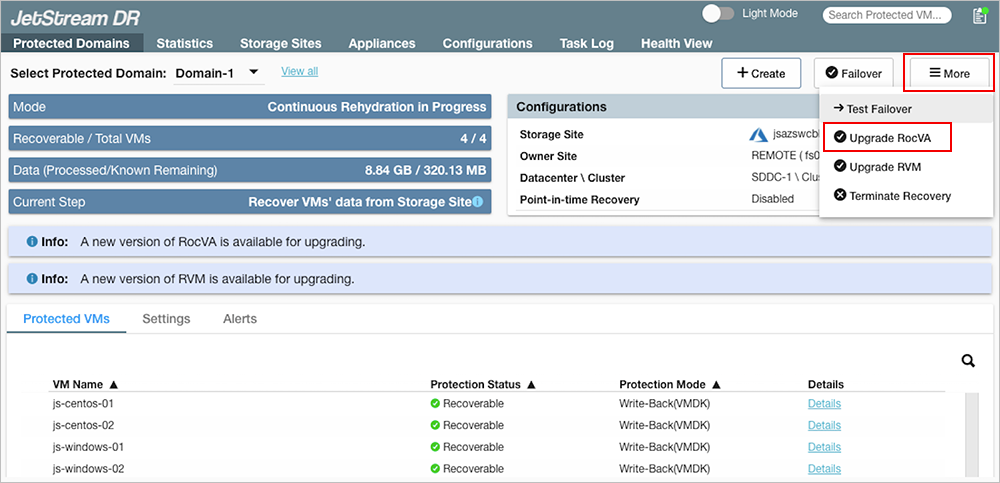
Figure 400: A new version of the RocVA is available for upgrade.
- The RocVA will be upgraded.
- Verify success of the upgrade from the Task log.
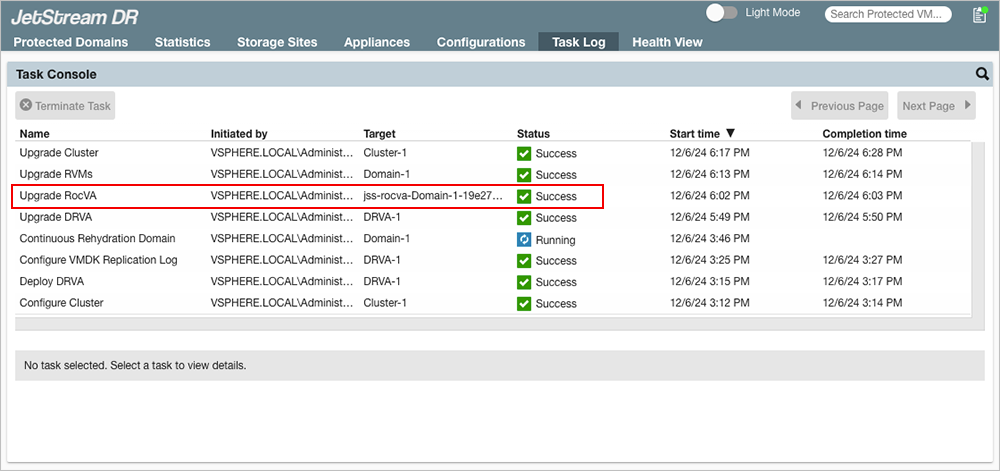
Figure 401: The RocVA has been successfully upgraded.
Important: Regarding RocVA and Continuous Failover (CFO)
RocVAs must be upgraded using this process for every Protected Domain where CFO is in operation.