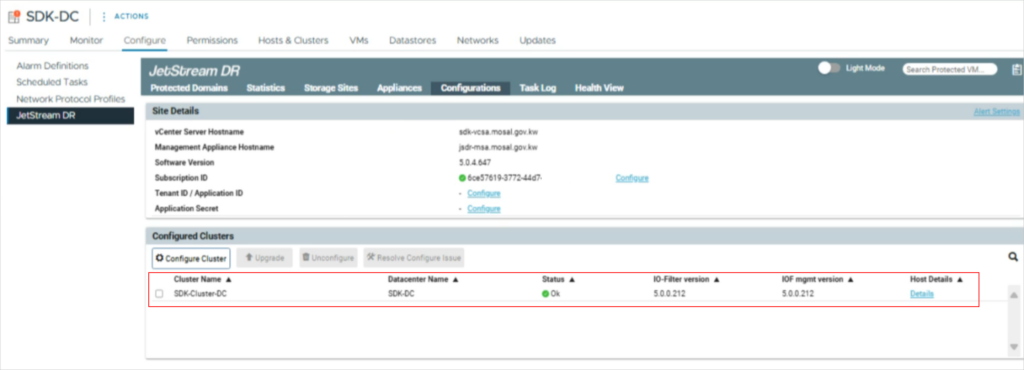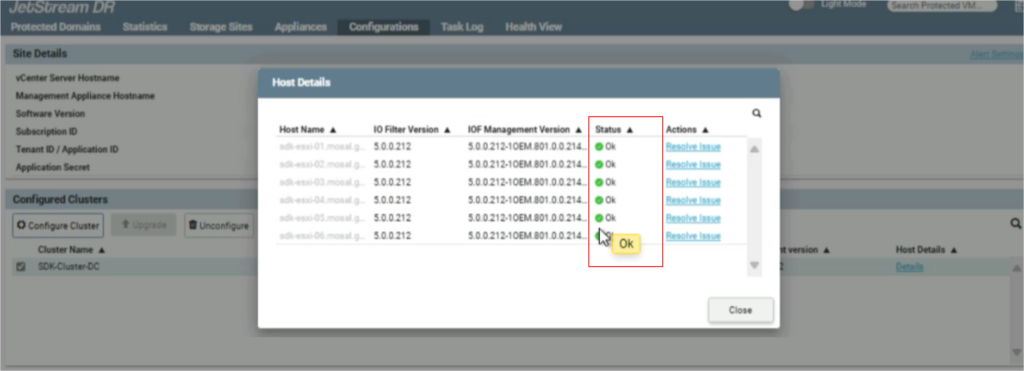
JetStream DR software can encounter configuration problems when installed in ESXi 7.x and ESXi 8.x environments with vLCM (VMware vSphere Lifecycle Management) enabled.
If possible, avoid using vLCM while installing JetStream DR software by creating a new cluster without vLCM.
If JetStream DR software is installed on a vLCM cluster and configuration problems are encountered, they can be resolved by following a sequence of cluster remediation steps.
Error Example
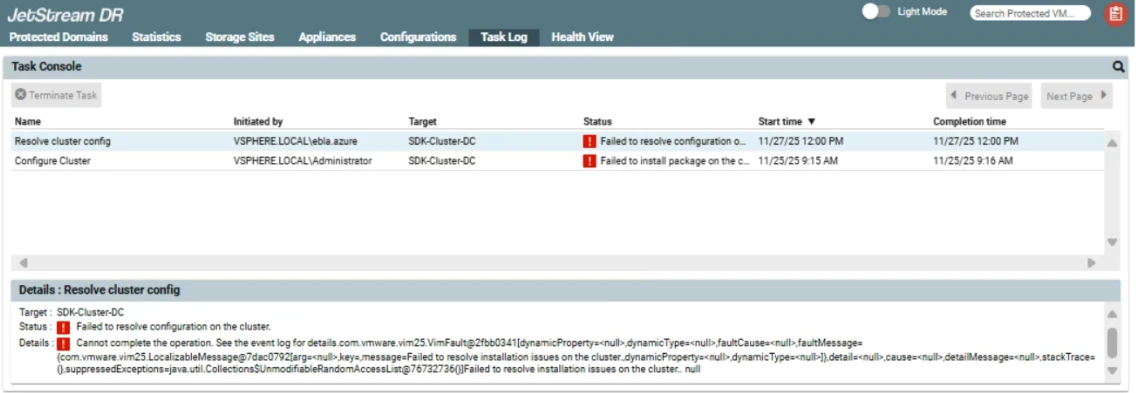
If vLCM is enabled when the cluster is created, configuration of JetStream DR software on that cluster can fail with the below error condition. Although the JetStream DR IO Filter will be added to the vLCM-enabled cluster during configuration, it cannot be applied to the base image until after a host remediation process has been completed or JetStream DR hosts have been moved to a non-vLCM configured cluster.
vSphere Lifecycle Manager
For the most streamlined installation experience, install JetStream DR software on a cluster that was created without vLCM features.
- Create a new cluster where vLCM isn’t enabled before installing JetStream DR software.
- If JetStream DR software has already been installed and is experiencing configuration problems releated to vLCM, one option is to create a new cluster without vLCM and then migrate the JetStream DR hosts to it.
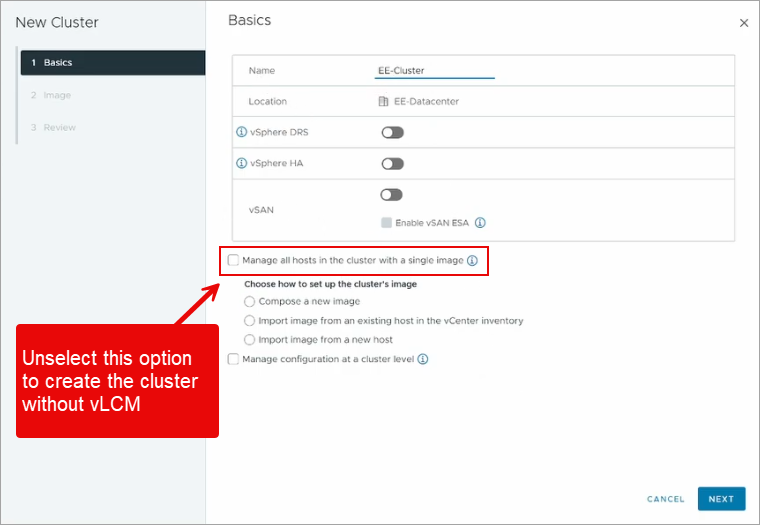
- If this is not feasible, then perform cluster remediation steps to allow JetStream DR software to be successfully configured on the vLCM managed cluster.
Cluster Remediation Steps
The following steps explain how to resolve configuration issues that may occur with JetStream DR when it is added to a vLCM-enabled cluster.
Remediate the Cluster
- Navigate to: Cluster → Updates → Image → Select the Host.
- Open the Actions drop-down menu.
- Select the Remediate option.
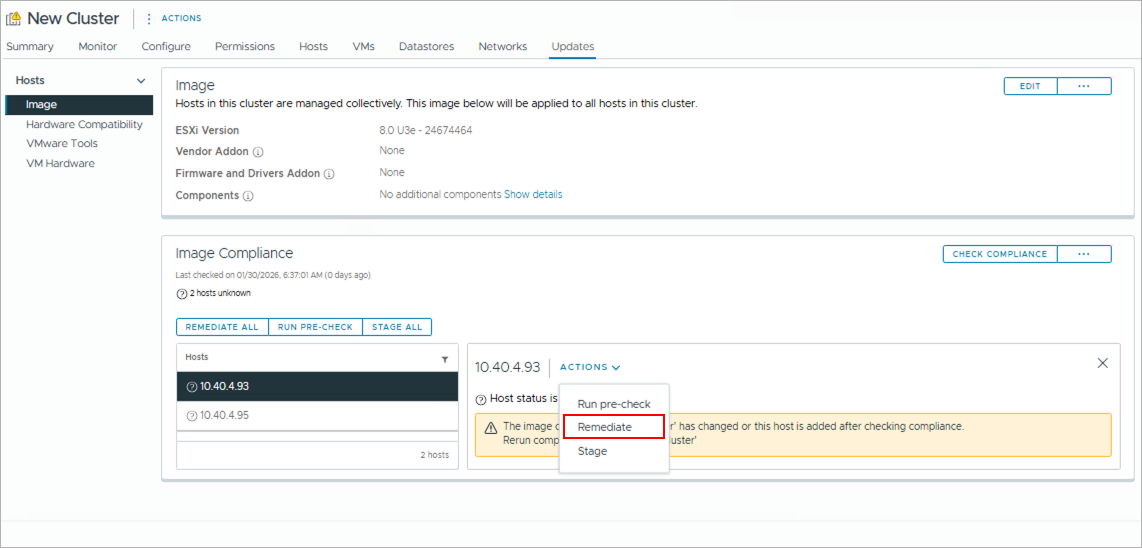
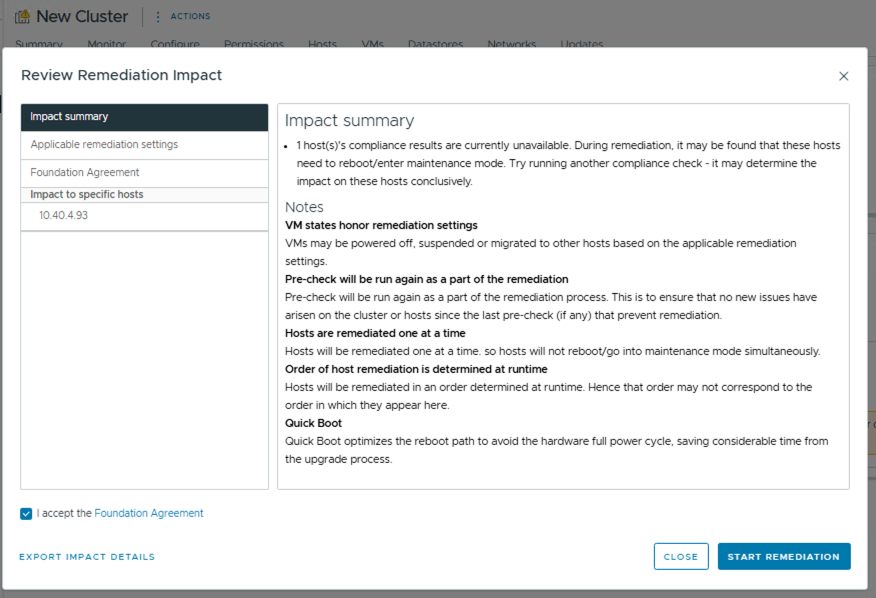
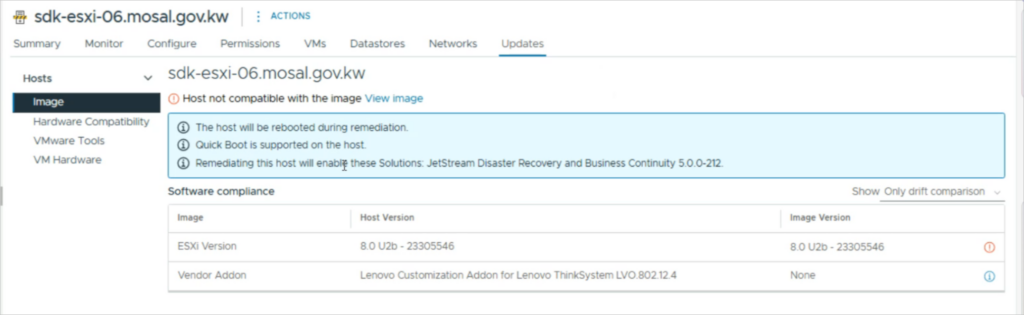
- Installation of JetStream DR IO Filter does not require the ESXi host to be rebooted; however, if a cluster with vLCM enabled has pending remediations, an ESXi host reboot may be necessary, as shown below.
Resolve Host Issues in the Cluster
- After remediation has been completed for the hosts:
- Go to the JetStream DR UI and navigate to Configurations → Host Details.
- On the Host Details screen, click the Resolve Issue links to install IO Filter on the hosts of the cluster.
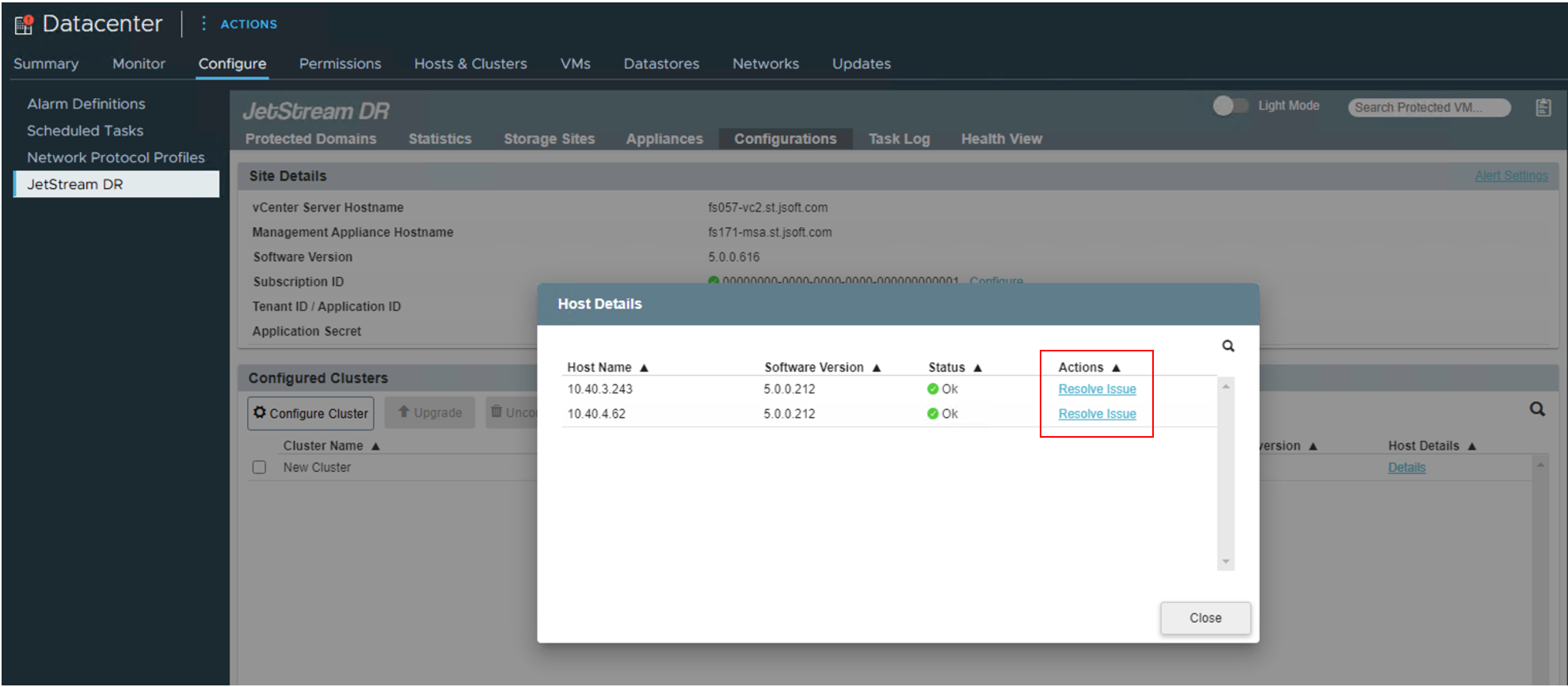
- Repeat the Remediate the Cluster step above to perform an additional remediation picking up any hosts that were still out of compliance with the image.
Finishing Up
- After remediation has been completed the second time, repeat the steps to resolve any remaining cluster issues.
- If completed successfully, no errors should be reported on the hosts from the JetStream DR UI.