
Problem
When the IOF REST password is due to expire (or has expired), a warning message will be presented:
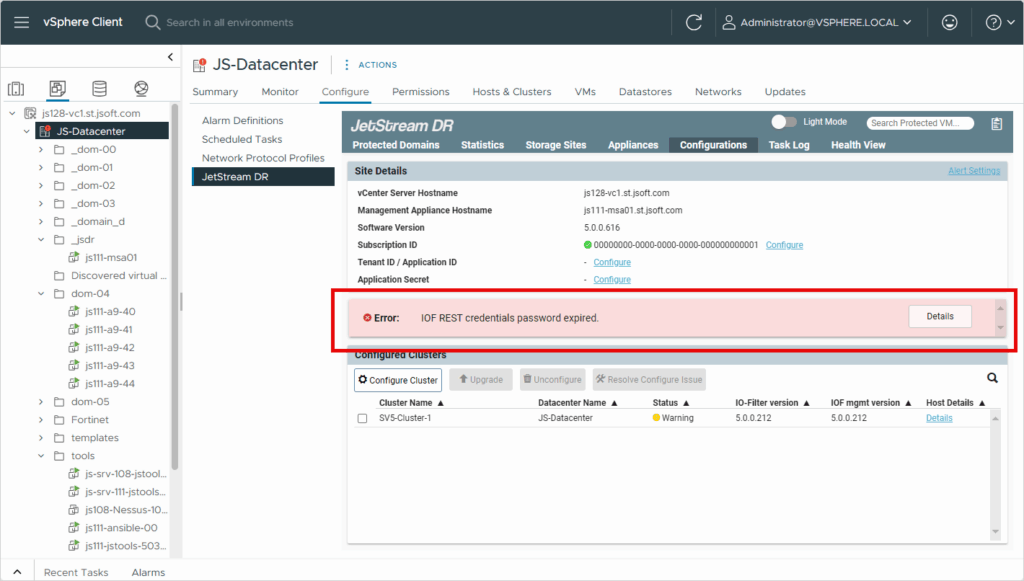
Solution
To reset IOF REST user authentication and stop the warning message from appearing, follow the steps below based on your operating environment:
For AVS:
- Execute the following run-command from your Azure portal → AVS private cloud → Operations → Run commands → JSDR configuration (latest one): Enable-JetStreamRESTUser
- Leave the username blank or use “jetstream“
- This run command will refresh the IOF REST user password and it will update the MSA with a new expiration date (per vCenter).
- When the password expiration date approaches the warning message will be presented reminding you to execute the command to reset the password before it expires.
For On-prem:
- Download the latest JSTools automation tool kit and deploy it.
- The latest JStools can be downloaded from the following link:
https://jetstreamsoft.com/portal/jetstream-knowledge-base/downloading-and-installing-the-jetstream-software-tools-ova-automation-toolkit/
- The latest JStools can be downloaded from the following link:
- SSH into the JSTools VM and navigate to the directory /opt/jetstream/jetdr/script/iofrestUser
- Execute pwsh for PowerShell mode
- Execute the script: ./manage_iofrest_user.ps1
(enter the required details like vCenter FQDN/user_name/password, MSA IP/password, etc.)- The script will refresh the IOF REST user password and it will update the MSA with a new expiration date (per vCenter).
- When the password expiration date approaches the warning message will be presented reminding you to execute the script to reset the password before it expires.
- The script will refresh the IOF REST user password and it will update the MSA with a new expiration date (per vCenter).