Adding Access to AROVA through IAP
To allow select users access to a deployed AROVA:
- From the Google Cloud Console, navigate to Security > Identity-Aware Proxy > SSH and TCP Resources.
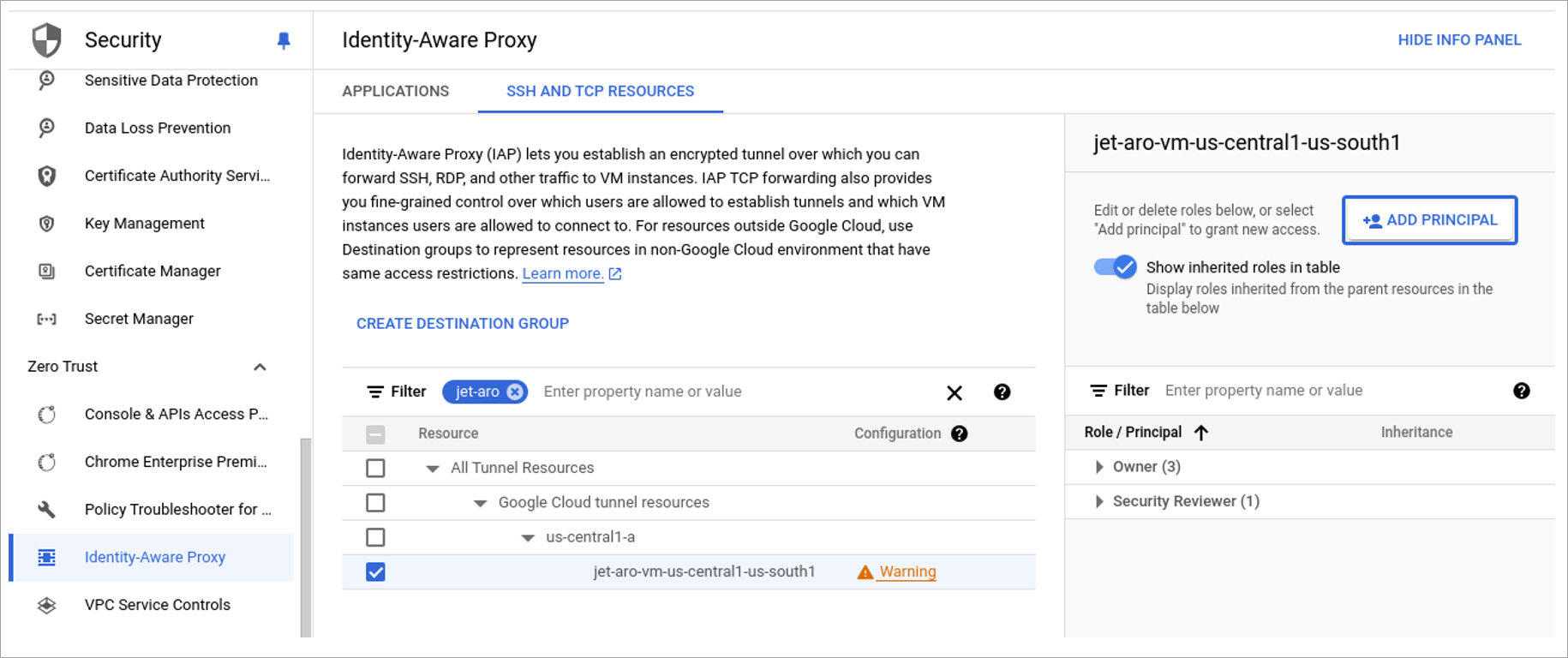
Figure 37: The SSH and TCP Resources screen.
- Select the desired AROVA (filter VMs by configured VM prefix or by the “jet-aro” default name prefix).
- Click the ADD PRINCIPAL button on the right side of the screen.
- Provide the access principal email.
- Select the “IAP-secured tunnel user” role.
- Click the SAVE button.
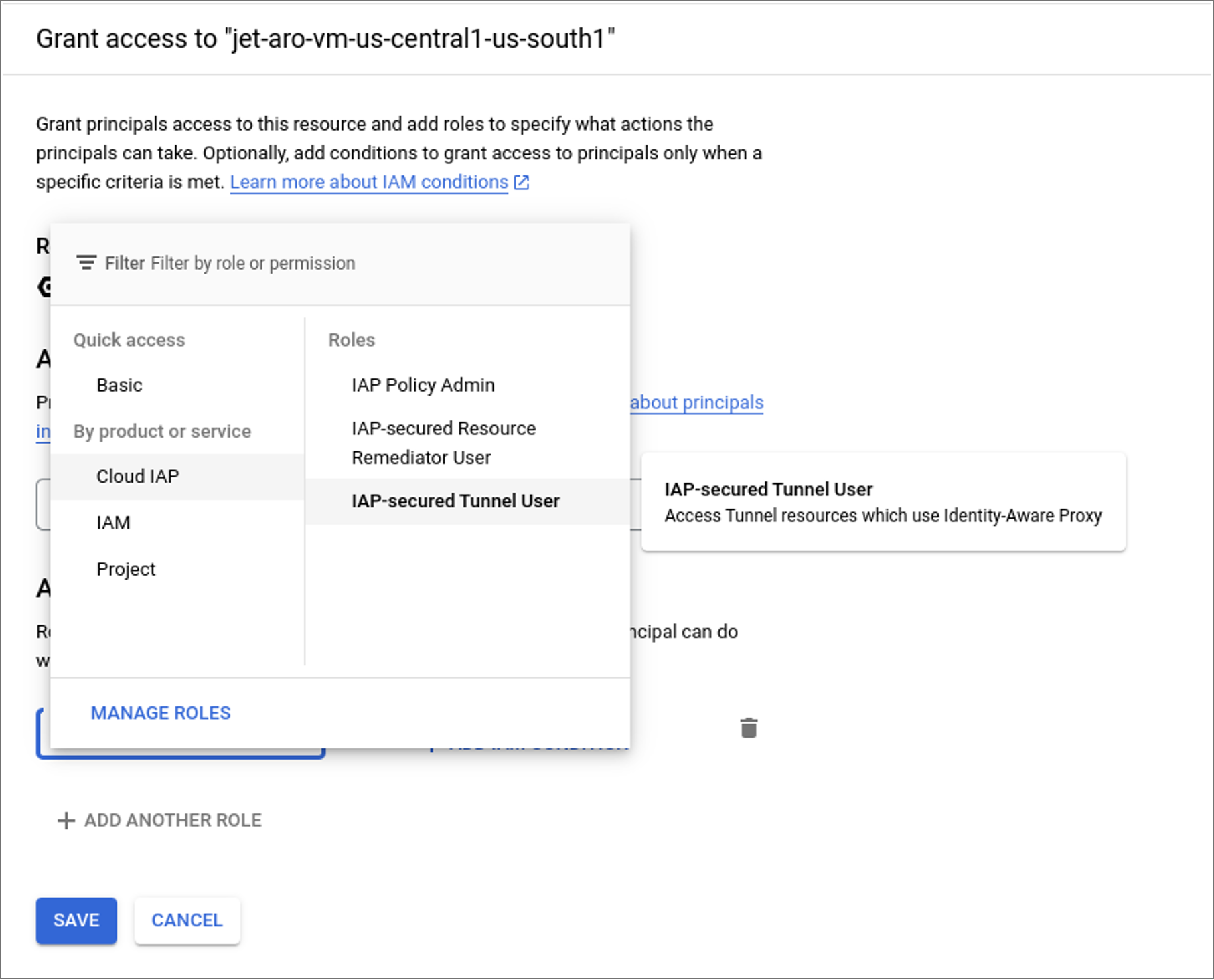
Figure 38: Granting access to IAP user.