Configure DNS Servers and DNS Suffix Settings
This setting allows you to configure the DNS servers and DNS suffixes settings for your VMs during recovery. DNS settings are supported for Windows operating systems and for Linux distributions derived from Red Hat, SUSE, and Ubuntu.
Note: On Red Hat based VMs, DNS settings can be configured only for the primary network interface. Any settings configured on secondary interface(s) will not be applied, as they are discarded by the Google Guest Agent managing them.
- Navigate to a Runbook Settings page, select a desired Recovery Group or independent VM, then click the EDIT button.
- A Runbook Settings window will open.
- Under the NICs column, click the link of the VM you want to configure.
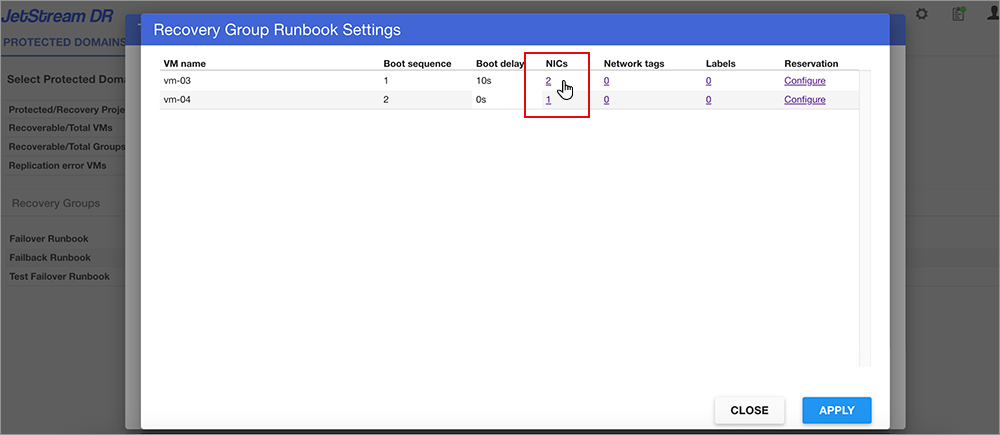
Figure 79: Select a NIC to configure.
- The Network interface settings window will open.
- Click a Configure link under the DNS column to open the Configure DNS window.
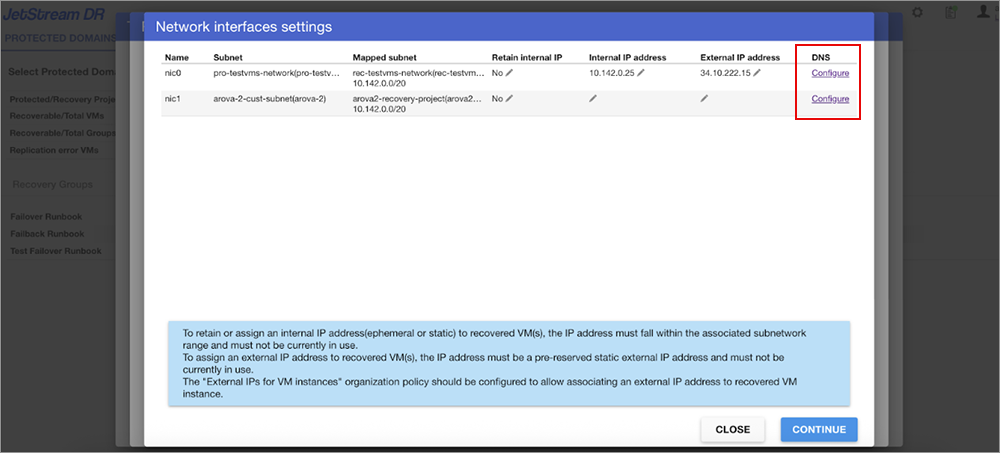
- Specify the operating system family of the VM and enter DNS settings.
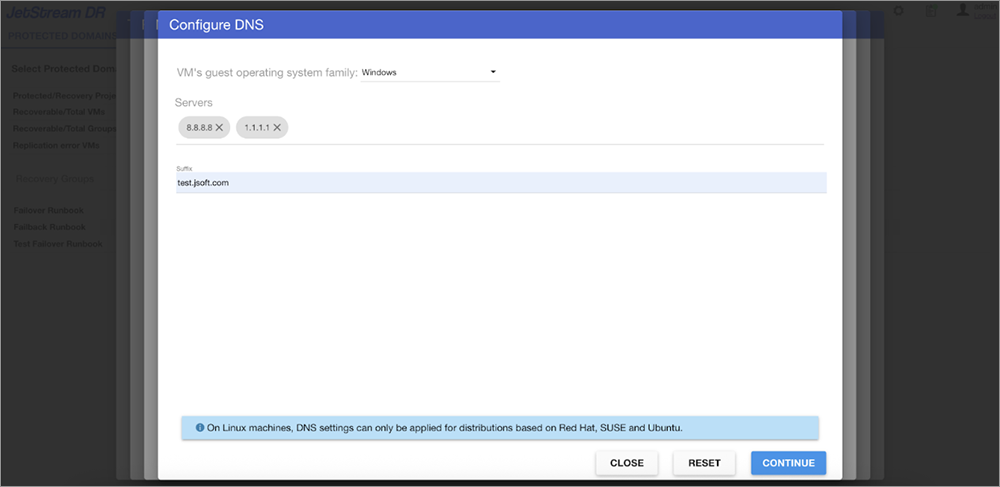
Figure 81: Specify the OS and enter DNS settings.
- Click the CONTINUE button to exit the windows then click the APPLY button on the Runbook Settings window to save the change.