Runbook Settings
The following settings can be configured for all recovery runbooks types:
- Boot sequence and boot delay for VMs of a Recovery Group.
- VM network settings:
- VPC network and sub-network mapping to the recovery region.
- Retain internal IP address of network interface.
- Assign static/ephemeral internal IP address to network interface.
- Assign static external IP address to network interface.
- Configure DNS servers and DNS suffix settings.
- VM network tag management.
- VM labels management.
- VM reservation assignment.
Configure Runbook Settings
- Navigate to the Protected Domains screen.
- Go to the Settings tab.
- Click the Configure link of the runbook type you wish to manage.
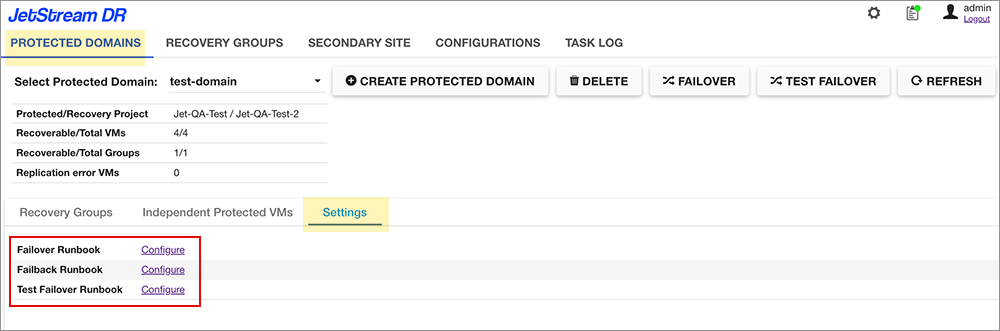
Figure 67: Select a runbook type to configure.
- The Runbook Settings page will appear showing Recovery Groups and VMs managed by the runbook.
- The display lists can be expanded to expose the details of individual VMs included Recovery Groups.
- Select a Recovery Group then click the EDIT button to begin editing its runbook.
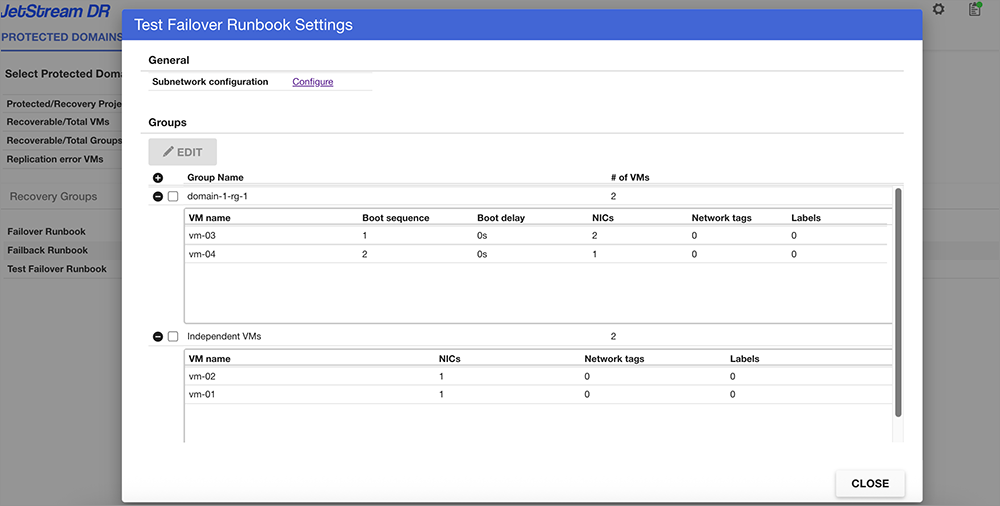
Figure 68: Runbook Settings screen.
- A pop-up window will appear allowing specific details for each VM in the runbook group to be configured.
- Edit the boot sequence and delays and various VM network settings.
- Click the Apply button to save the changes.
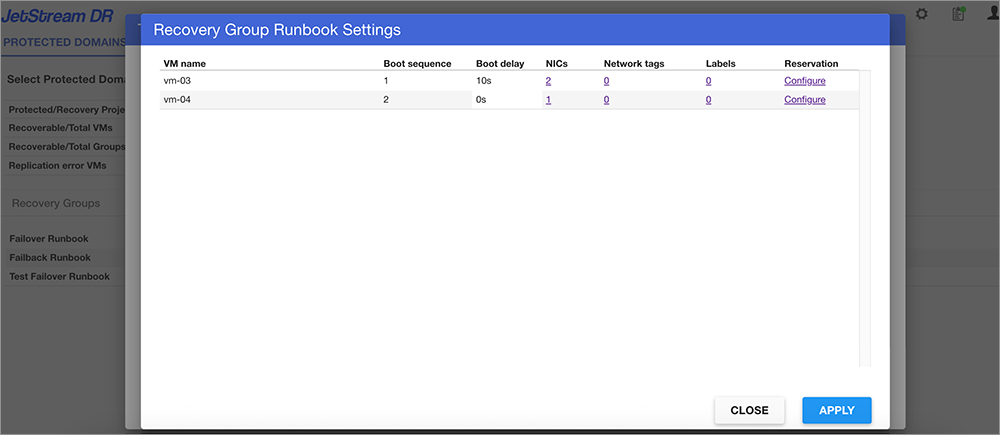
Figure 69: Configure settings of VMs in the runbook group.
See:
Recovery Group Boot Sequence and Delay