Reassign Protected VM to New VM instance
In a partial failure scenario where a VM with regional disks is impacted, if the VM can be restored using a replica disk in the same region, it is possible to reassign the protected VM entry in AROVA to a new VM instance. This reassignment allows AROVA to associate the newly created instance with the existing protected VM record. Once reassigned, AROVA seamlessly resumes replication of the VM.
- Navigate to the Protected Domains screen.
- Select the affected regional VM then click the REASSIGN button.
- AROVA will automatically scan the replica zone for the VM with the same disks attached as the original.
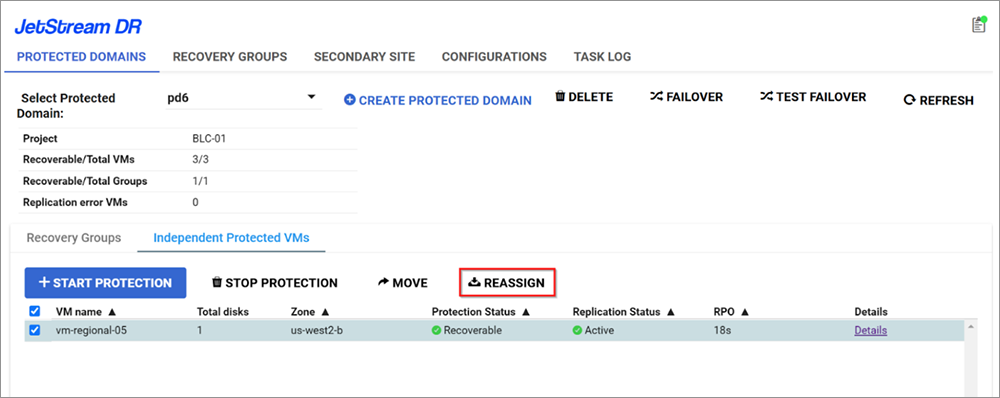
Figure 65: Select a regional VM to reassign.
- If a match if found, AROVA will display a message asking the reassignment to be confirmed.
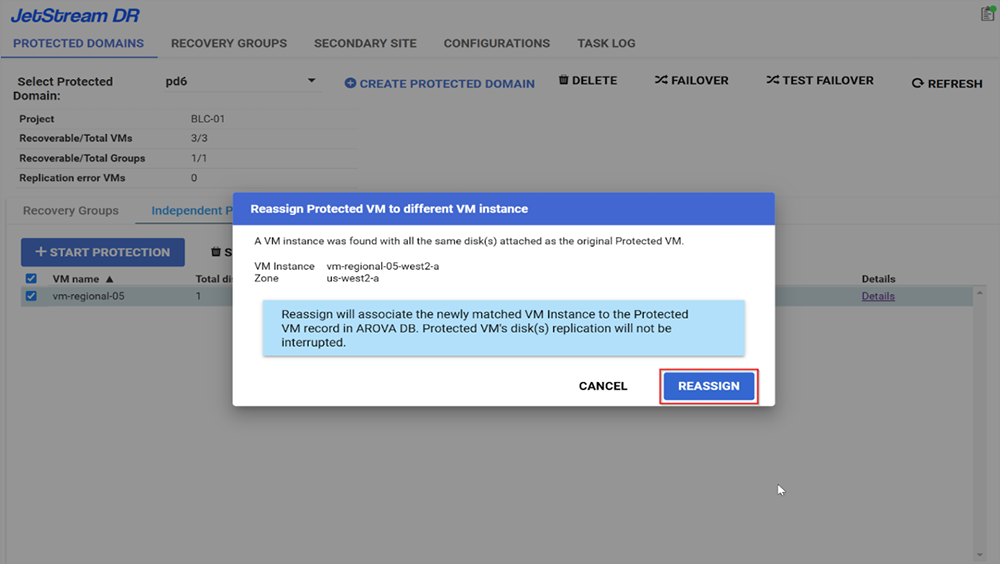
Figure 66: Confirm the reassignment.