Move Impacted VMs to Another Protected Domain
In a partial failure scenario where only some VMs within a Protected Domain are affected, it is possible to only failover the impacted VMs instead of the entire Protected Domain.
- Identify the impacted Recovery Group or independent VMs.
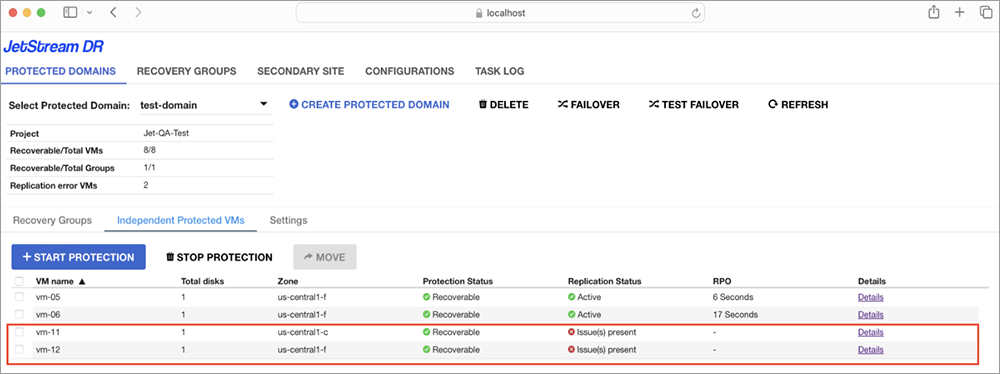
Figure 60: Identify impacted VMs to move.
- Create a new Protected Domain using the same protected project and recovery project settings.
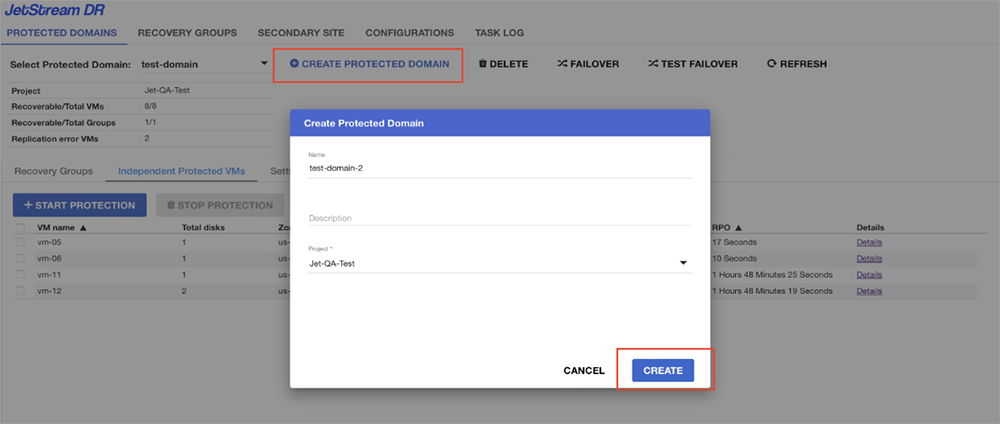
Figure 61: Create new Protected Domain for the VMs to move.
- Go to the impacted Protected Domain.
- Select affected VMs from the Recovery Group or independent VMs then click the MOVE button.
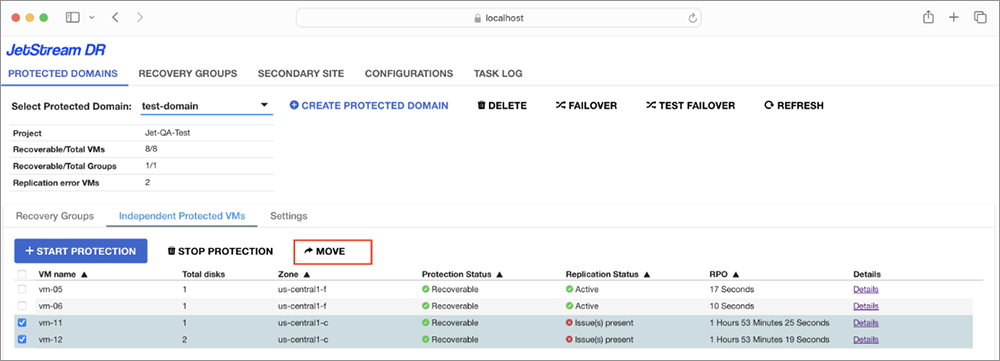
Figure 62: Select a recovery group or VMs to move.
- A pop-up confirmation window will appear. Select the newly created Protected Domain as the destination and click the MOVE button.
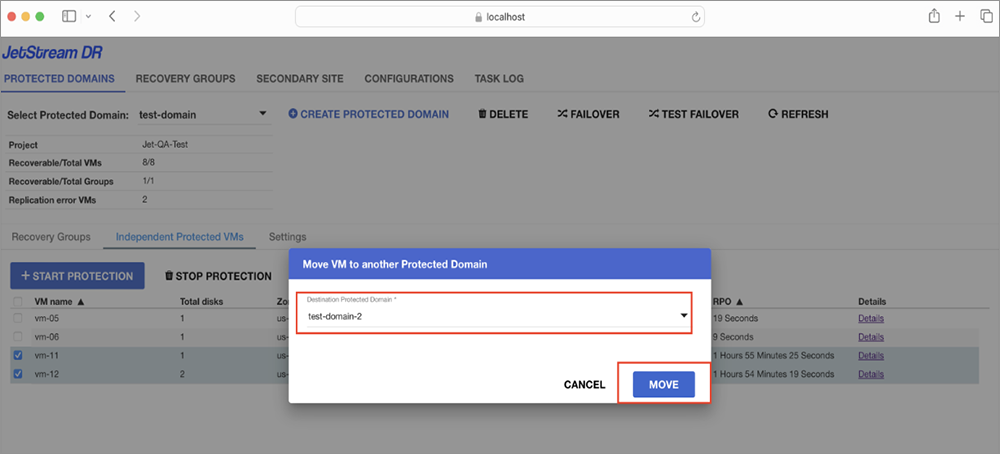
Figure 63: Move the selected VMs.
- The moved VMs will appear under the new Protected Domain.
- The new Protected Domain with moved VMs can now be failed over.
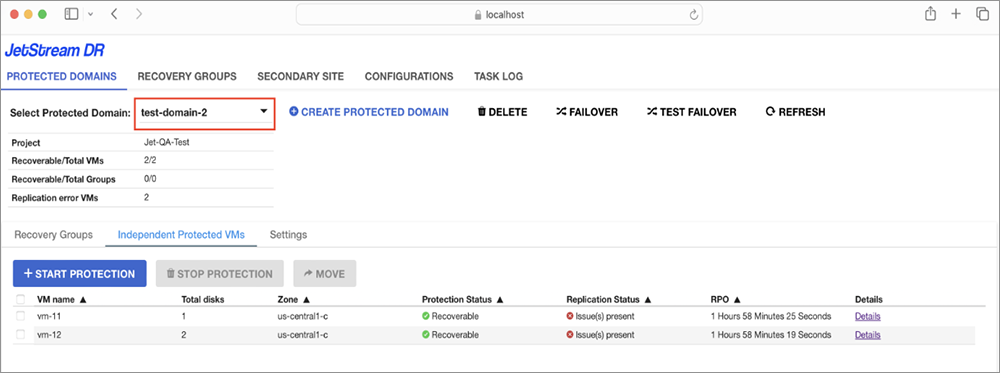
Figure 64: New Protected Domain with moved VMs.