DR Settings
Select the DRVA and specify Replication Log storage details.
- On the DR Settings step:
- Select the DR Virtual Appliance and Replication Log Storage from the menus.
- Set the replication and metadata log sizes according to your recovery requirements.
- The Capacity Planning Tool (CPT) can be used to determine optimal log size values.
- 64GB is the default value.
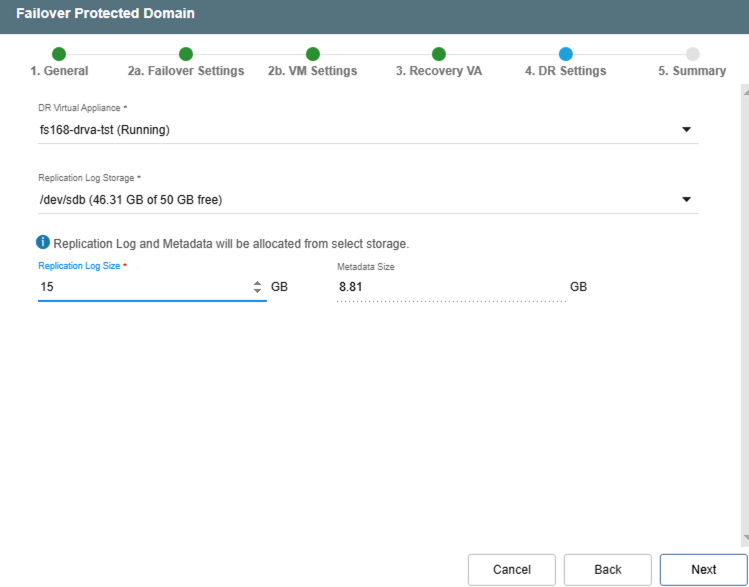
Figure 15: Assign a DRVA and replication log storage.
Click the Next button to proceed to the next step.