Recovery VA
Configure network settings for the recovery virtual appliance network.
Network Settings
- On the Recovery VA step, assign network settings for the:
- Management Network
- Host I/O Filter (RocVA) to DRVA Network
- Recovery Network to Object Store
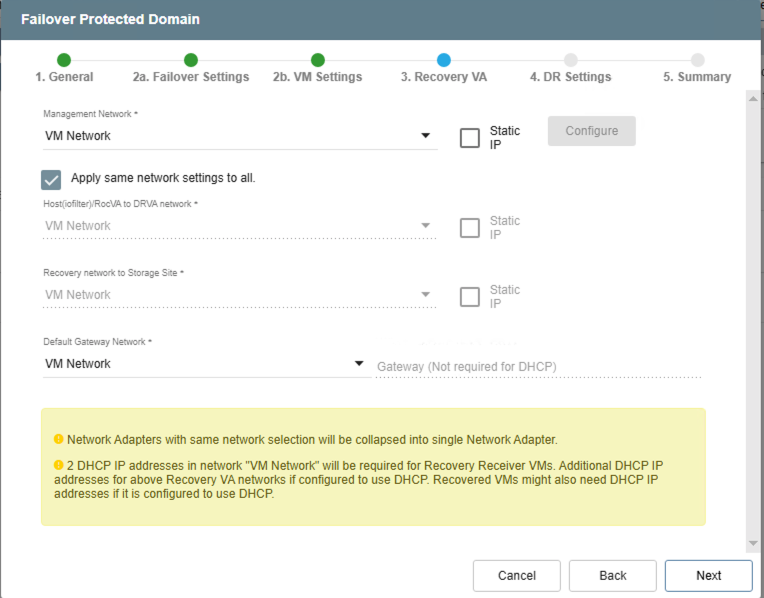
Figure 10: Define network settings for the recovery virtual appliance.
Note: For these networks, DHCP is used by default. The network settings can be manually defined, as necessary.
- To use static IP:
- Select the parameter's Static IP checkbox.
- The parameter's Configure button will become active. Click the button.
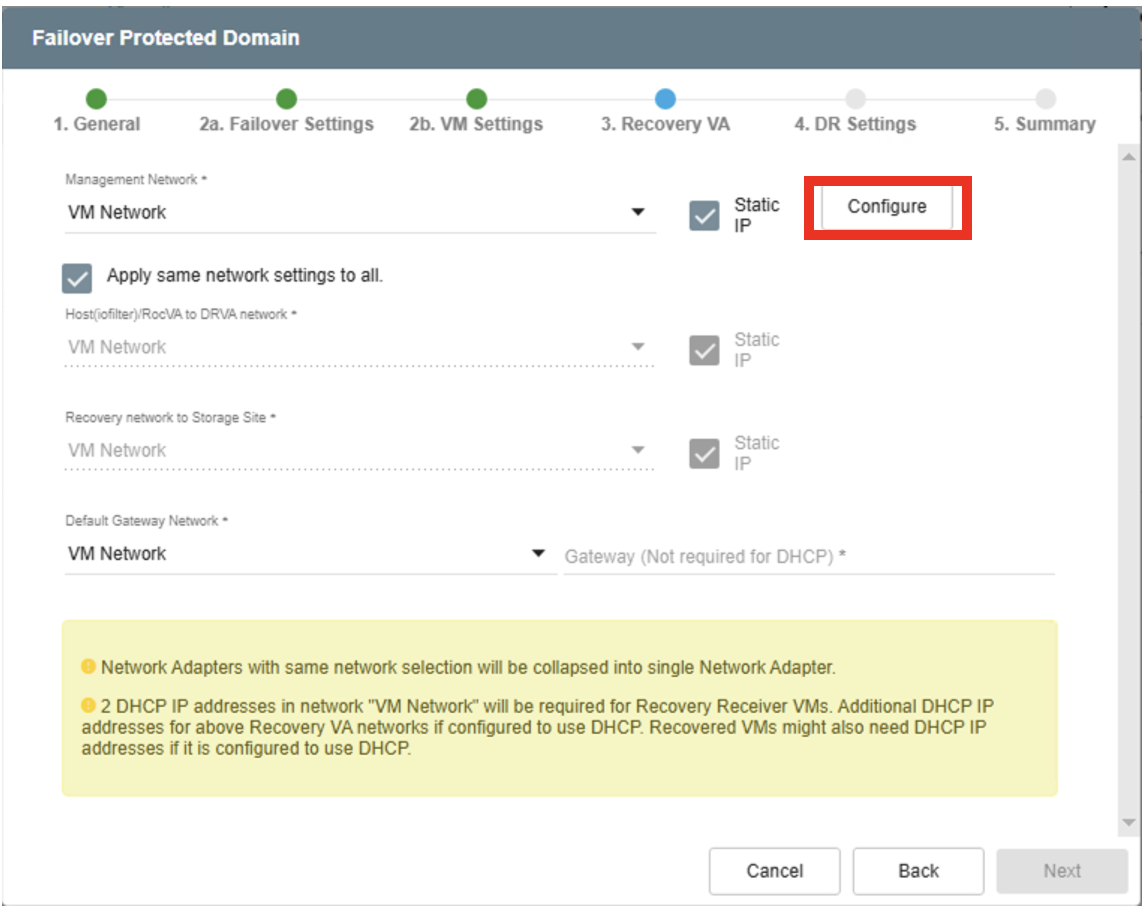
Figure 11: Setting a static IP.
- Enter the full network details in the pop-up window that appears.
- Click the Configure button of the pop-up window to save the network settings.
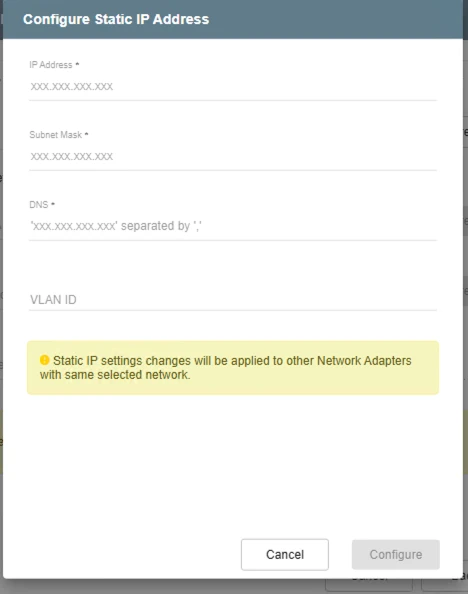
Figure 12: Specify static IP values.
- To specify different networks for the ROCVA to DRVA network and the Recovery to Storage Site network:
- Deselect the checkbox "Apply same network settings to all."
- Select desired networks from the selection menus.
- To use DHCP: Leave the Static IP checkbox unchecked.
- To use static IP: Click the network's Static IP checkbox, click the network's Configure button, then specify and save the network settings in the resulting pop-up window.
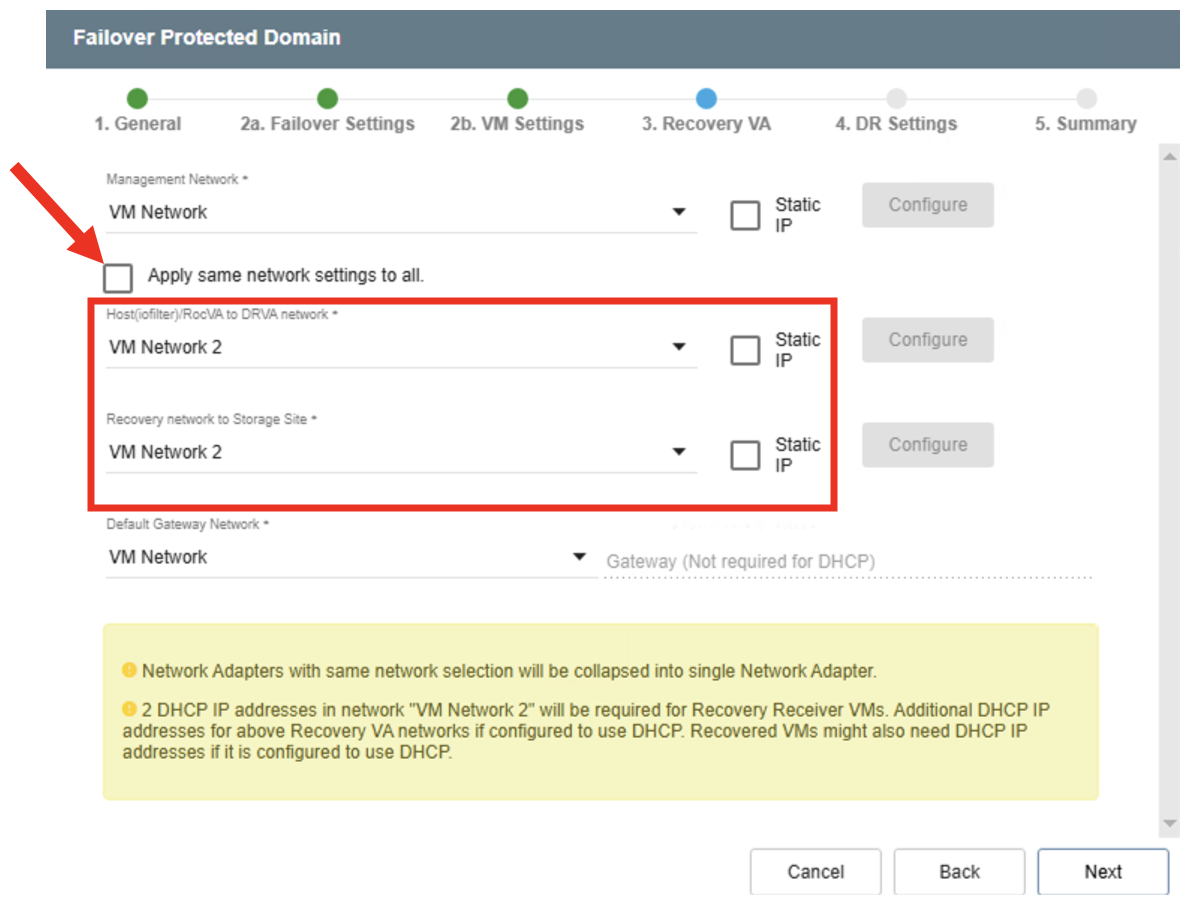
Figure 13: Specifying unique network settings.
Notes:
(1) Additional routes will need to be added if different networks are used.
(2) RVM uses dynamic IP addresses from the selected ROCVA network segment by default. Static IP cannot be assigned to RVMs (by system design).
Gateway Network
If static IPs are used, a default gateway network must be configured.
- Enter the IP address of the gateway network.
- This option is not necessary for DHCP.
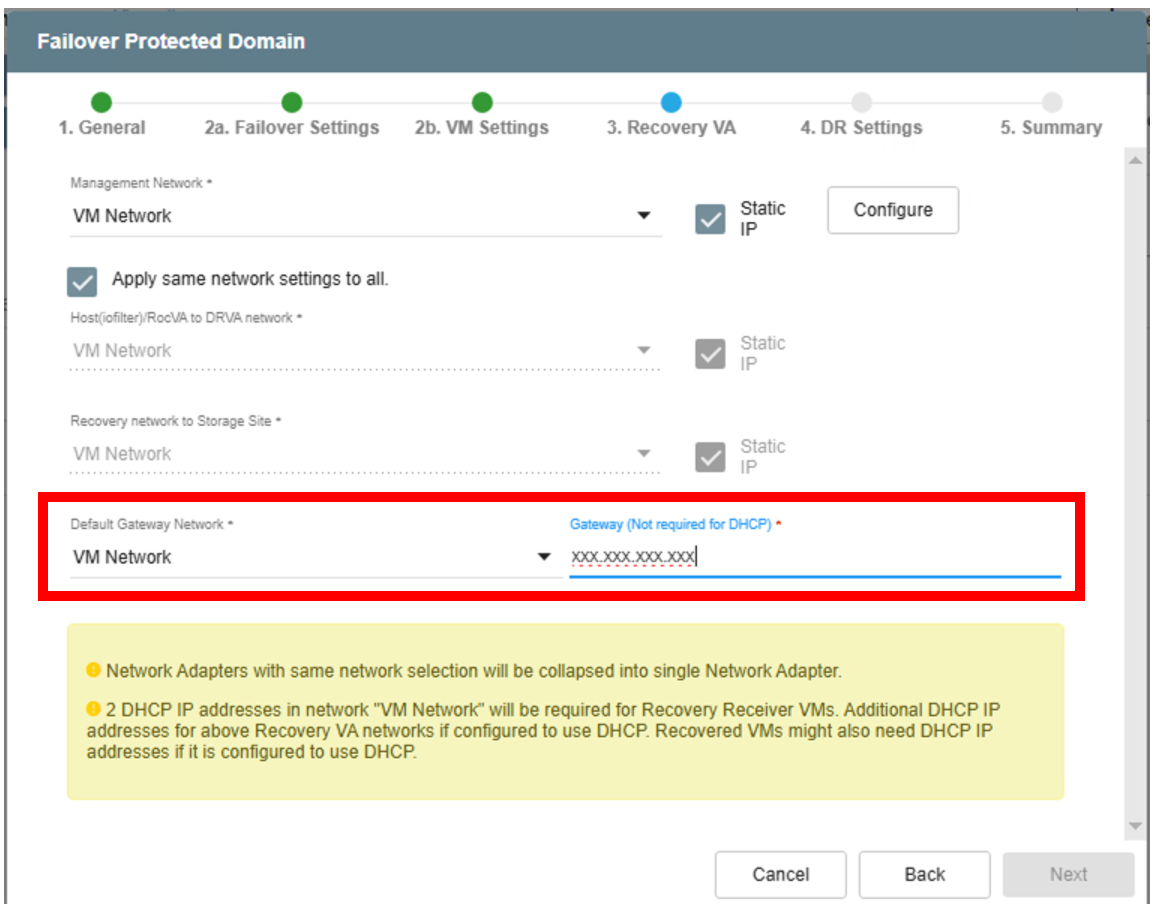
Figure 14: Specify the default gateway for static IP addresses.
Click the Next button to proceed to the next step.