Runbook Setup
Begin by setting up a failover runbook:
- Go to the Protected Domains screen (#1)
- Select a Domain from the menu (#2).
- Click the Settings tab (#3).
- Click the Configure link of the Failover Runbook (#4).
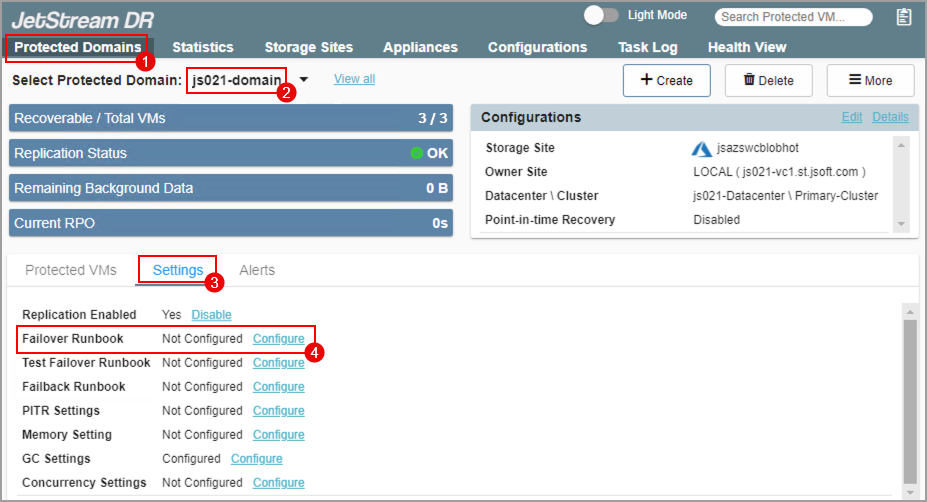
Figure 107: Configure a runbook.
- When runbook setup is initially accessed, a dialog window will appear announcing that runbook default values will be based on current VM configuration settings.
- Click the Confirm button.
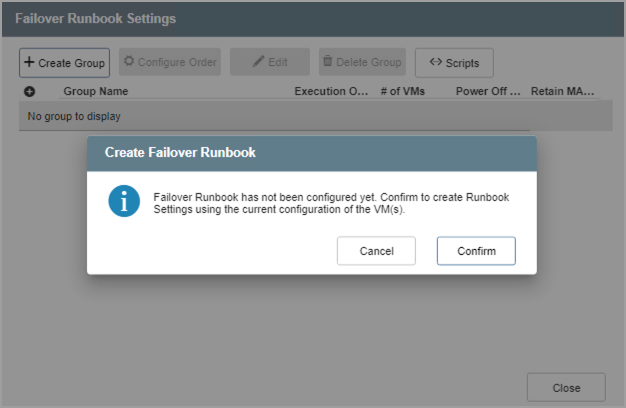
Figure 108: Default failover settings will be used.
- A runbook settings screen will be displayed allowing you to customize VM runbook settings.
Also see:
Configure Independent VM Runbook