Monitoring Failback
Failback operation can be monitored from the primary site.
- When failback begins the mode of the Protected Domain will change to “Failback in Progress.”
- A pop-up window will appear tracking each step of the process.
- Click the OK button to close the window.
- Click the blue info icon in the Current Step section to re-open the Step Details window.
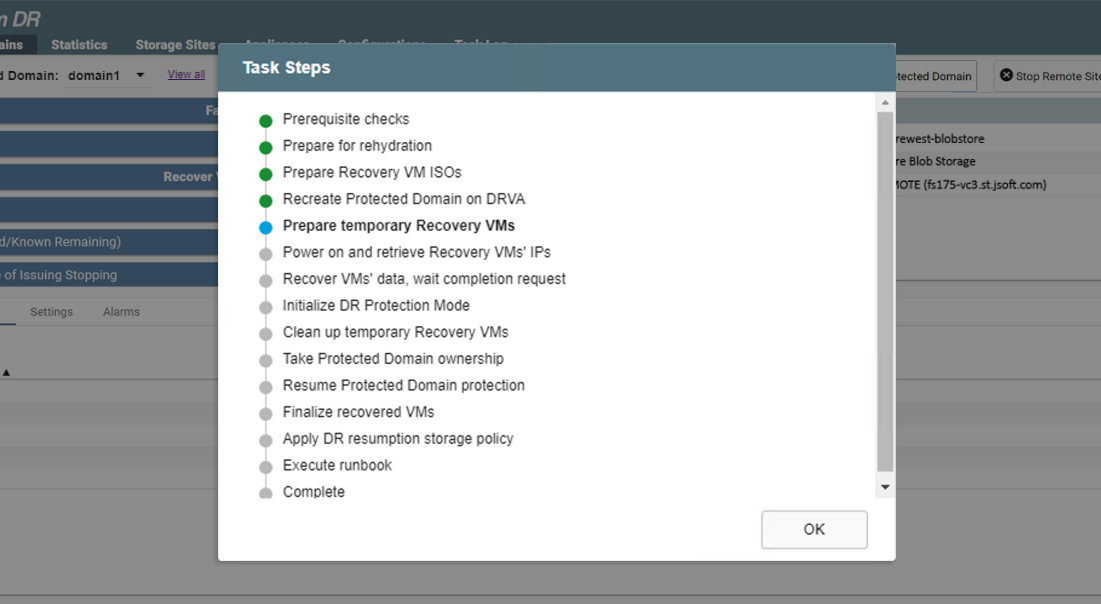
Figure 265: View details of individual task steps.
Important: Once failback has been initiated, VMs at the remote (failover) site can be used but DO NOT perform certain VM system operations until after failback has completed. Operations to avoid include: VM power state change, VM snapshots, VM creation/deletion, etc. However, it is OK to continue operating the VMs and their applications.
- Details of the failback process are displayed in the vCenter Recent Tasks window as they occur.
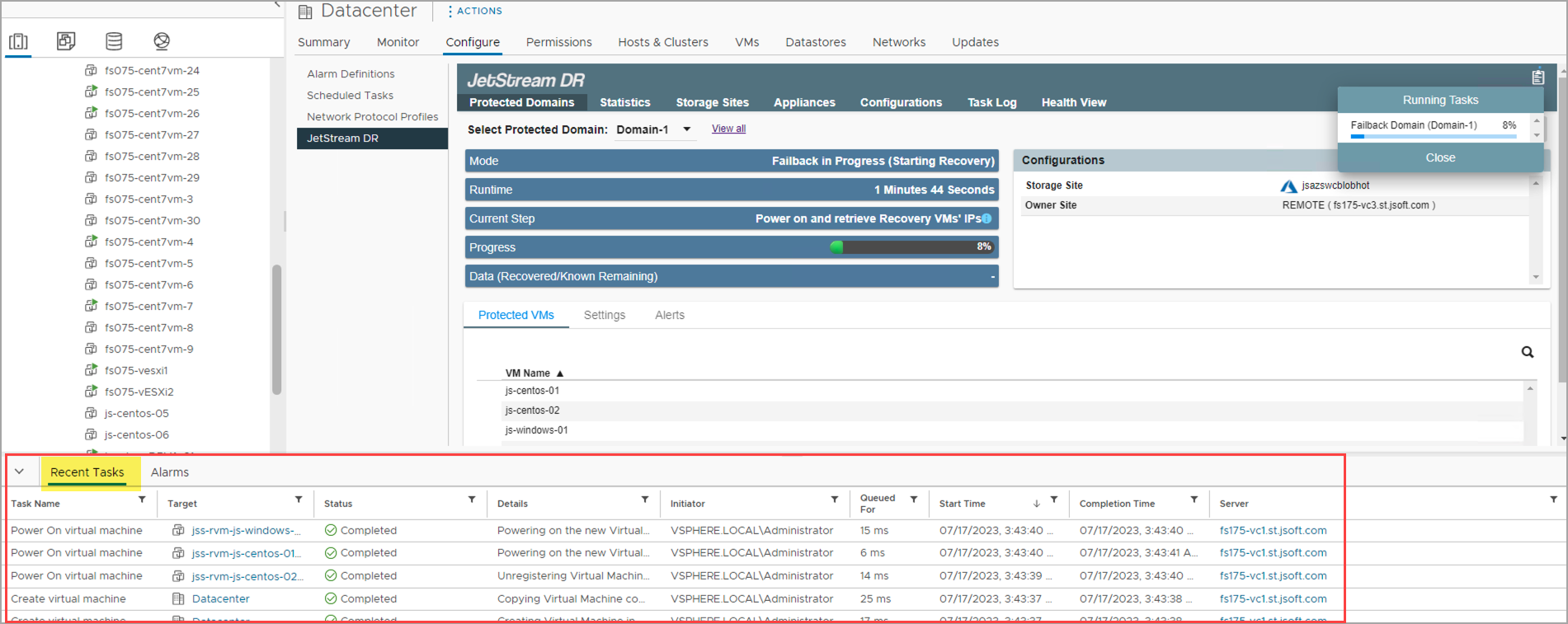
Figure 266: Tasks details can be viewed in vCenter.
- Details of the failback process can also be reviewed from the vCenter Task Log screen.
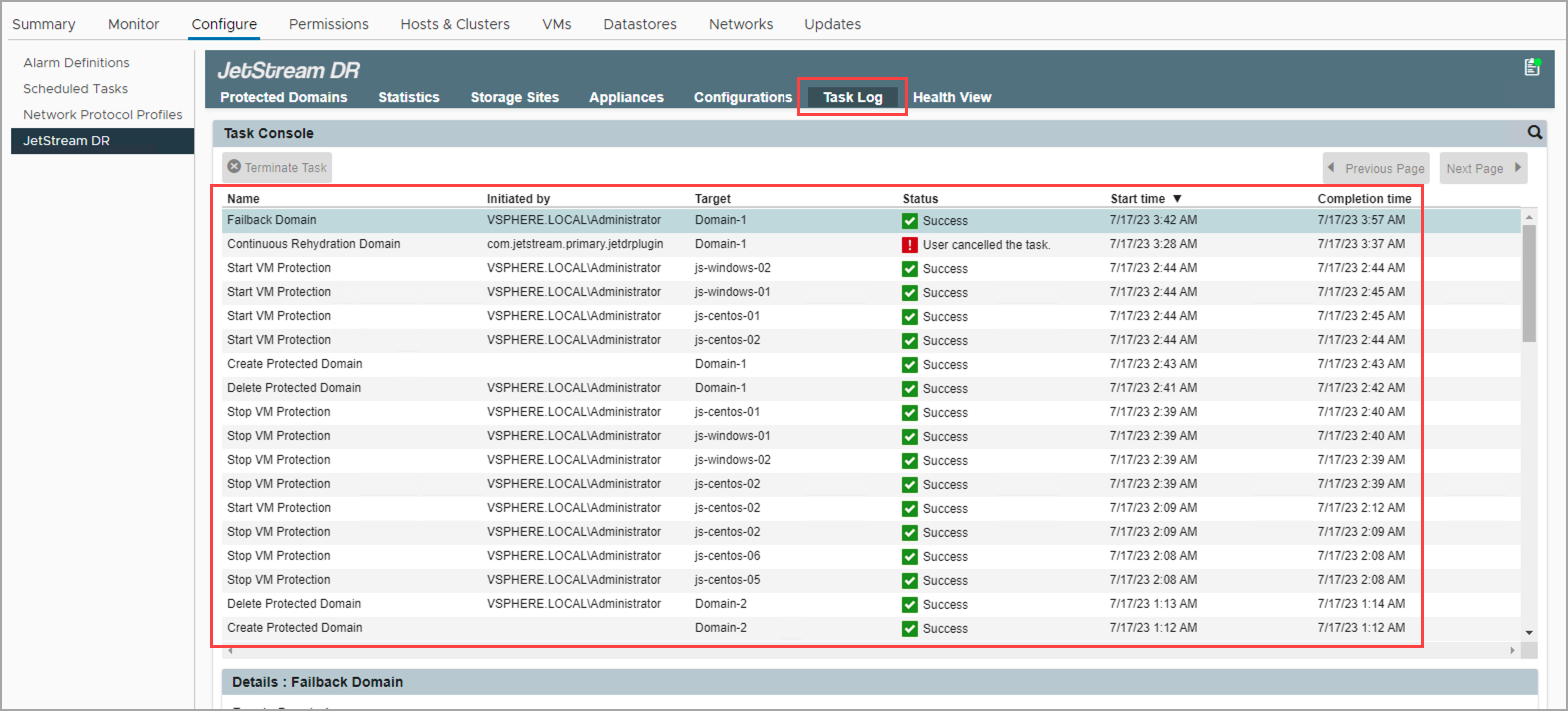
Figure 267: Task details can be viewed from the JetStream DR Task Log tab.
Note: VMs at the remote (failover) site remain operational throughout the failback process. No special user intervention is required to manage the VMs.
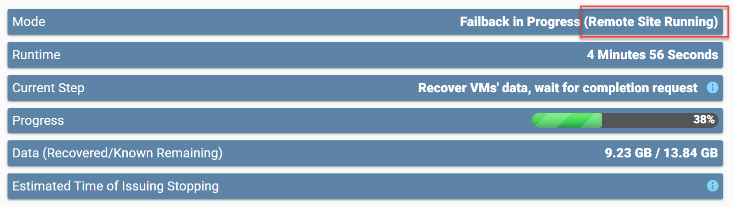
Figure 268: VMs at the remote (recovery) site can be operated normally during failback.
- When failback is complete the Domain protection status becomes “recoverable” and protection will automatically continue for the VMs that have been moved back to the primary site.
- A dialog window will appear displaying the result of the failback process.
- Ownership of the VMs is shifted from the remote (failover) site back to the primary site.
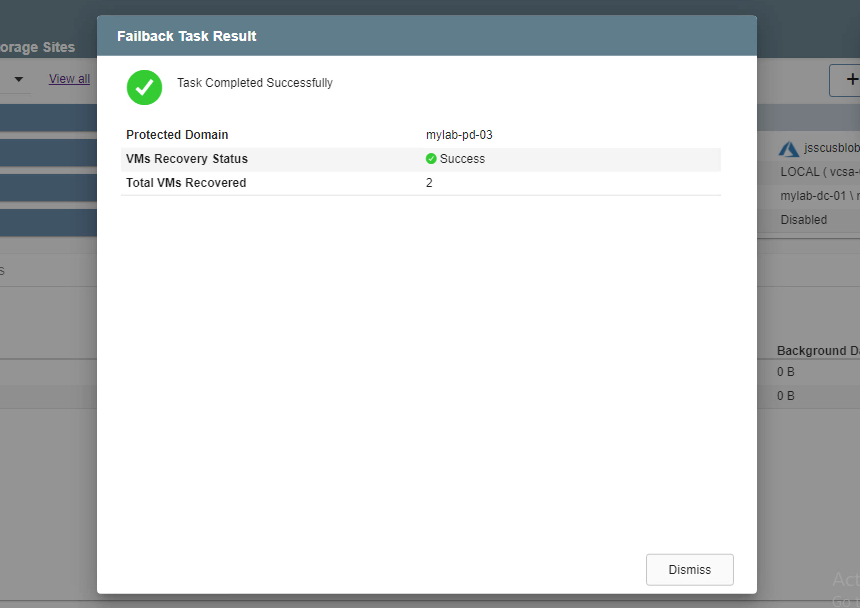
Figure 269: Failback is complete.
- After failback, the VMs at the primary site will be protected and can be recovered should disaster strike again.
- The VMs at the failover site that are no longer used will be shut down and can be deleted to free up system resources.
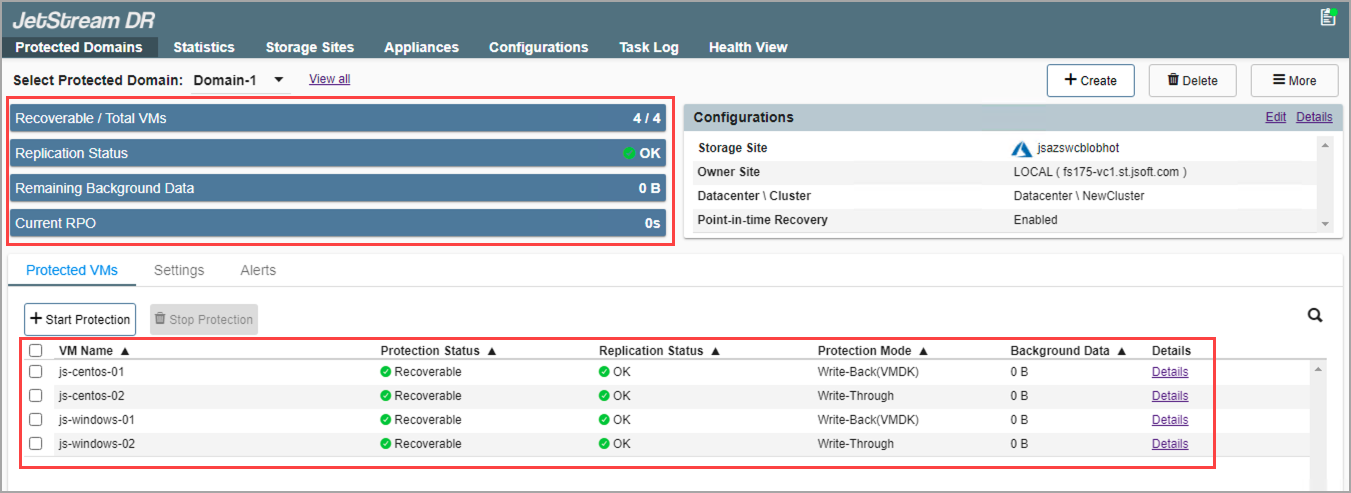
Figure 270: VMs have been successfully failed back to the primary site.
Important: During cleanup, transient VMs (RVM, RocVA, etc.) will be deleted without confirmation; however, cleanup does NOT include removal of JetStream DR software.