Certificate Management (vCenter)
Add a root certificate in vCenter:
- From the vSphere client, go to Menu > Administration > Certificate Management > Trusted root certificates and add each necessary certificate.
- Browse the certificate location and select the certificate.
- Select the checkbox to enable Start Root certificate push to vCenter Hosts.
- Click the Add button.
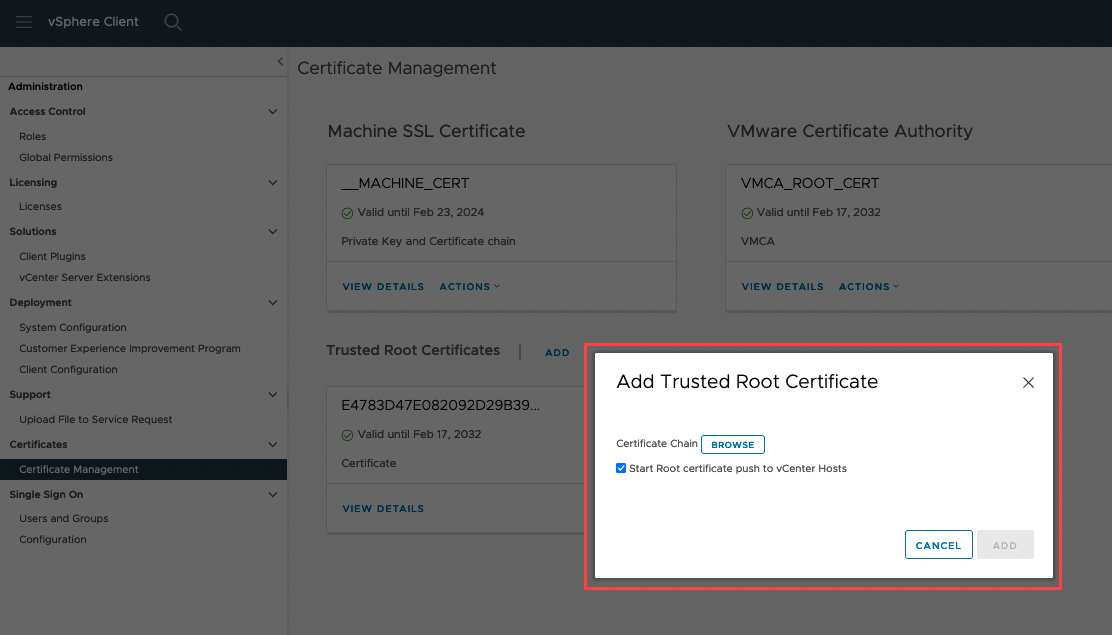
Figure 351: Adding root certificates.
Note: Perform this step for each of the three required certificates.
Learn more about managing certificates from the vSphere client.