vCenter Certificates
To protect against server impersonation attacks, https communication channels from the MSA to vCenter must verify and trust presented certificates. This is a part of overall security tightening policies required by modern enterprise computing. JSDR employs certificate management that allows a vCenter certificate trust root to be added to the MSA to force trusted https communication from the MSA.
Note: Certificates must be added to vCenter trust root (vCenter 7.0 U2 and above).
Required Certificates
Certificates must be added to the vCenter trust root to validate the certificate used to sign the OVA:
- This is an example of an OVA deployed without certificates:
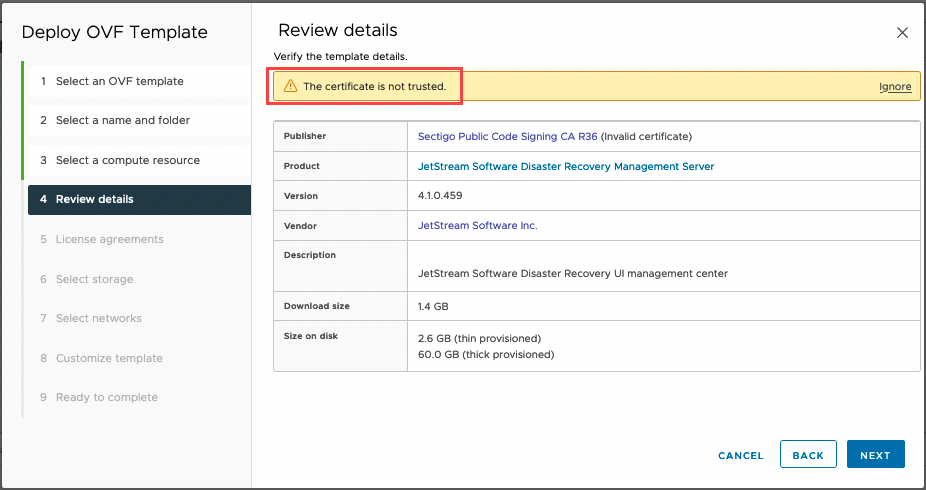
Figure 341: OVA without certificates.
- This is an example of an OVA deployed with certificates:
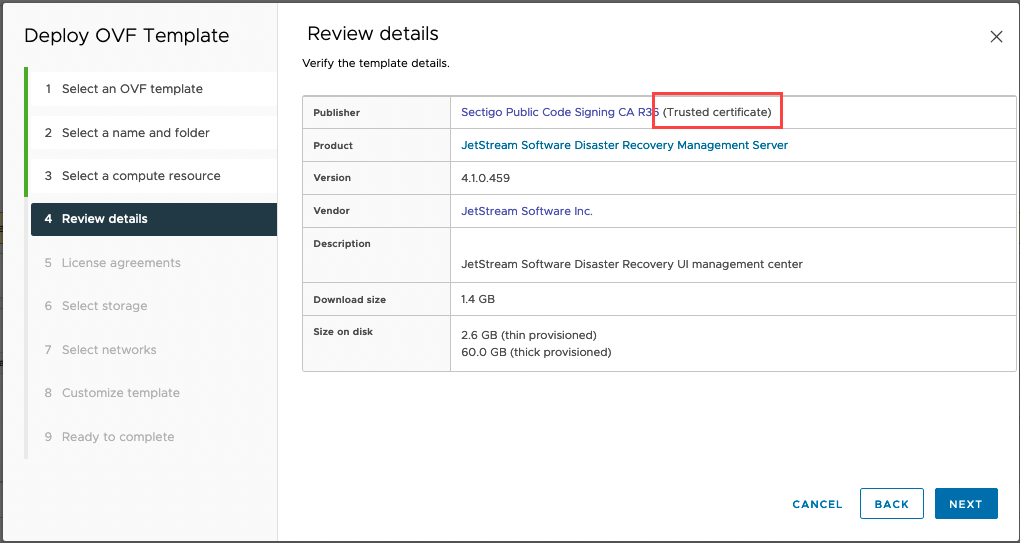
Figure 342: OVA with certificates.
Obtain Certificates
Download the following certificates from Sectigo to validate the JetStream DR OVA.
(https://support.sectigo.com/articles/Knowledge/Sectigo-Intermediate-Certificates)
- Sectigo Public Code Signing CA R36
- SectigoPublicCodeSigningRootR46_AAA [Cross Signed]
- AAA Certificate Services
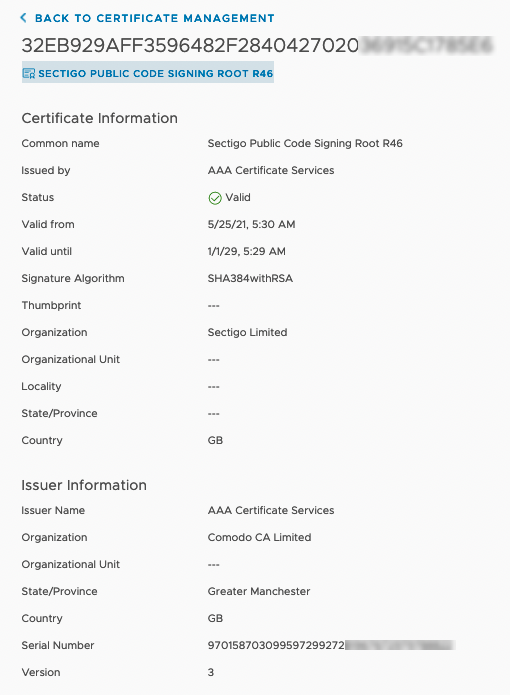
Figure 343: Manually download JetStream DR certificates.
Also see:
Certificate Management (vCenter)