Import the Protected Domain
If the MSA or service cluster is not accessible, the Protected Domain must first be imported.
Note: Restore is performed at the level of a Protected Domain. Importing the Domain can be skipped if the MSA still exists at the primary site.
- Go to the recovery site.
- On the Storage Sites screen, select the object store where the data was protected then click the Scan Domains button.
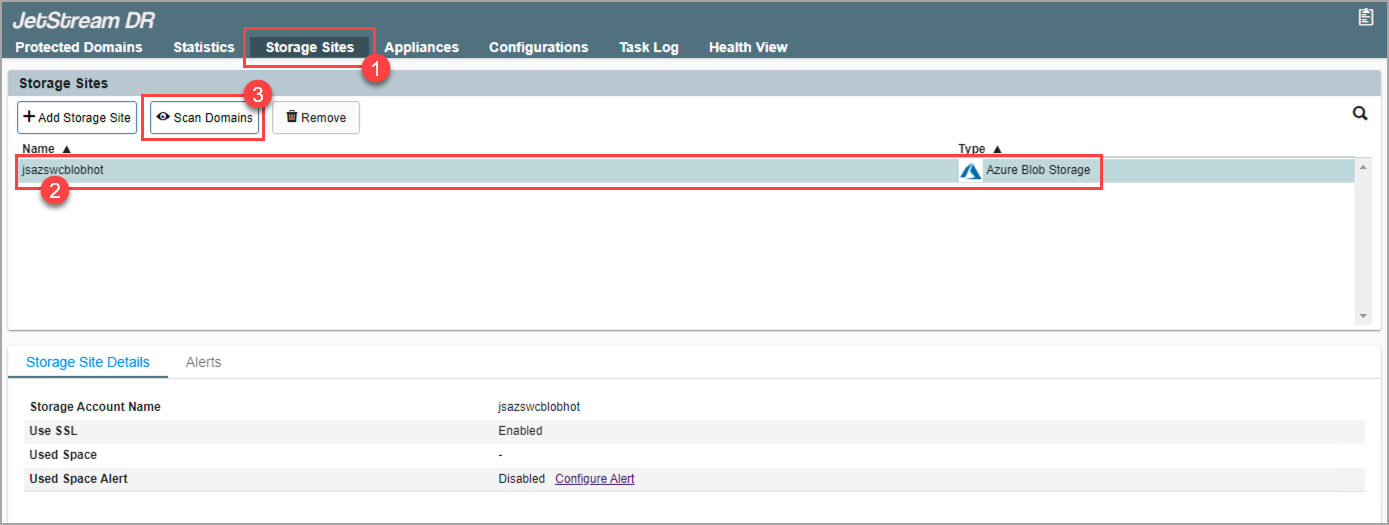
Figure 159: Scan Protected Domains from the storage site.
- In the pop-up dialog window that appears choose a Protected Domain to import and click its Import link.
- The Domain will be imported for recovery.
- This step can be repeated to import multiple Domains, as needed.
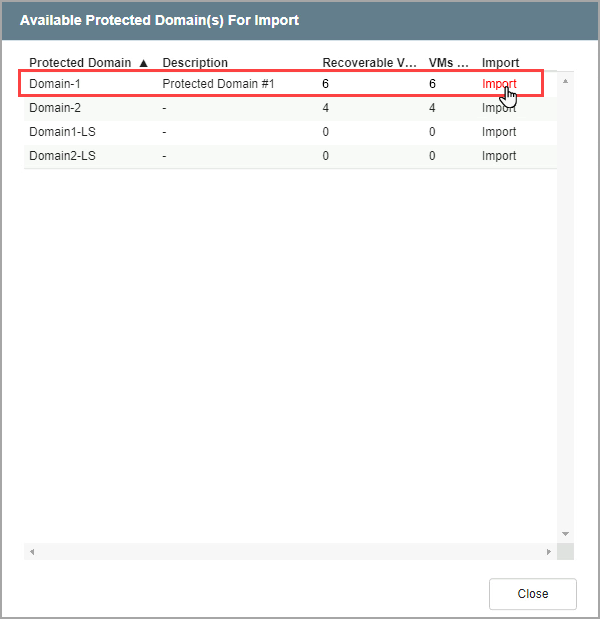
Figure 160: Import a Protected Domain.
- Go to the Protected Domains screen.
- Select the imported Domain from the Select Protected Domain menu.
- A list of all the recoverable VMs from the Domain will be displayed.
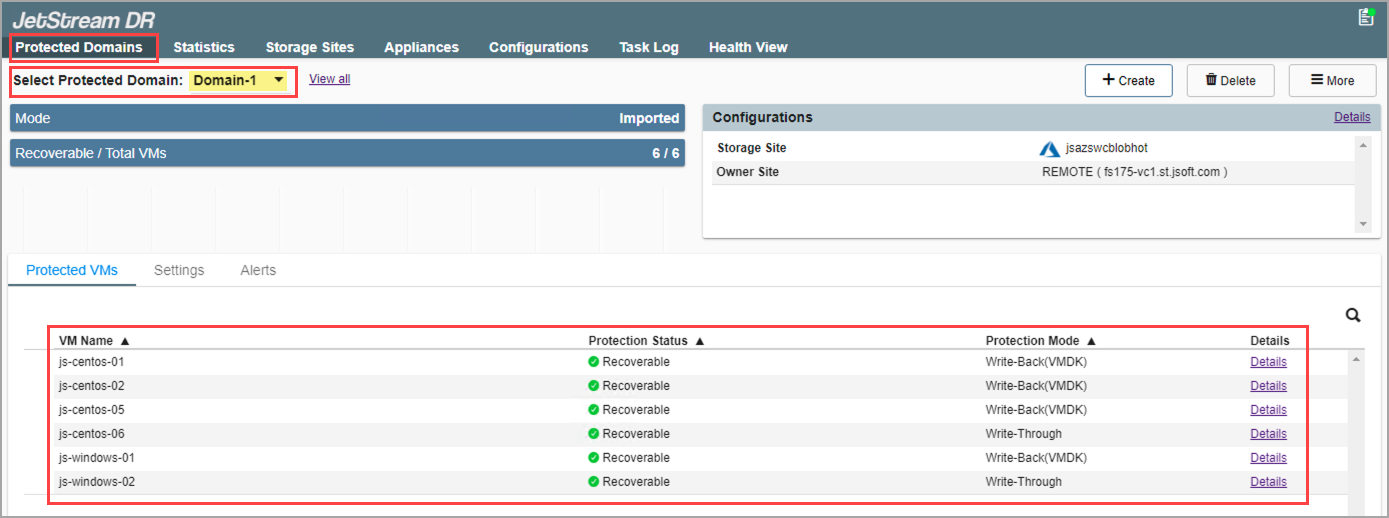
Figure 161: Review VMs of the Protected Domain that can be recovered.
Note: If multiple Domains were imported, choose the desired Domain from the Select Protected Domain menu.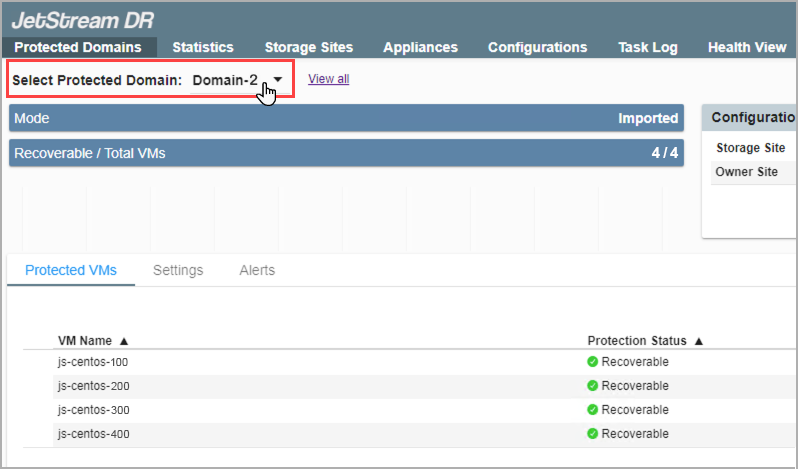
Also see:
After the Protected Domain has been imported, restore the Domain.