IO Filter Package Installation
IOFilters are a key component of JetStream DR and must be deployed to all hosts of the cluster(s) with VMs to be protected. JetStream DR software should already be installed as previously described.
Configure clusters of VMs to be protected with the IOFilter package:
- Log in to the vSphere Client and navigate to the Datacenter level.
- Click the Configure tab then select JetStream DR.
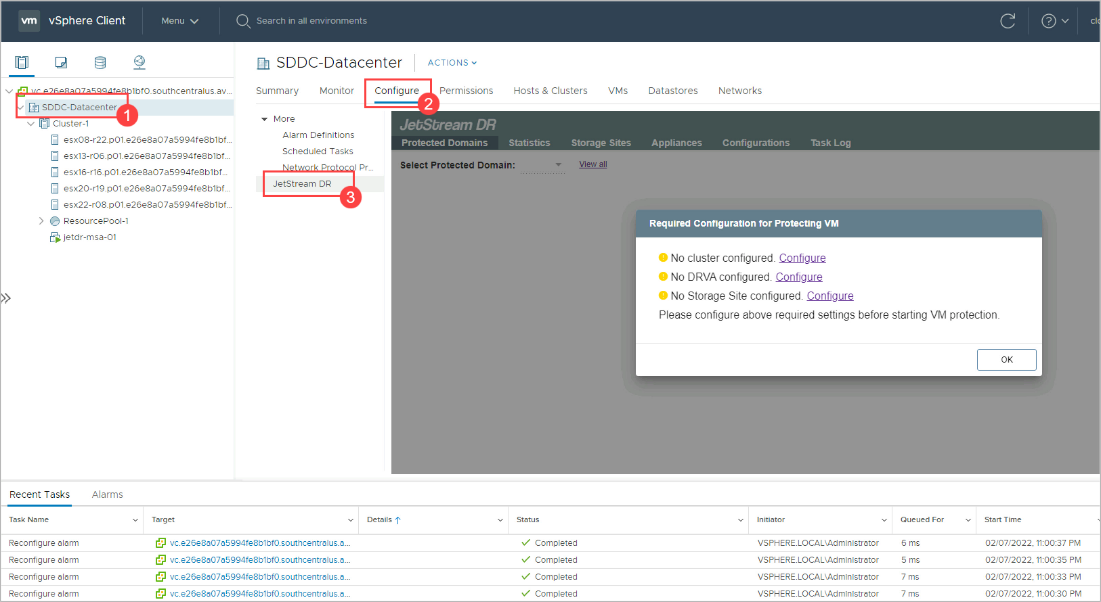
Figure 30: Configure JetStream DR software from the vSphere client.
- On the pop-up dialog window that appears, open the JetStream DR Configurations screen by clicking the "No cluster configured. Configure" shortcut link.
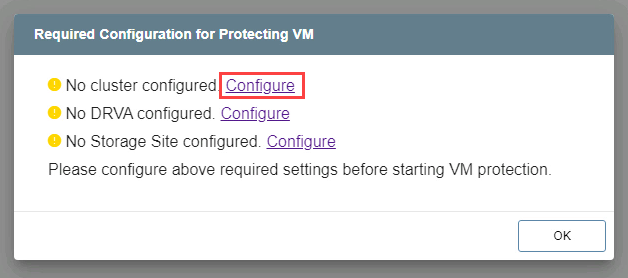
Figure 31: Configure the cluster.
Note: Shortcut links are displayed in the dialog box for all required components remaining to be configured.
Configurations Screen
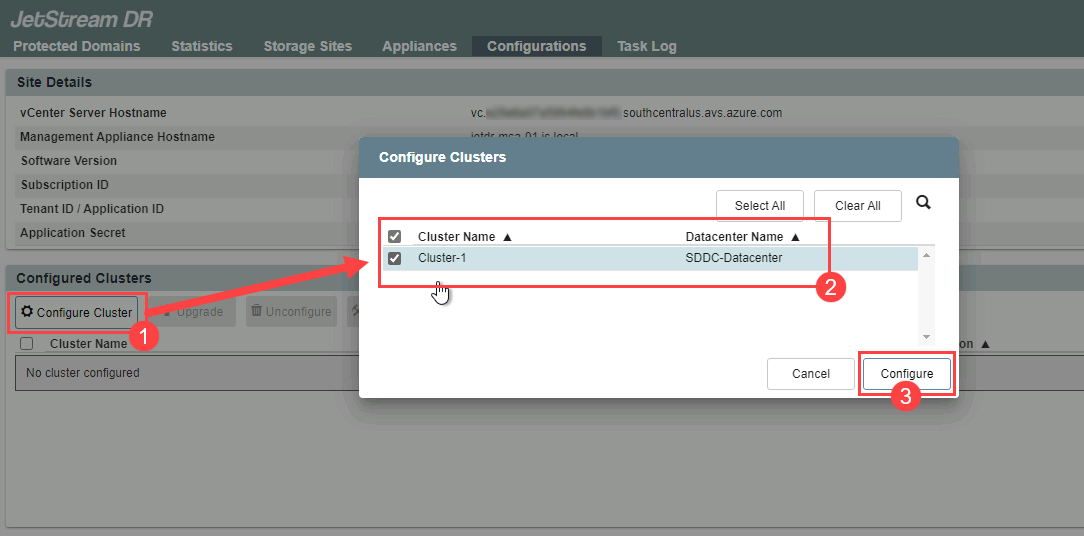
Figure 32: The JetStream DR Configurations screen.
- Click the Configure Cluster button to view a list of all clusters in the datacenter.
- Select the checkboxes of the clusters containing VMs to be protected.
- Click the Configure button.
- JetStream DR will begin deploying IOFilter software to the hosts in the clusters.
- Cluster installation will begin.
- After cluster configuration has completed you will be able to register the subscription ID and set up alert notifications.
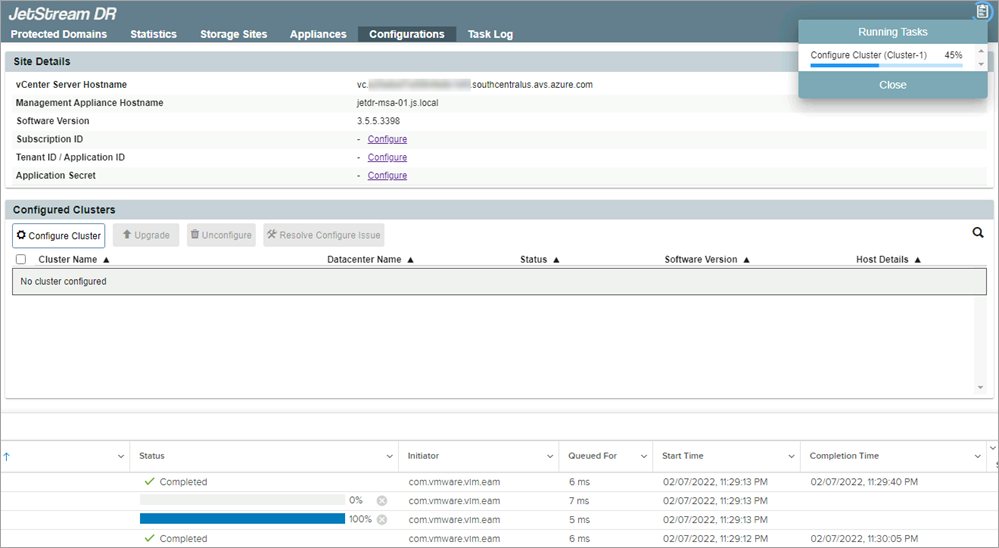
Figure 33: IOFilter being deployed to the cluster.