Subscription ID Registration
If JetStream DR will be used with Azure Blob Storage, a JetStream DR Subscription ID must be entered to unlock the service.
Notes:
1) A JetStream DR subscription ID is not required to install JetStream DR for AVS software or to perform initial setup tasks.
2) However, without a valid subscription ID it will not be possible to configure a storage site, create Protected Domains, or start protection using an Azure storage account.
3) The JetStream DR subscription ID can be updated/replaced at any time without requiring JetStream DR software to be reinstalled.
Learn more about the JetStream DR for AVS Subscription ID.
- Copy the JetStream DR subscription ID that was issued when JetStream DR for AVS was acquired from the Microsoft Azure Marketplace.
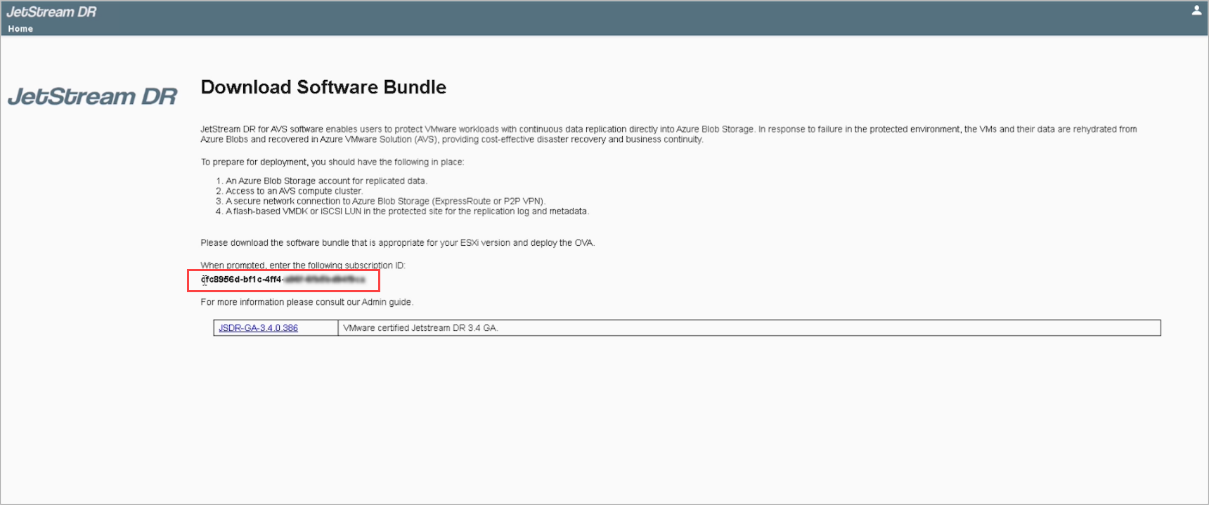
Figure 34: The Subscription ID is provided during the subscription process.
- Navigate to the JetStream DR Configurations screen.
- Click the Subscription ID Configure link.
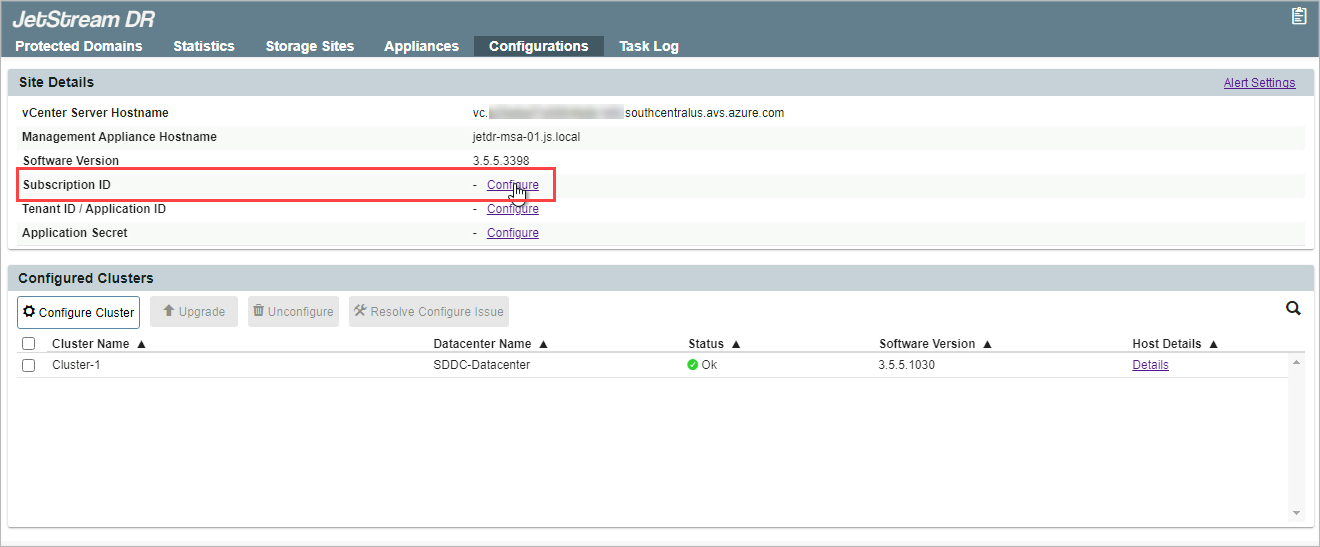
Figure 35: Configure the Subscription ID.
- Type the subscription ID in the dialog window.
- Click the Configure button.
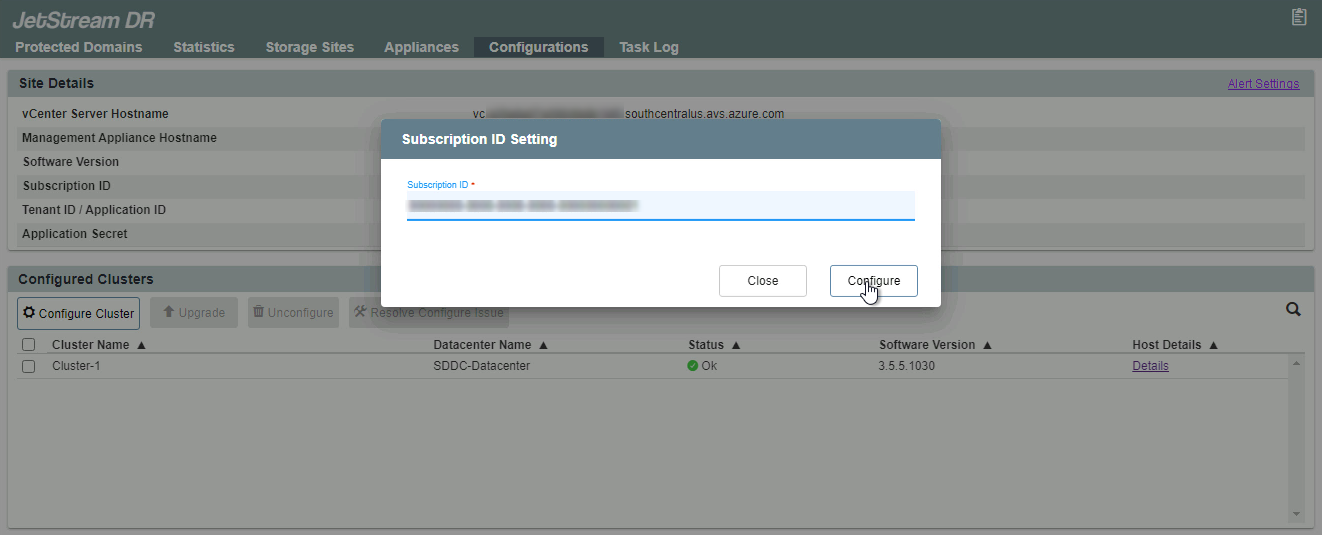
Figure 36: Enter the Subscription ID number.
- When successfully entered and verified, the subscription ID number will appear under the Site Details section with a green checkmark.
- If necessary, the subscription ID can be re-entered or changed by clicking the Configure link.

Figure 37: The Subscription ID is configured.