Manually Stop Domain Replication
If a Protected Domain exhibits unstable behavior, JetStream DR provides a mechanism to manually stop replication of the Domain to minimize DR impact to protected VMs while underlying issues are resolved.
Warning!
While replication is disabled, all new data generated by protected VMs will not be replicated to the object store. It is recommend to re-enable replication as soon as possible to avoid high RPO.
To disable data replication for a Domain:
- Navigate to Protected Domains > Settings.
- Go to the Replication Enabled option and click the Disable link.
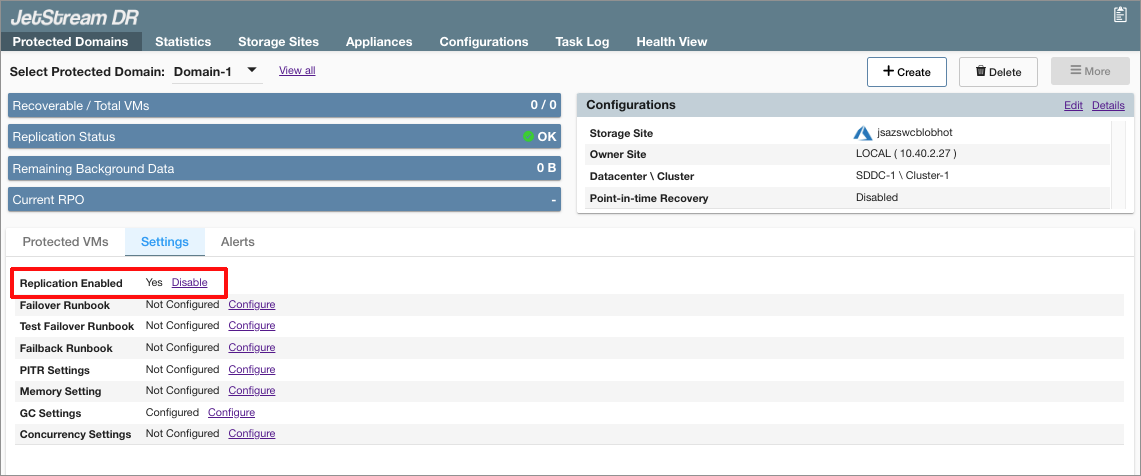
Figure 295: Click the Disable link.
- A dialog message will appear to confirm the requested action.
- Click the Confirm button.
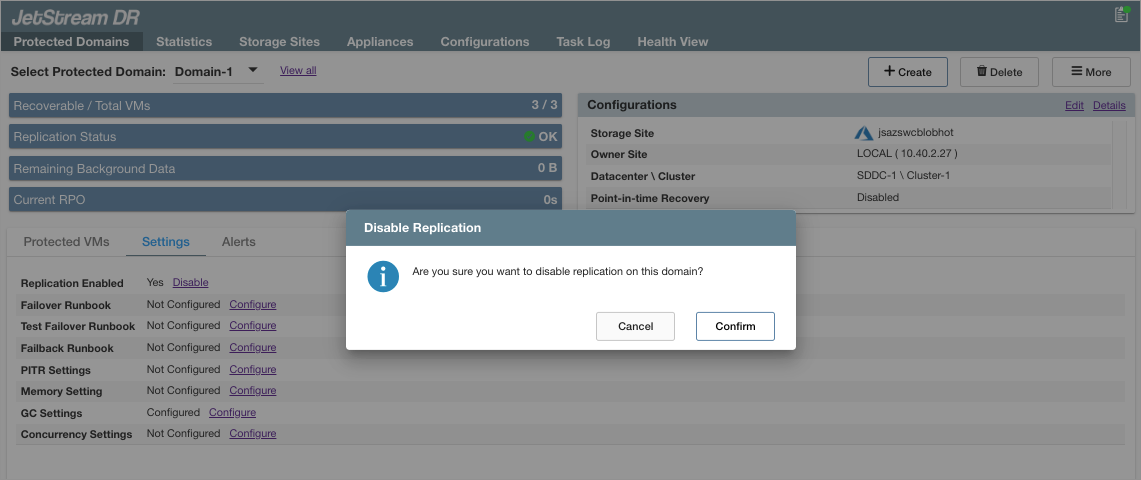
Figure 296: Confirm the request to disable protection.
- When replication is disabled, the setting of the Replication Enabled option becomes “No” and the label of the action link toggles to “Enable.”
- Click the Enable link to restart replication.
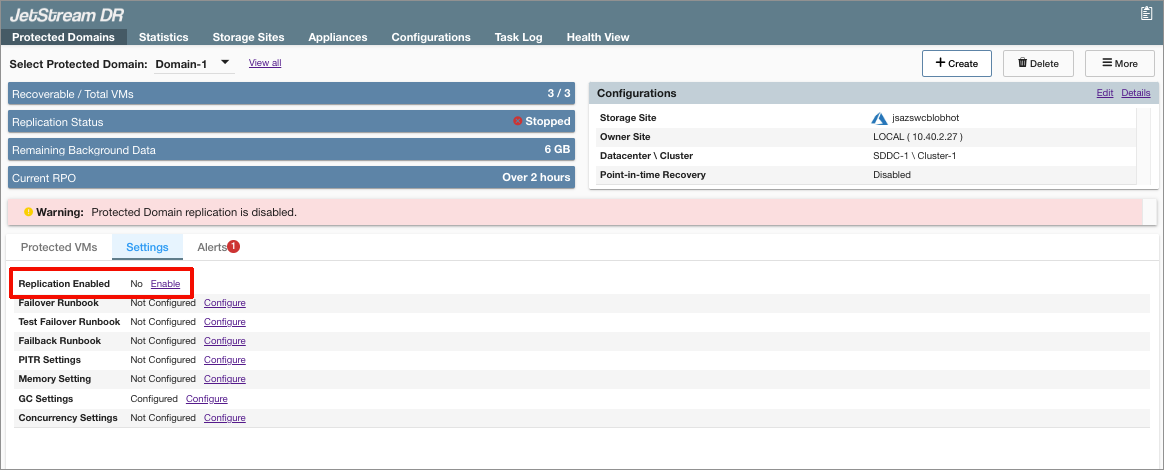
Figure 297: Replication is now disabled.
- While JSDR Domain replication is disabled, RPO of the Domain will continue to increase.
- To alert the administrator, the JSDR UI displays a warning banner on the Protected Domains status page. An alert will also be displayed on the Health View screen warning about excessive bitmap mode duration.
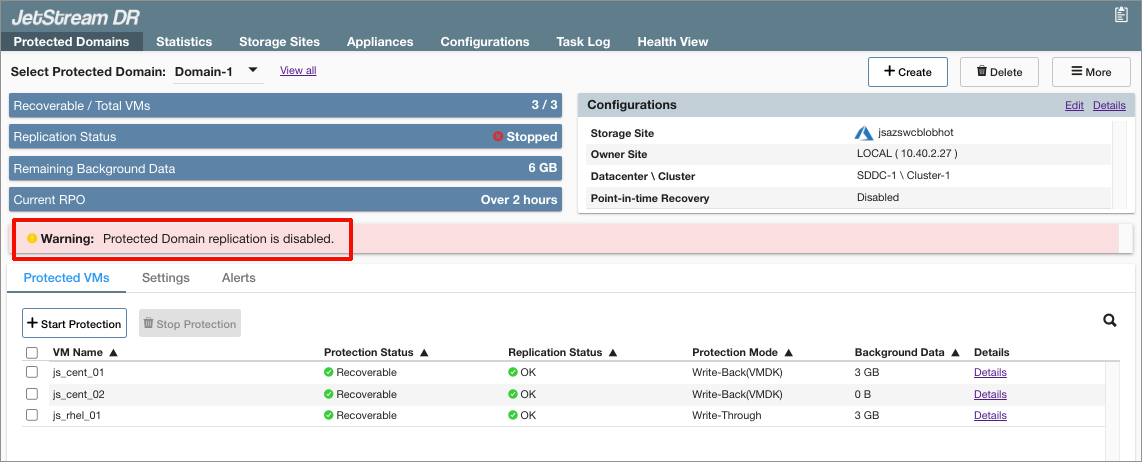
Figure 298: Warning displayed when replication is disabled.
- The ability to manually control replication of the Domain (toggle the Replication Enabled option) is not available for "remote" Domains – including imported Domains or those running in CFO.
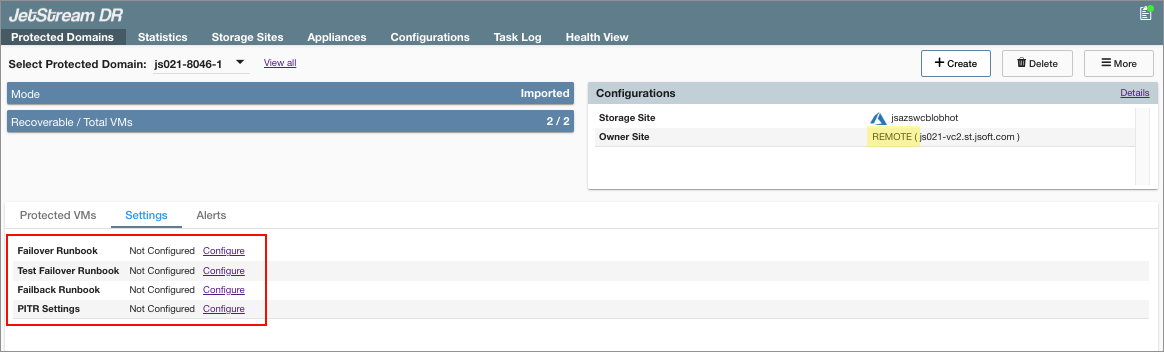
Figure 299: Replication Enabled option not available for imported domains.
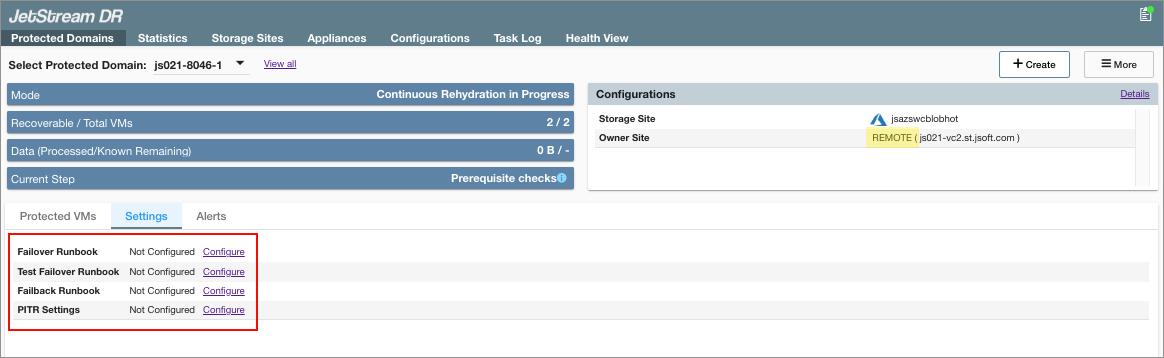
Figure 300: Replication Enabled option not available for CFO domains.