Configure Receiver Email
Configure the receiver email:
- From the JetStream DR interface of the management server, go to the Configurations screen.
- Click the Alert Settings link.
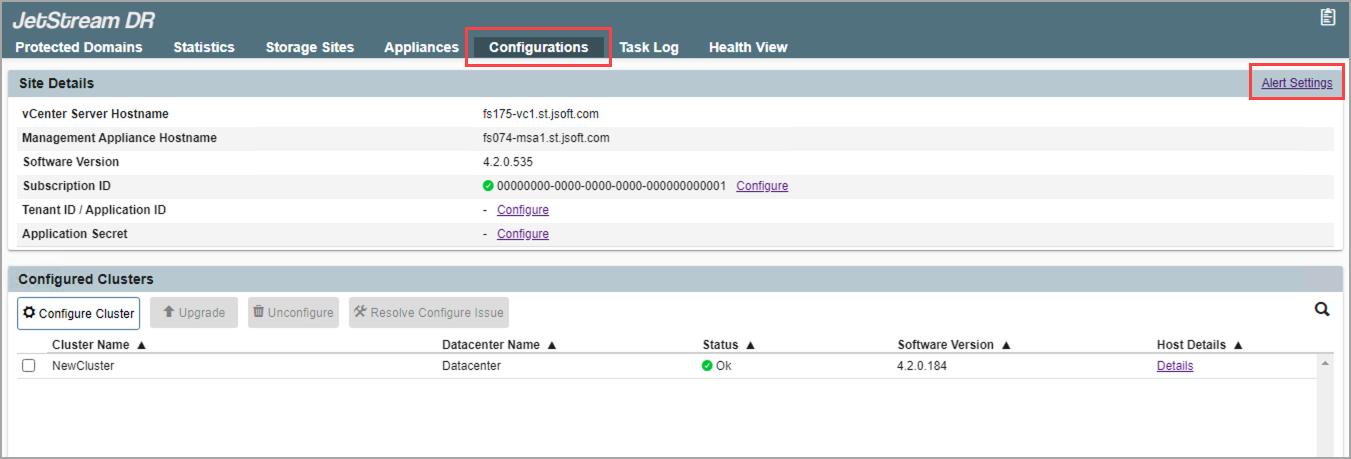
Figure 42: Configure JetStream DR alert settings.
- Enter the email address of a recipient to receive email alert notifications.
- Click the Add Email button.
- The email will appear in the list.
- If necessary, select the entry in the list then click action icons to edit or remove it.
- Multiple email recipients can be created using this process.
- Click the Submit Change button when done.
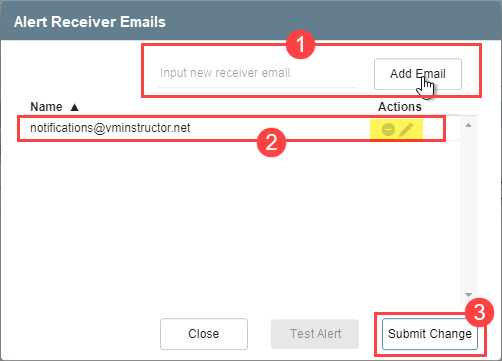
Figure 43: Set up email recipients for alerts.
Also see: