Configure SMTP Sender
Configure the SMTP sender:
- Select the vCenter Server in the Navigator pane (#1).
- Click the Configure tab (#2).
- Click General (under Settings) (#3).
- Click the Edit link (#4).
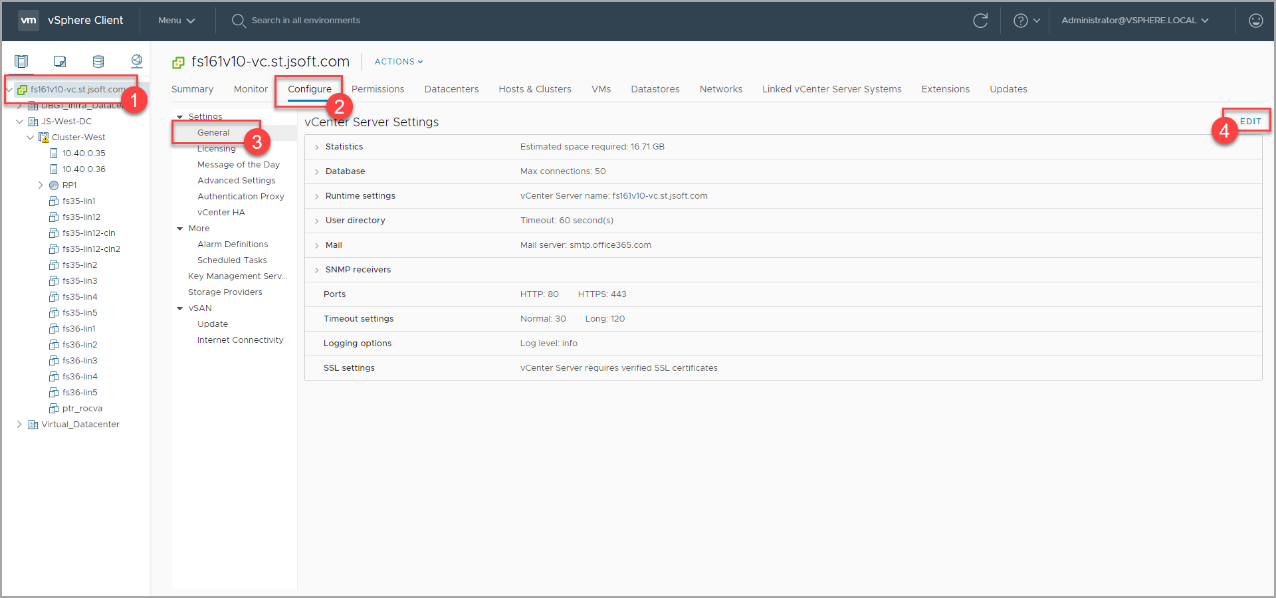
Figure 38: Configure the SMTP sender in vSphere.
- On the General settings screen, click Mail.
- Enter information about the mail server and mail sender.
- Click the Save button.
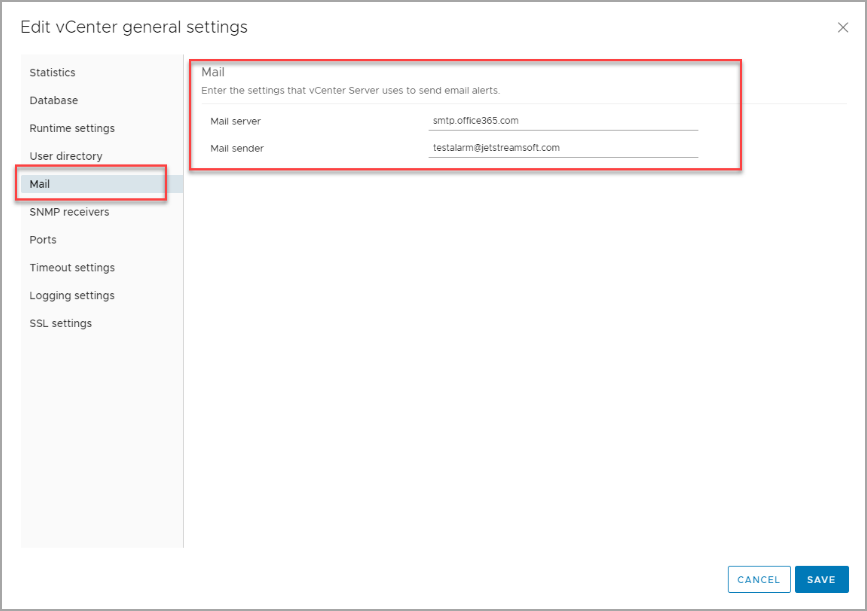
Figure 39: Enter mail server details.
- On the Settings screen, click Advanced Settings.
- Click the Edit Settings button.
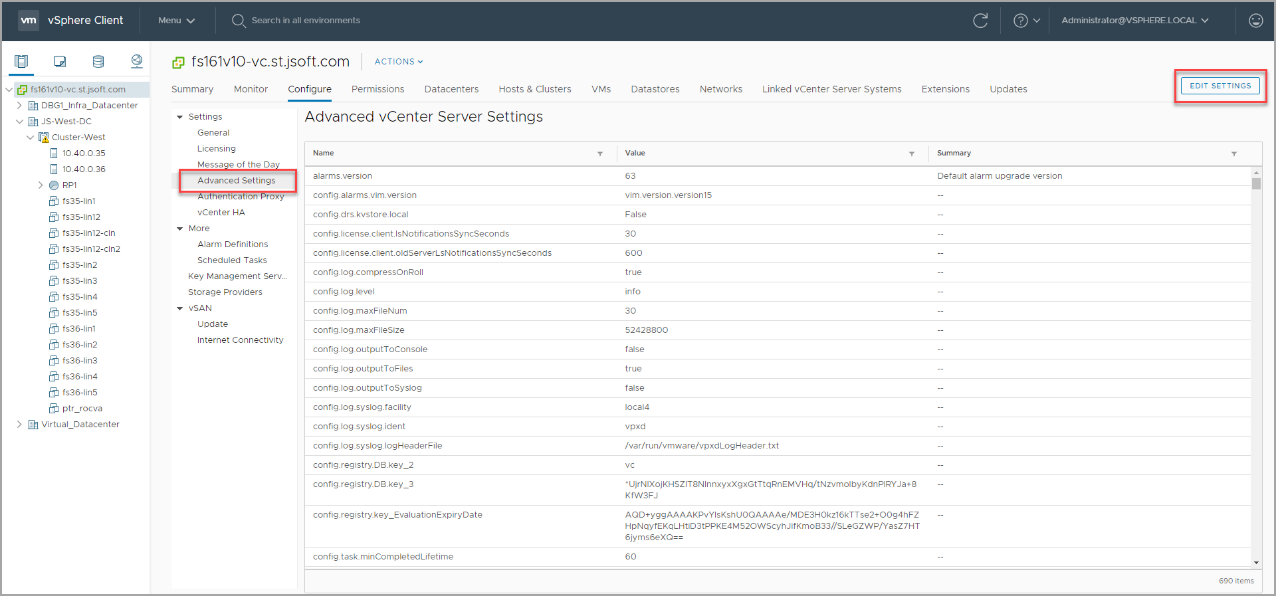
Figure 40: Edit advanced settings.
- Use the filter to search for "smtp".
- Enter the SMTP server password.
- Click the Save button to finish.
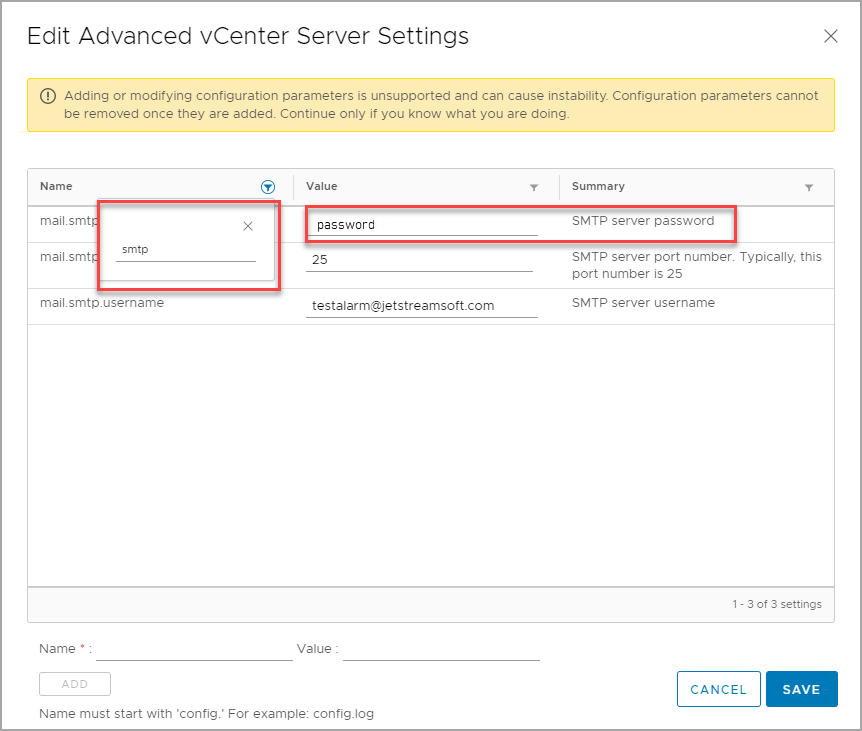
Figure 41: Enter the SMTP password.
Also see: