Replication Log
The Replication Log chart is a histogram with 10 buckets (bars) representing amounts of data handled by the replication log. If the replication log becomes saturated (indicated by buckets filling on the right side of the screen) system performance will suffer; any underlying issues should be addressed to correct the issue.
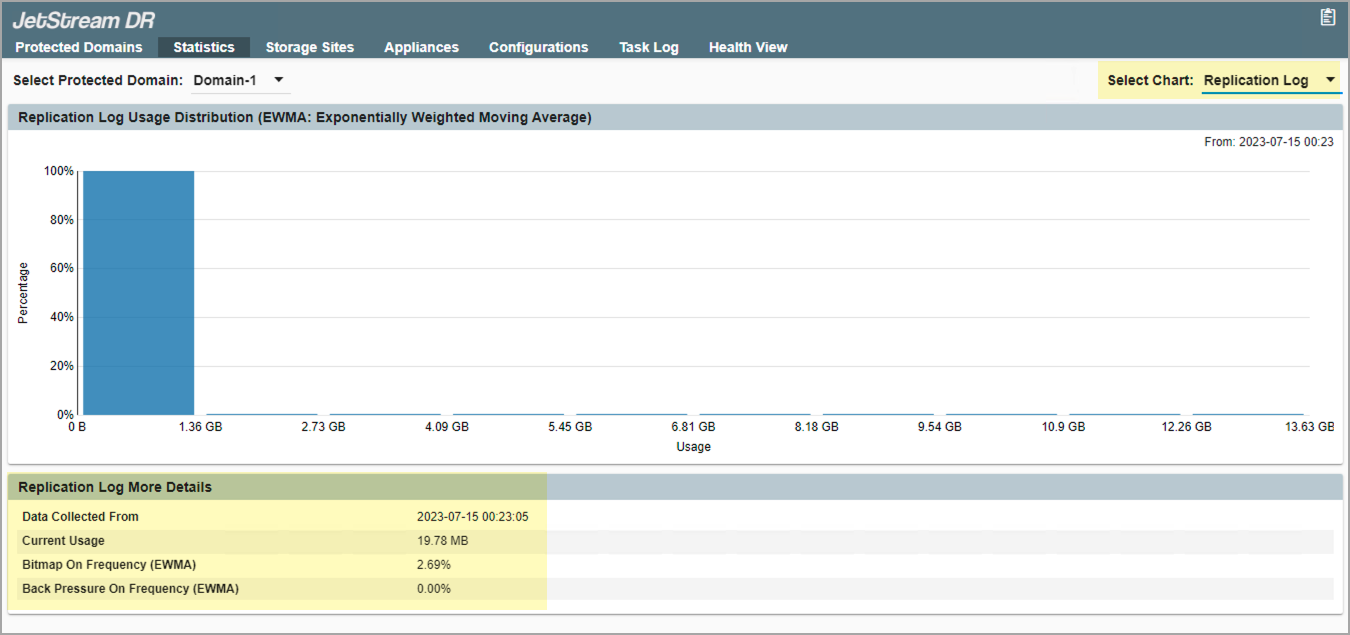
Figure 145: Replication log performance.
The lower portion of the screen provides additional details about the replication log:
- Data Collected From: The time span during which data was collected.
- Current Usage: Size of the log at present.
- Bitmap On Frequency: Percentage of operating time that protected data could not efficiently reach the DRVA and be written to the object store. During this time newly written data was logged as bitmaps on the DRVA.
- Back Pressure On Frequency: Percentage of operating time that write throttling was applied to accommodate slow data replication.