Protected Domains Tab
After all other aspects of JetStream DR have been configured, a Protected Domain must be set up to hold the VMs that will be protected.
A Protected Domain contains VMs specified by the user that should be protected and restored together. All VMs of a Protected Domain are replicated to the same container on the storage site. When performing failover or test failover operations for a Protected Domain, the entire Protected Domain including all the VMs it contains are recovered as a unit. JetStream DR Protected Domains are monitored and managed from the Protected Domains screen.
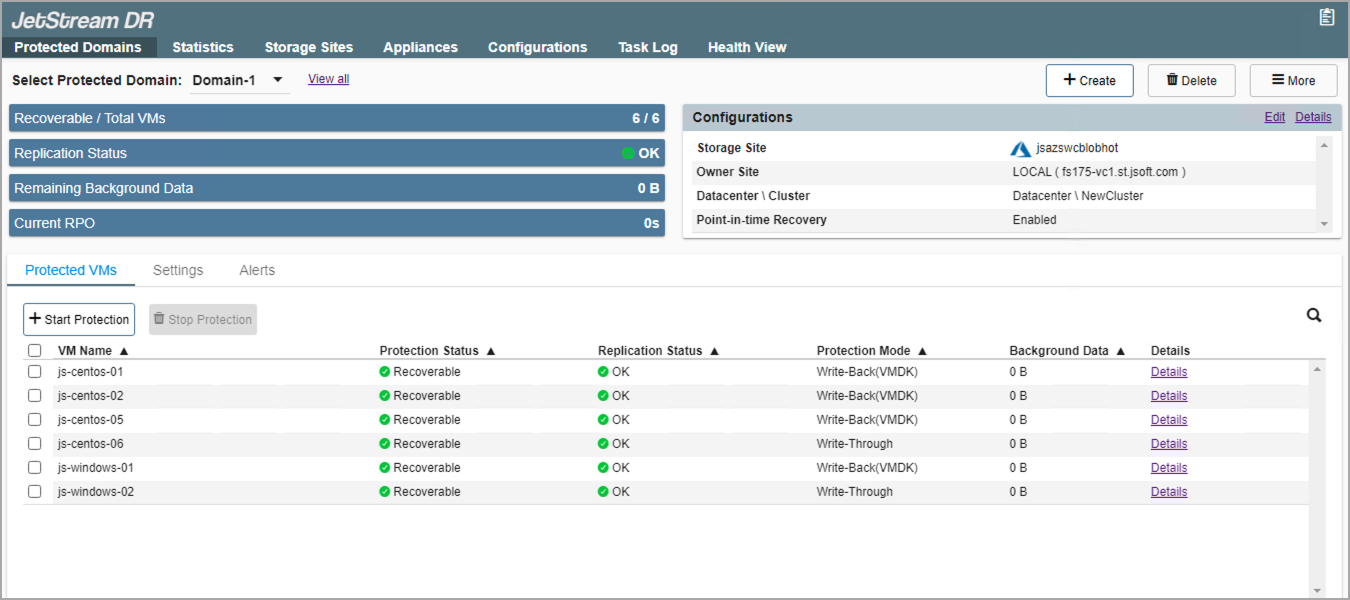
Figure 71: Protected Domains of JetStream DR software.
Important: DO NOT attempt to protect the JetStream MSA or replication/recovery appliances (e.g., DRVA, RocVA, RVM) using JetStream DR. Doing so will cause the software to fail.
Notes:
1) A Protected Domain must be used to protect VMs, even if it only contains a single VM.
2) Use the Capacity Planning Tool (CPT) from the Automation Toolkit to determine an optimal number and configuration of Protected Domains based upon the VMs to be protected. Additionally, the CPT will generate plans that can be used to automate starting protection and starting continuous failover. The CPT is especially beneficial for managing large deployments.
3) Use Alerts to monitor the status and operation of Protected Domains. Alerts details can be viewed from the Alerts tab on the Protected Domains screen.
Also see:
Edit Protected Domain Settings