Azure Blob Storage Credentials
To use Microsoft Azure Blob Storage:
- Select the storage type: Azure Blob Storage.
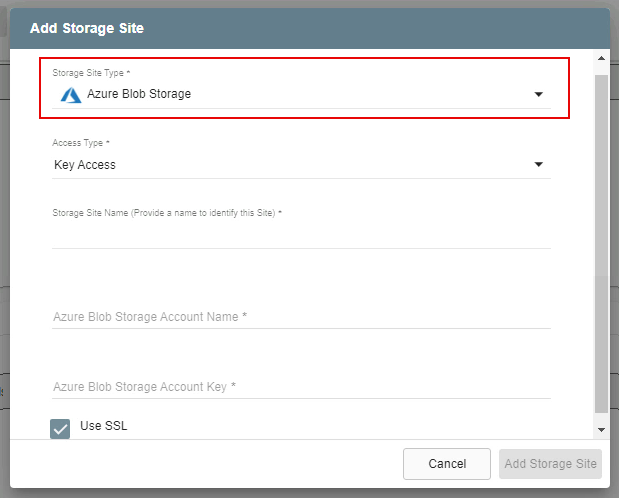
Figure 64: Add Azure Blob Storage.
- Select the access type to connect to Azure Blob Storage:
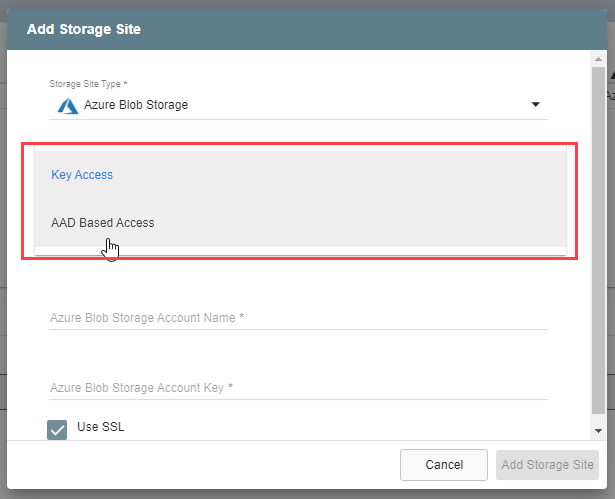
Figure 65: Specify access type.
Note: Key Access is used in this example. The screen options will be different for Entra (AAD) Access.
- Obtain your Azure storage access key information from your Azure portal under Storage accounts > Access keys.
- Blob Storage Account Name
- Blob Storage Account Key
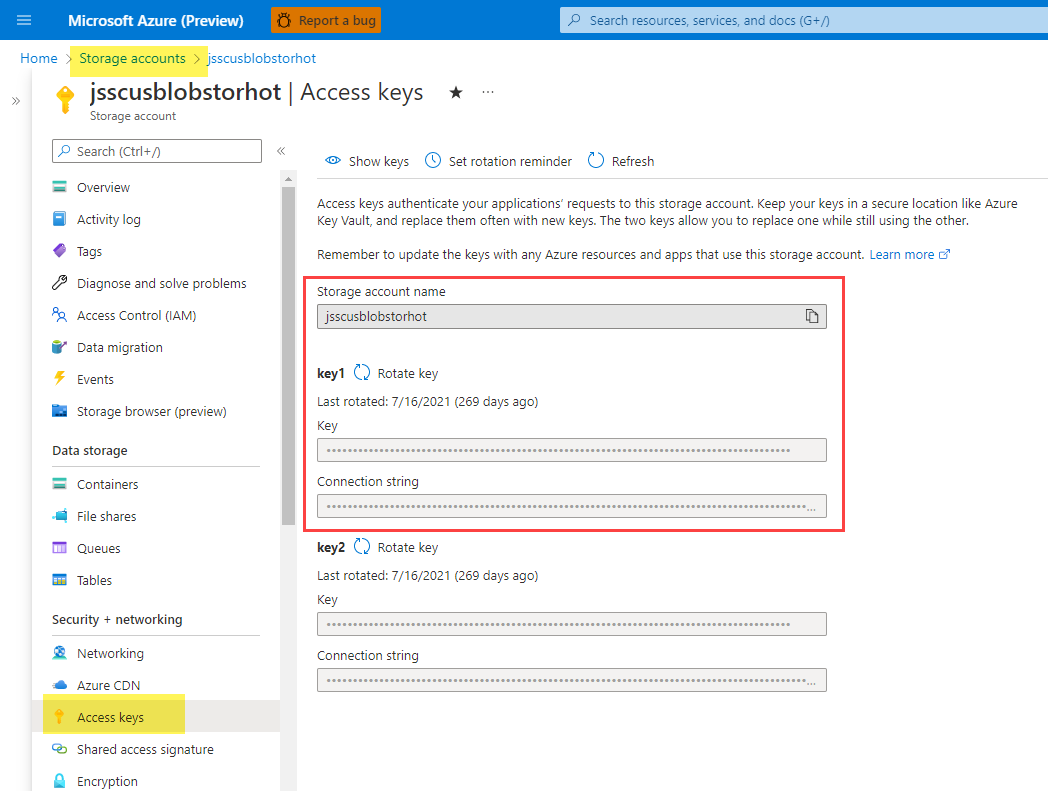
Figure 66: Locating Azure access key credentials.
- Enter the access key credentials to connect to Azure Blob Storage.
- Click the Add Storage Site button when done.
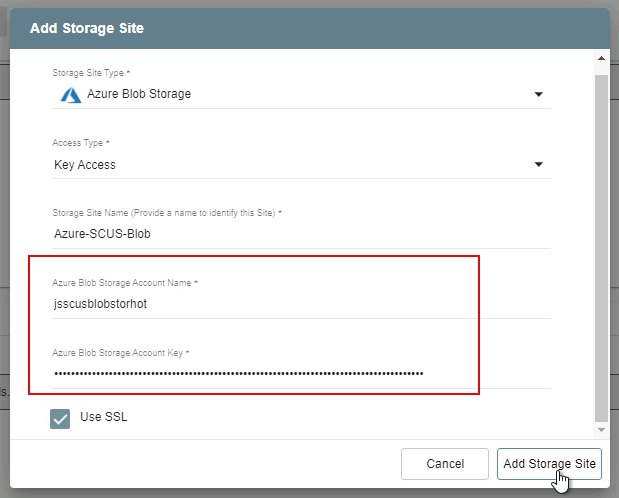
Figure 67: Enter access key credentials.
Note: View the Additional Information section of this document to learn more about setting up Microsoft Entra ID and attaching Azure Blob Storage.
Also see: