Preparation Helper
The Preparation Helper assists with setting up an environment to deploy orchestration appliances (AROVA).
Note: The Preparation Helper must be used to prepare the environment before AROVA can be used for deployment or recovery.
The upper half of the Preparation Helper assists you with constructing a CLI command to create a service account and assign it permissions to access projects with the VMs to be orchestrated.
To use the Preparation Helper, do the following:
- Ensure Helper pre-configuration has been performed.
- On the Preparation Helper page, follow the prescribed steps and enter requested information to generate CLI command script.
- Click the Create CLI command button.
- Copy the generated CLI command text from the output window.
- Execute the copied CLI command script in a command window at the prepared environment. The command will automate:
- Creation of the service account within the deployment project.
- Creation of the AROVA access role with required permissions.
- Assigning the role to the service account with projects expected to contain protected VMs.
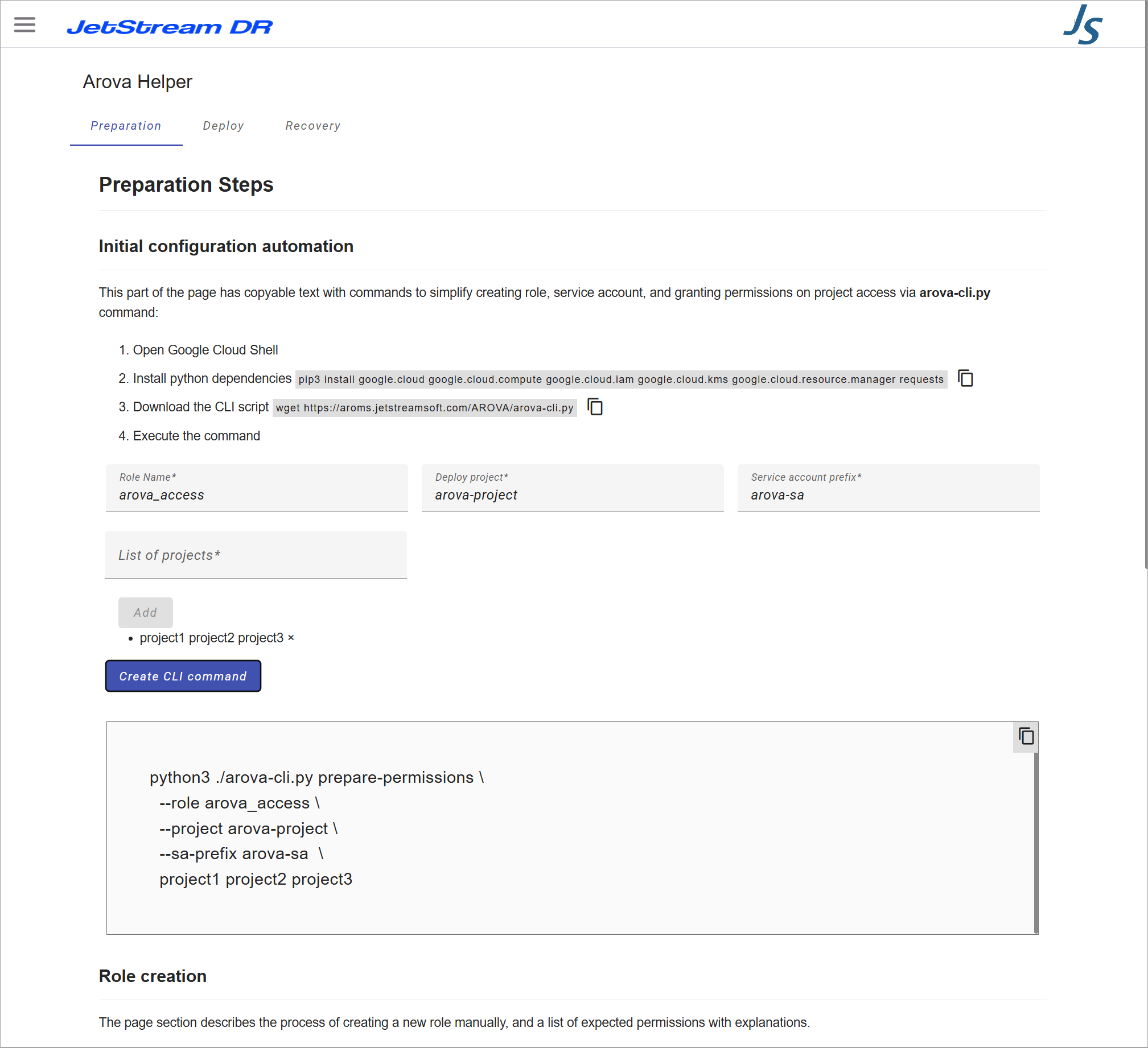
Figure 28: The Preparation Helper.
The lower half of the Preparation Helper includes information about Google Cloud Shell commands with details for manually creating roles and a service account to operate AROVA appliances.
Important: It is not necessary to manually construct roles or a service account if you have used the automated Helper at the top of the screen.
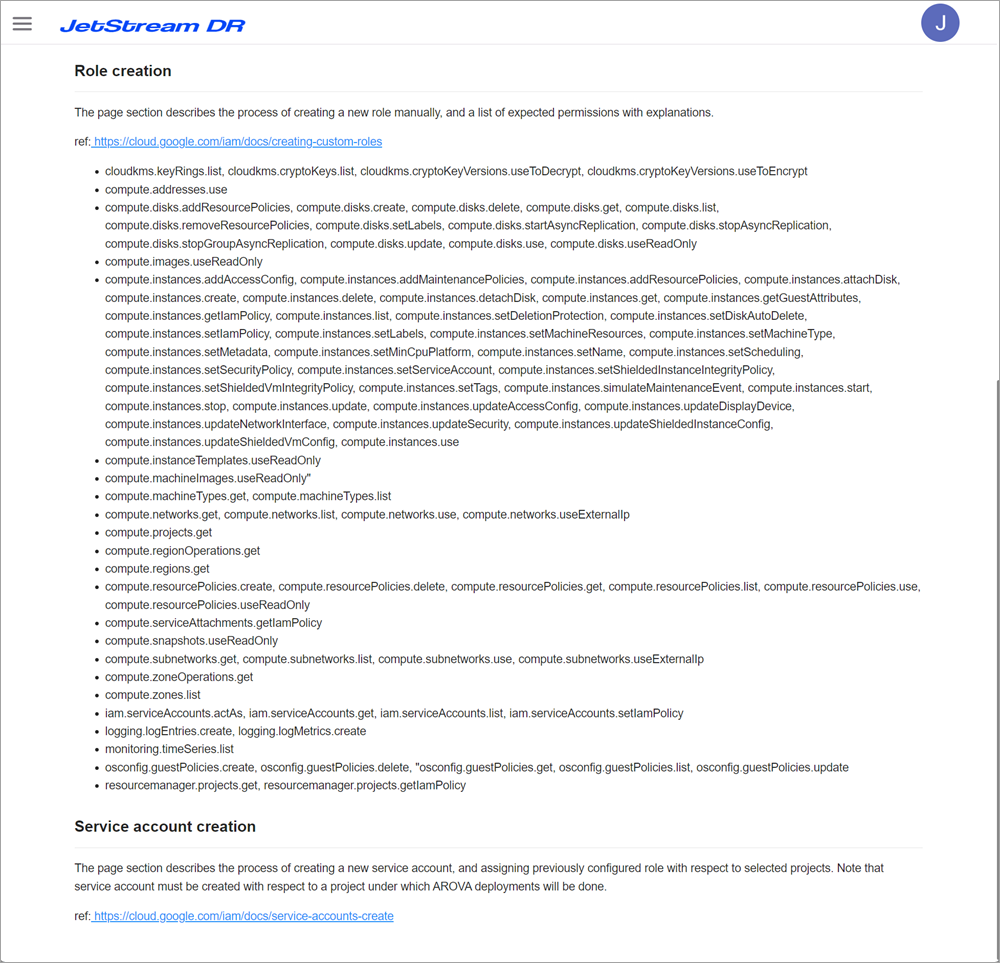
See:
Preparation Helper Roles and Service Account