Helper Utility
Overview
The Helper utility provides three front-end interfaces to help you write command line script with parameters necessary for preparing the infrastructure and deploying AROVA orchestration appliances.
- From the Management Site portal, access the Helper from the hamburger menu located at the top left corner of the screen.
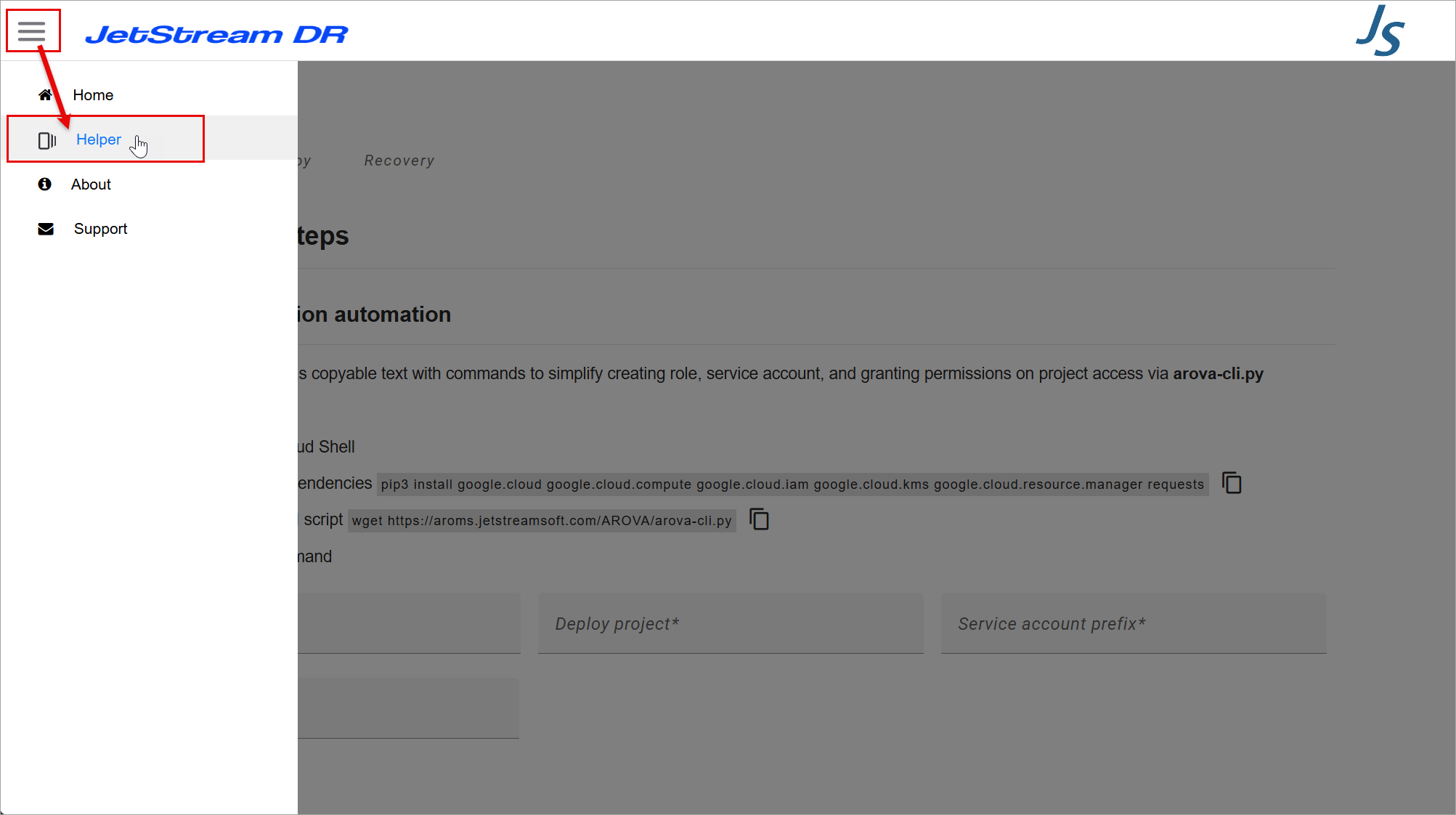
Figure 24: Accessing the Helper.
- Select a Helper function from the menu at the top of the screen. Available functions include:
- Preparation
- Deploy
- Recovery
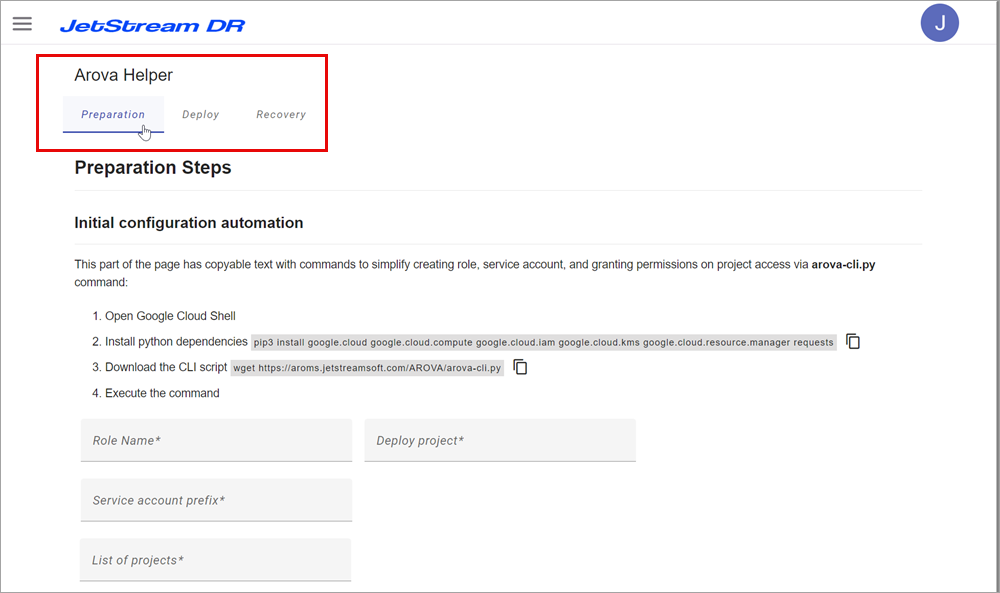
Using the Helper
Operate the Helper as follows:
- Select a Helper function from the options at the top of the screen.
- Follow the guided steps of the Helper screen.
- Specify requested information in the GUI.
- Click the Create CLI command button.
- Executable CLI command text will be generated.
- Copy the generated CLI text from the output window.
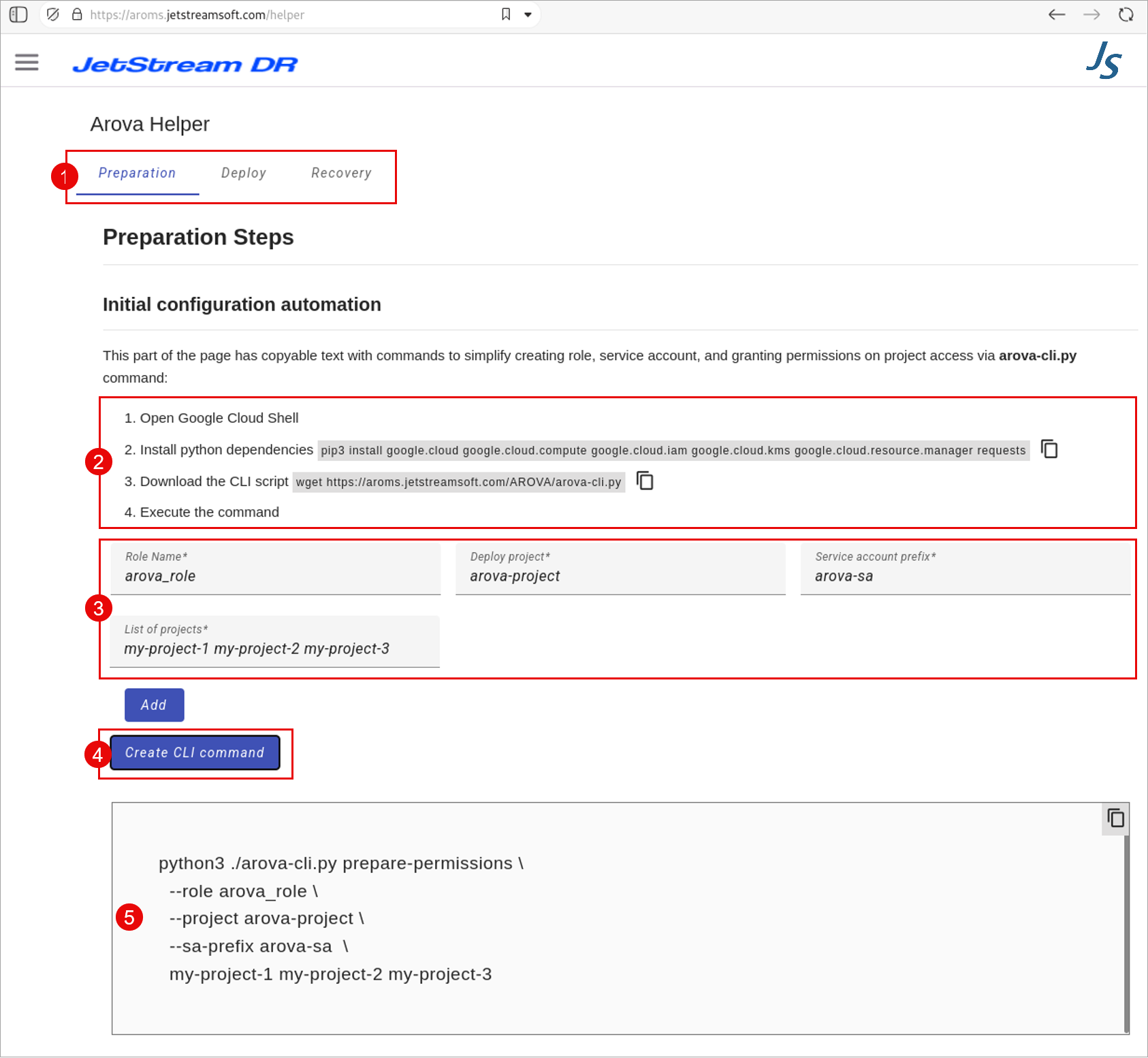
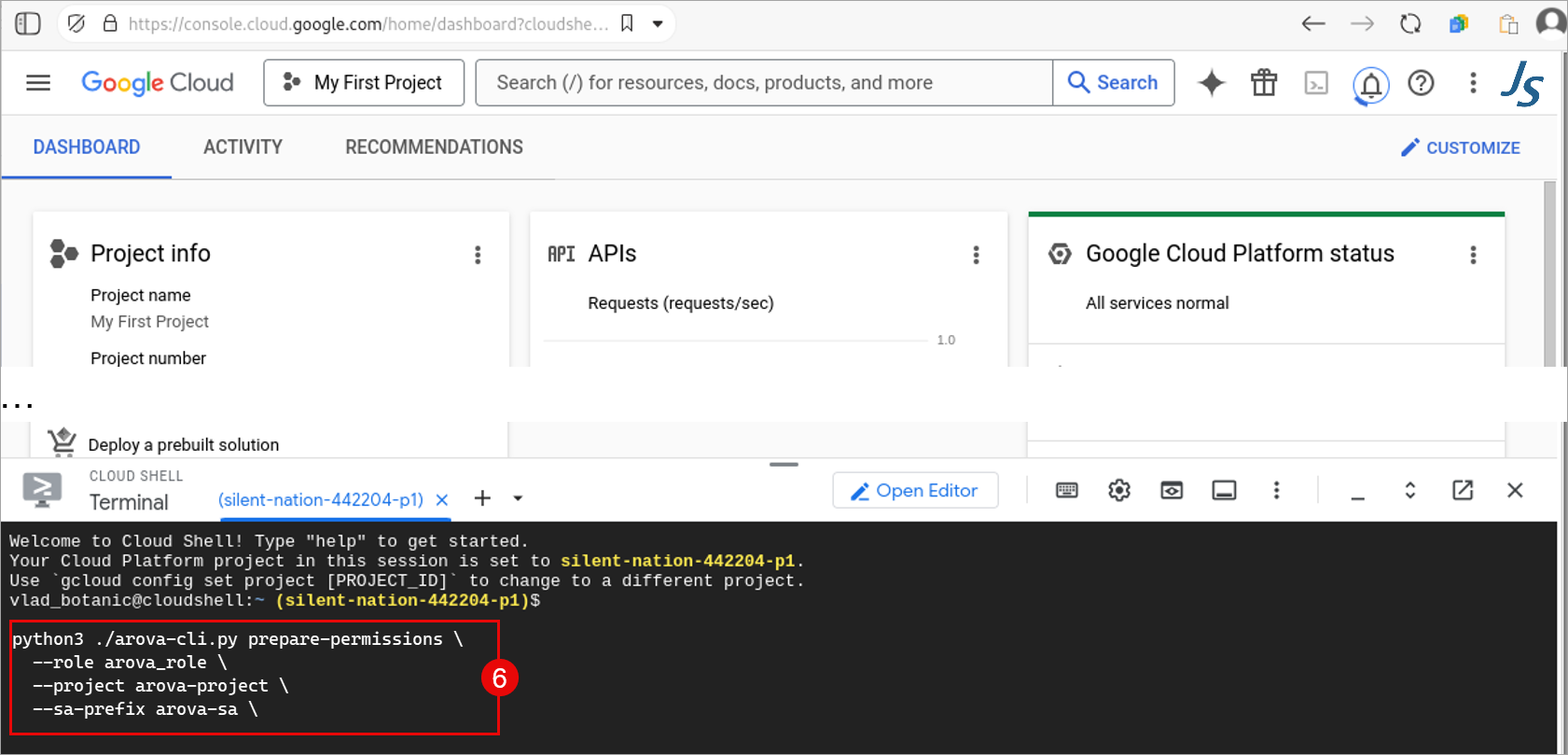
Figure 27: Execute CLI command from Google Cloud Shell console.
Note: The Helper generates command line instructions that are optimally executed from Google Cloud Shell.
However, with proper authorization it is possible to execute Helper instructions from an environment running Python 3.12 or higher.
See: