Recover Helper
The Recover Helper assists with deploying an AROVA appliance into a designated infrastructure after a disaster to recover protected VMs.
Do the following:
- Ensure Helper pre-configuration has been performed.
- On the Recover Helper page, follow the prescribed steps and enter requested information to generate CLI command script.
- AROVA Configuration Disk ("ACD") name
- Destination zone
- Service account ID
- Destination project name
- Click the Create CLI command button.
- Copy the generated CLI command text from the output window.
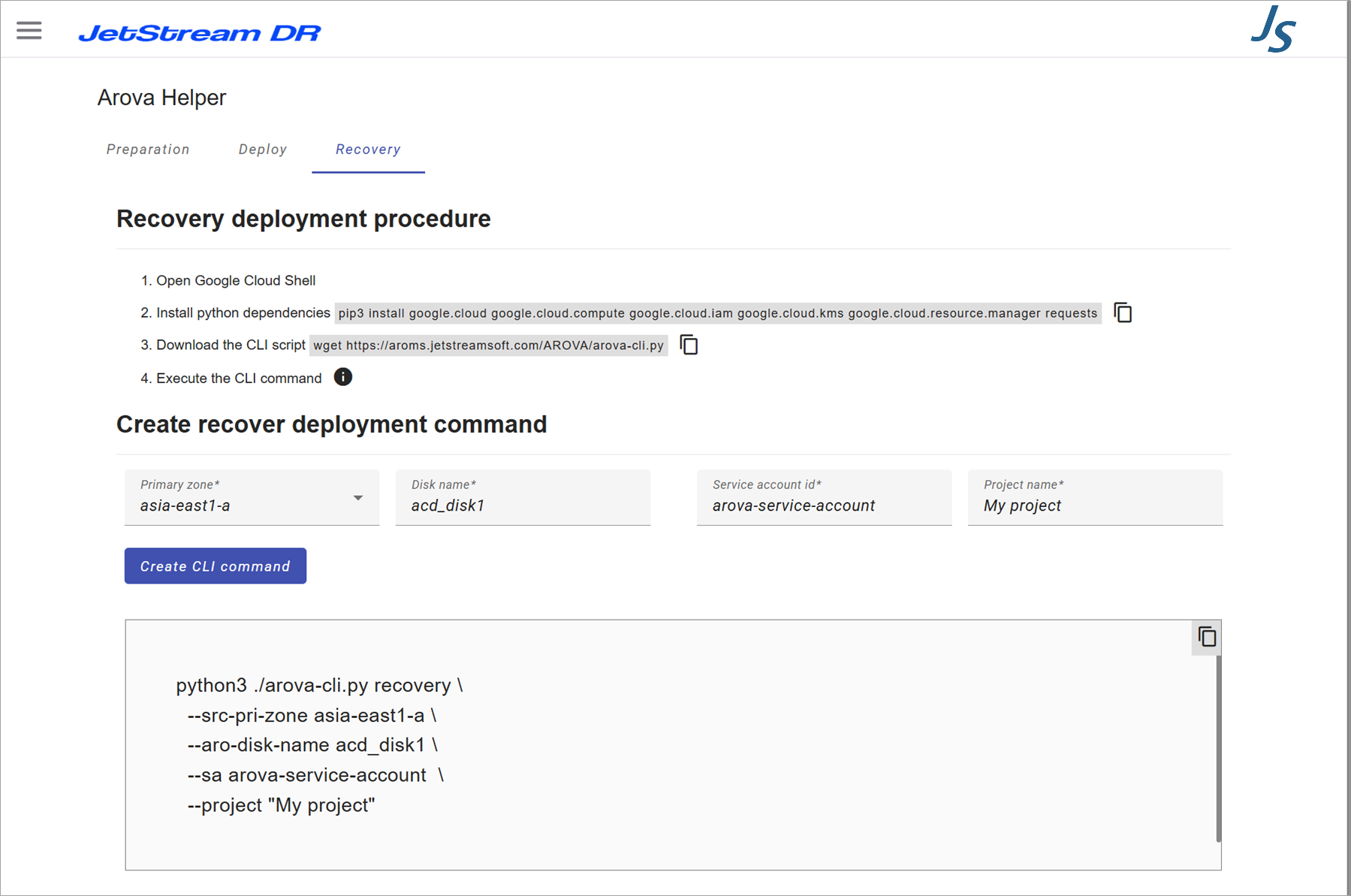
Figure 30: The Recover Helper.
- Execute the copied CLI command script in a command window at the prepared environment.
- The specified AROVA will be deployed.