Spreadsheet Operation
validateEnv.py can be operated by supplying input information via an uploaded Excel spreadsheet template.
- Obtain the Excel workbook template "JetStream DR Preparation Workbook AVS-AVS-v1.9c.xlsx" from JetStream Software.
- The workbook will contain a Validate Environment tab.
- Fill in the fields with necessary data to perform the required validation checks.
- Save the file to a location where it can be accessed by validateEnv.py.
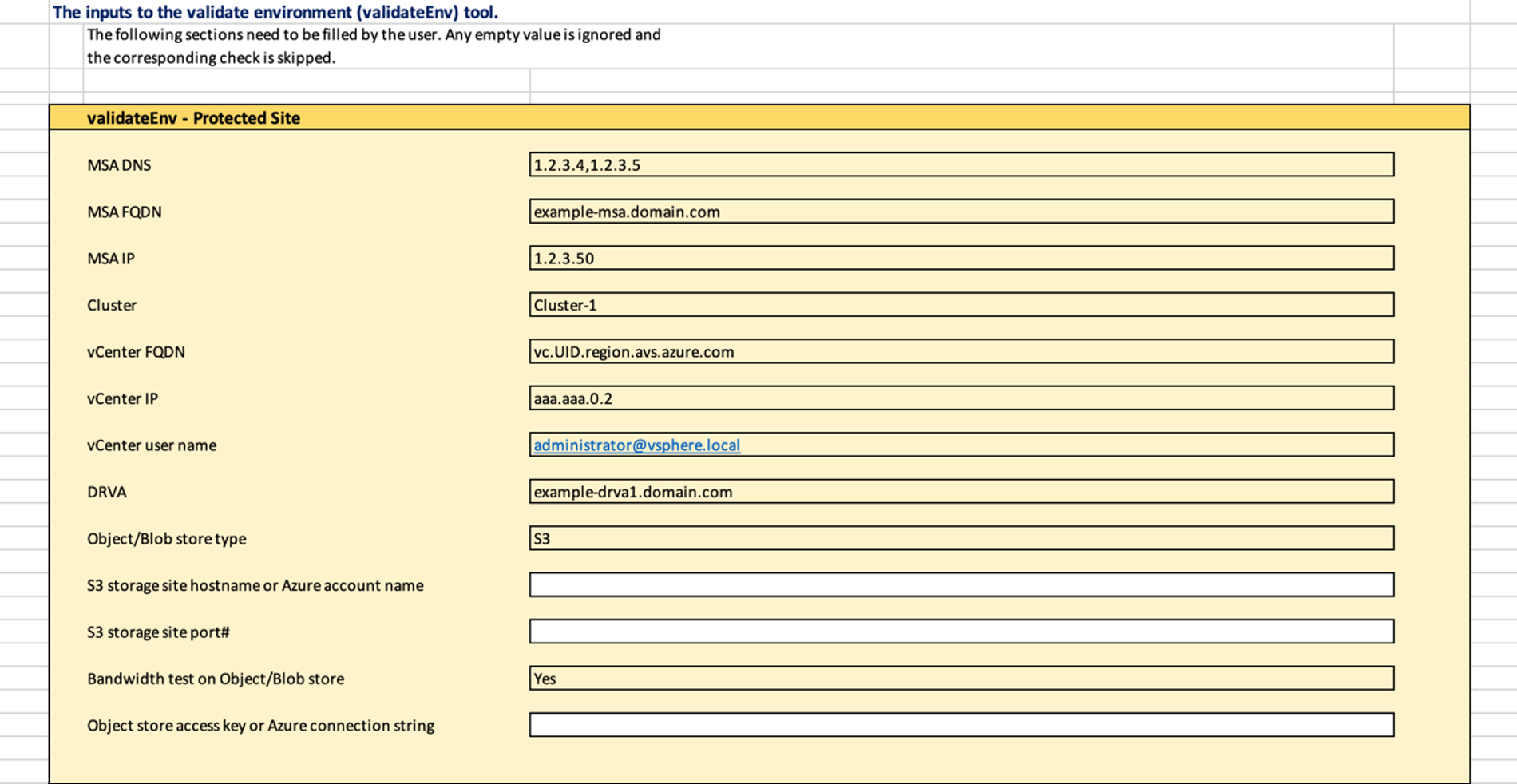
Figure 78: Example of spreadsheet template.
- Execute validateEnf.py calling the spreadsheet using the --file option.
Example
[root@localhost ~]# validateEnv.py --post-install --file JetStream\ DR\ Preparation\ Workbook\ AVS-AVS-v1.9c.xlsx -rs
vCenter password for user [email protected]:
Checking MSA...
Checking MMS server access...
Checking vCenter access...
Checking object/blob store access...
Checking object store bandwidth...
.. Done
Checking ESXi hosts...
Checking DRVAs...
.
..