Collect Virtual Machine Logs (vmware.log)
Collect virtual machine log records necessary for tracking activity and debugging individual VMs.
Instructions
- Navigate to the Datastore where the VM is hosted.
- Go to Files.
- Search for the VM by name.
- Select all instances of vmware.log files (ending with the extension ".log").
- Click the Download option.
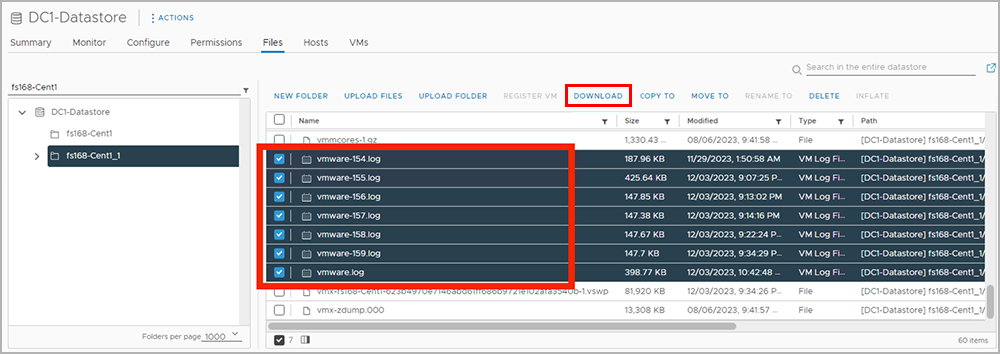
Figure 18: Select and download all files with the ".log" extension.
- The logs will be delivered bundled together as a single .zip file.
- Provide the log bundle to the JetStream Software support team.