Test Failover Operation
When test failover begins, VMs of the Protected Domain will failover from the storage site to the test failover recovery site exactly as they would to the actual recovery site in the production environment.
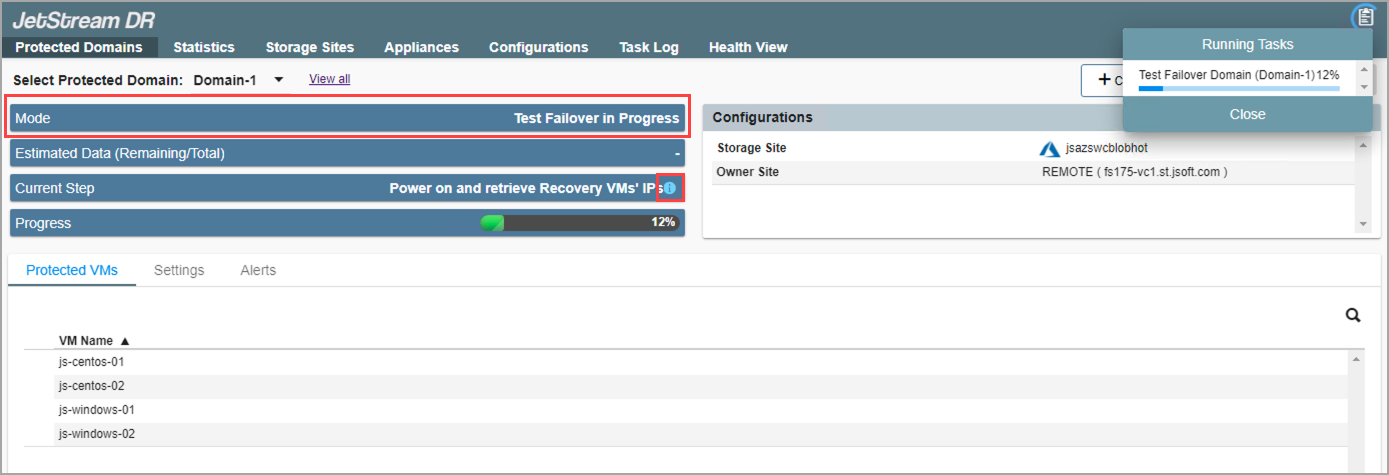
Figure 216: The test failover process has begun.
- Click the blue info icon in the Current Step field (refer to above) to view details of each failover task as it is performed during the test failover.
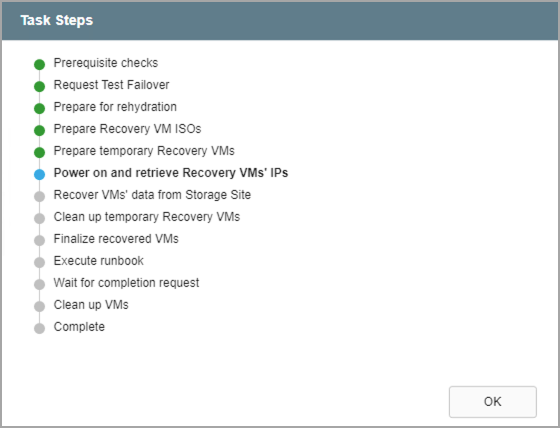
Figure 217: View details of individual task steps.
- When the failover process has finished, a message will appear announcing VMs can be verified.
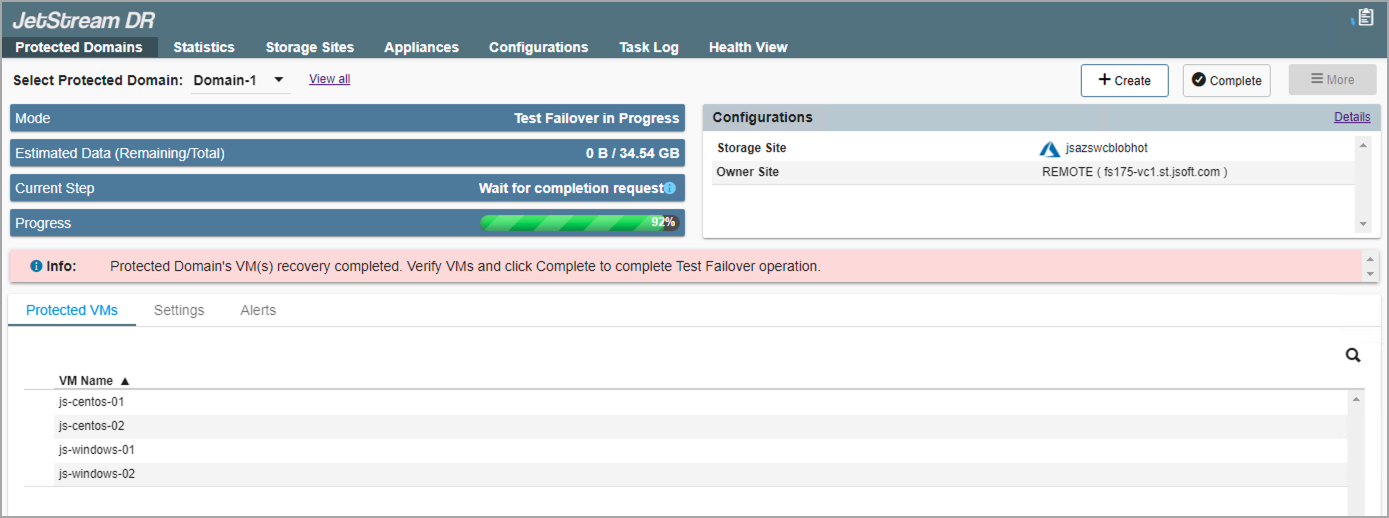
Figure 218: The protected VMs have been failed over and can now be tested.
Note: Test failover will pause after the protected VMs have been failed over. VMs and data can now be user tested directly in the environment.
- After VMs and data have been tested and the outcome of the test failover is deemed successful, confirm completion then click the Complete button to finish up.
- All data created at the test recovery site will be wiped from the system automatically.
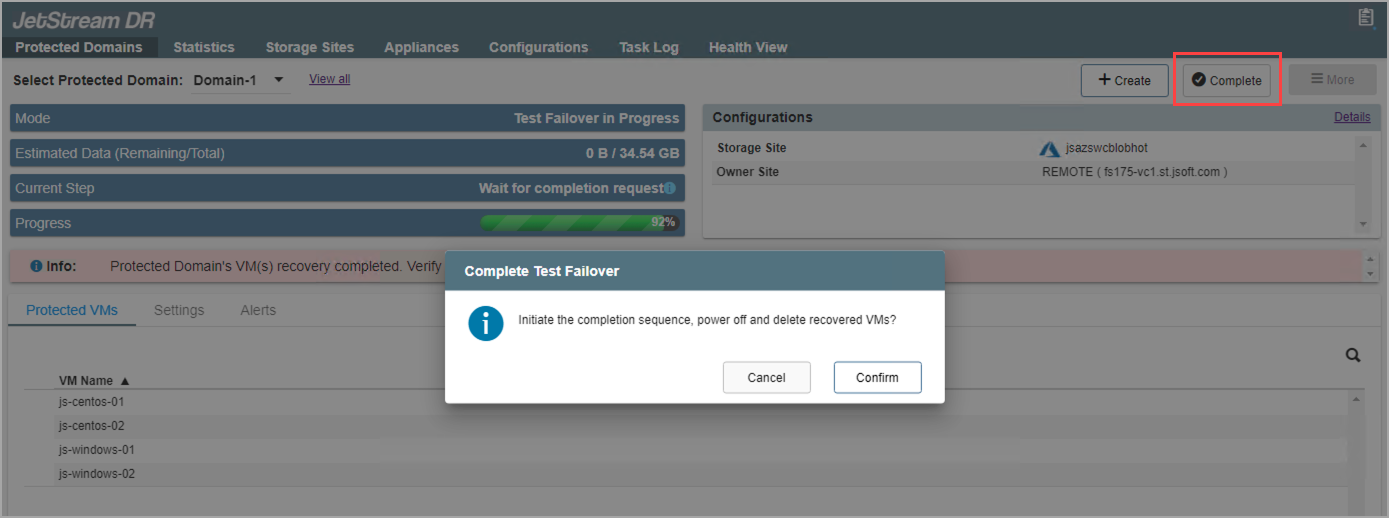
Figure 219: Click the Complete button to end test failover and purge the test recovery site.