Start VM Protection
After VMs have been selected, start the protection process.
- Click the Start Protection button.
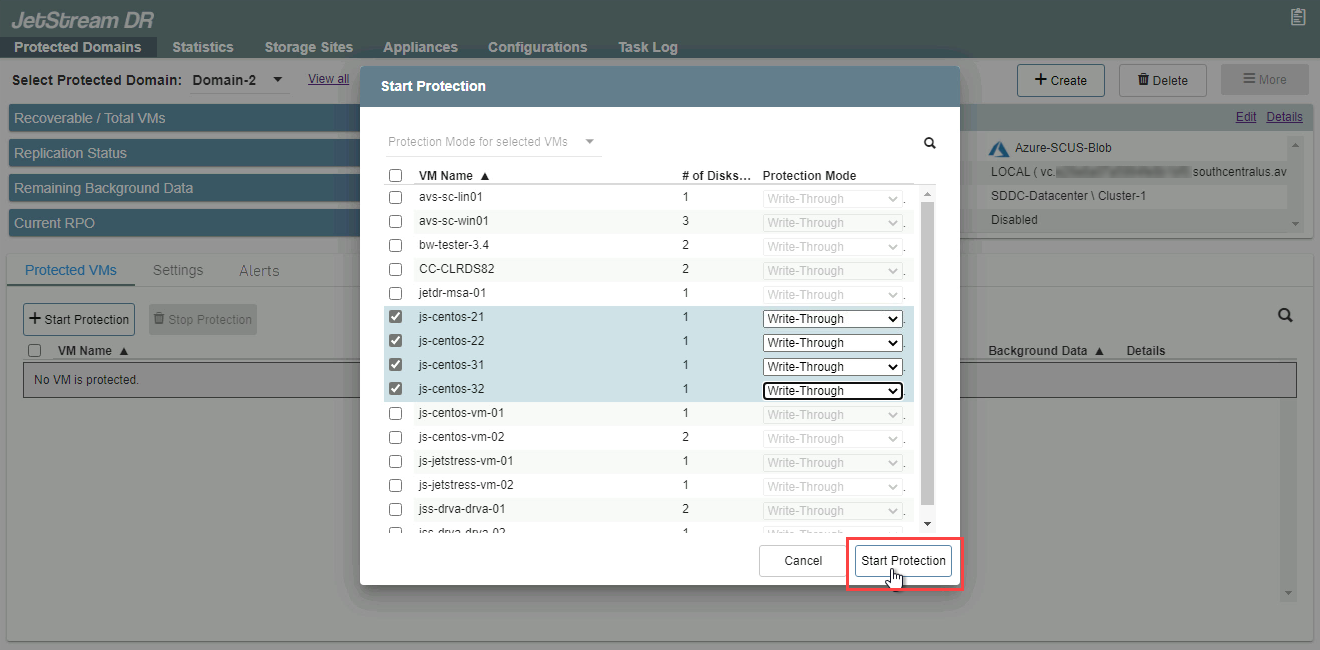
Figure 100: Starting VM protection.
- When protection begins, the protection status of VMs will change from "Initializing" to "Initial Sync" and finally to "Recoverable." During the Initial Sync phase, the amount of background data for each VM will gradually decrease, indicating background data is successfully being copied to the replication log (background replication).
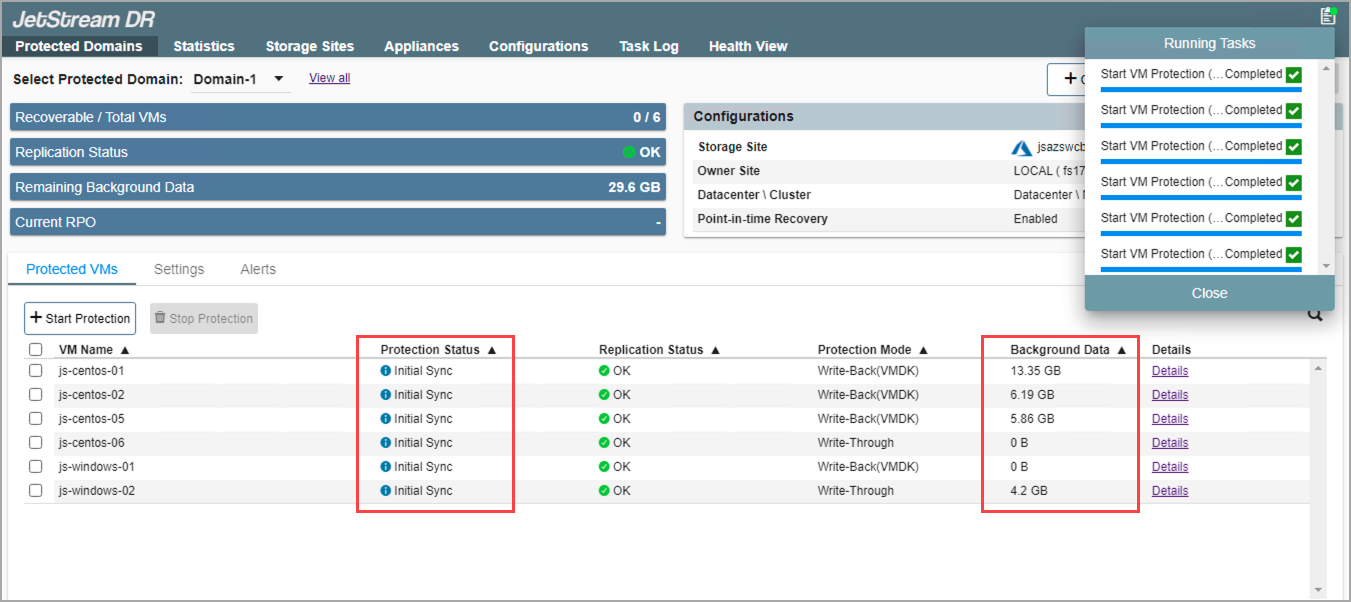
Figure 101: Initial sync phase of protection.
- When the amount of background data reaches zero, protection status will switch to "Recoverable" indicating that all data was successfully copied to the object store. From this point, the VMs are fully protected against disaster.
- The data replication process can be monitored from the Incoming and Outgoing Data Rate report.
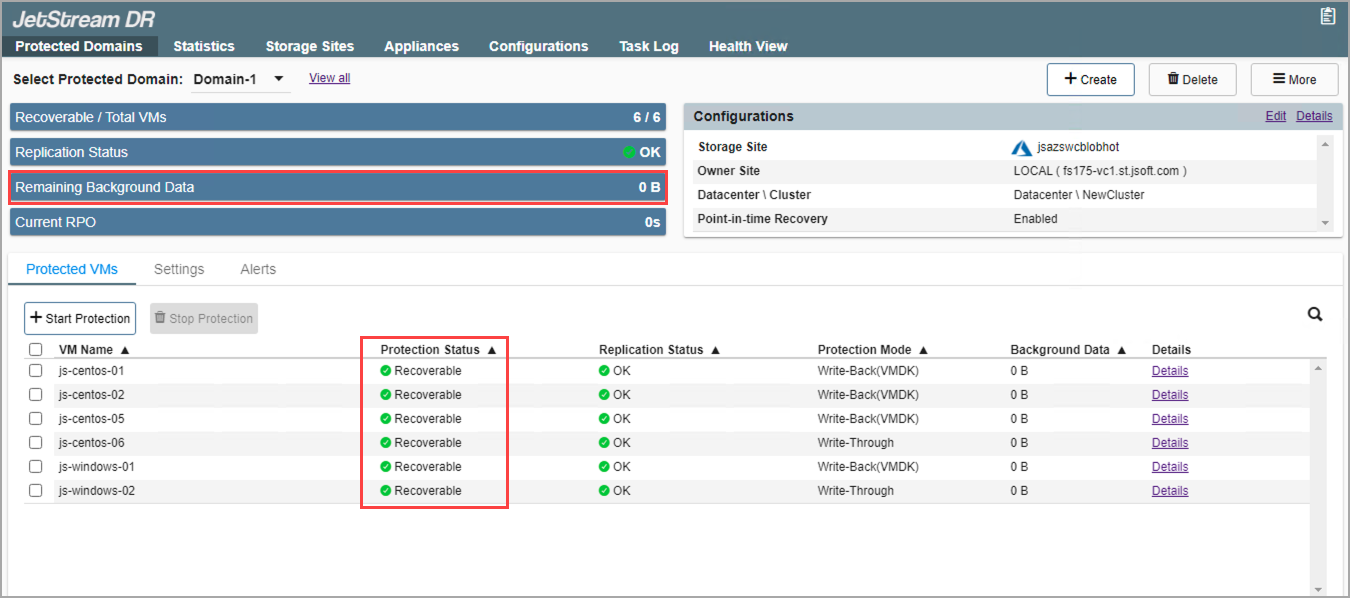
Figure 102: Protected VMs are now able to be recovered.
Also see:
Monitoring Continuous Replication