Retain Internal IP Address of Network Interface
The Retain Internal IP Address of Network Interface setting allows a VM to preserve its internal IP address after recovery. To retain an internal IP address (static or ephemeral) on recovered VM(s), the IP address must fall within the associated sub-network range and must not be currently in use.
- Navigate to a Runbook Settings page, select a desired Recovery Group or independent VM, then click the EDIT button.
- A Runbook Settings window will open.
- Under the NICs column, click the link of the VM you want to configure.
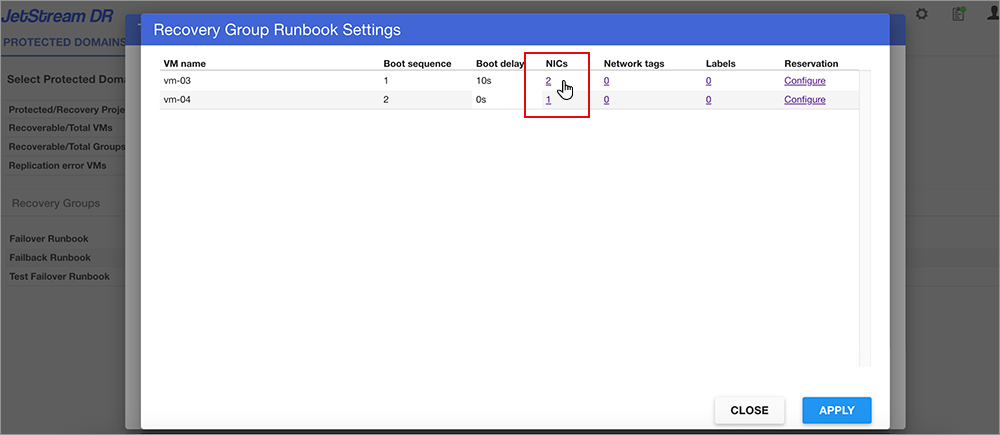
Figure 73: Select a NIC to configure.
- The Network interface settings window will open.
- Edit the Retain internal IP property for the network interface you want to modify – indicate "Yes" or "No."
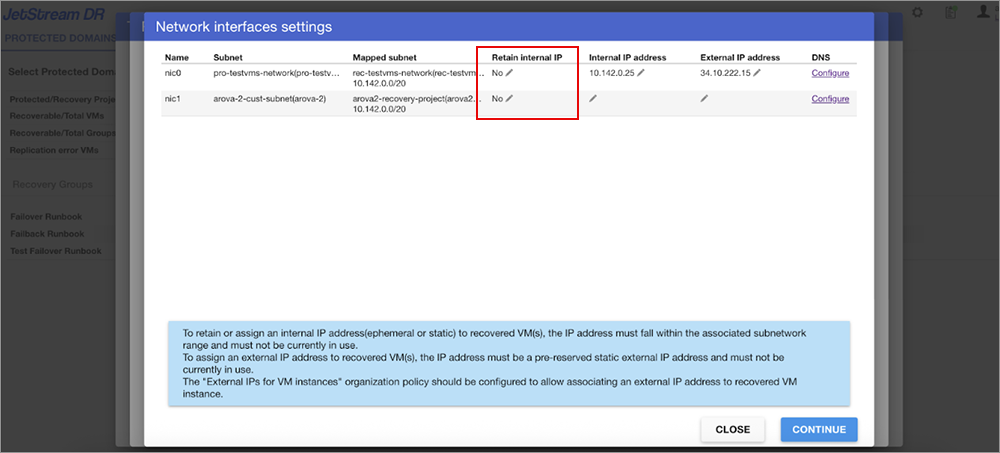
Figure 74: Edit the Retain internal IP setting.
- Click the CONTINUE button to exit the Network interface settings window then click the APPLY button on the Runbook Settings window to save the change.