Runbook Scripts
Runbook scripts are saved in the Protected Domain's object store so they can be immediately available to the MSA at the recovery site.
- Scripts are uploaded at the Protected Domain level.
- Runbook scripts are executed from the Management Server.
- PowerShell and Python3 scripts are supported.
- Three JetStream DR environment variables are available to allow you to reference other scripts/files or VM instance UUIDs.
|
Environment Variable |
Description |
|
JETDR_VM |
The UUID of a protected VM configured by the post-script. |
|
JETDR_VMS |
A comma-separated list of the UUIDs of the protected VMs in a recovery group that has been configured with a pre-script or post-script. |
|
JETDR_SCRIPT_PATH |
The path of the parent directory containing referenced script(s)/files(s). |
Applying Runbook Scripts
This is how you can add a script to a failover runbook.
- Navigate to: Protected Domains > Settings > Failover Runbook Settings.
- Click the Scripts button.
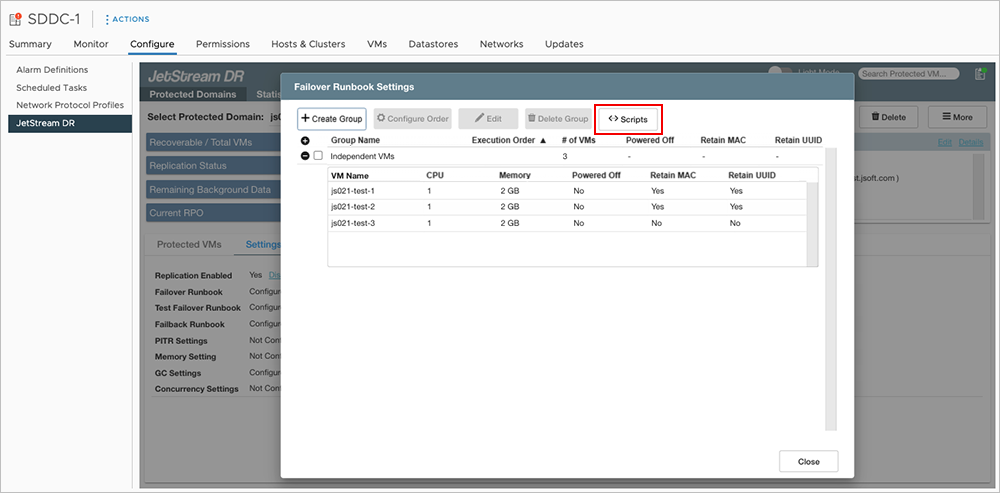
Figure 127: Click the Scripts button.
- Click the Upload button then select and upload a script file.
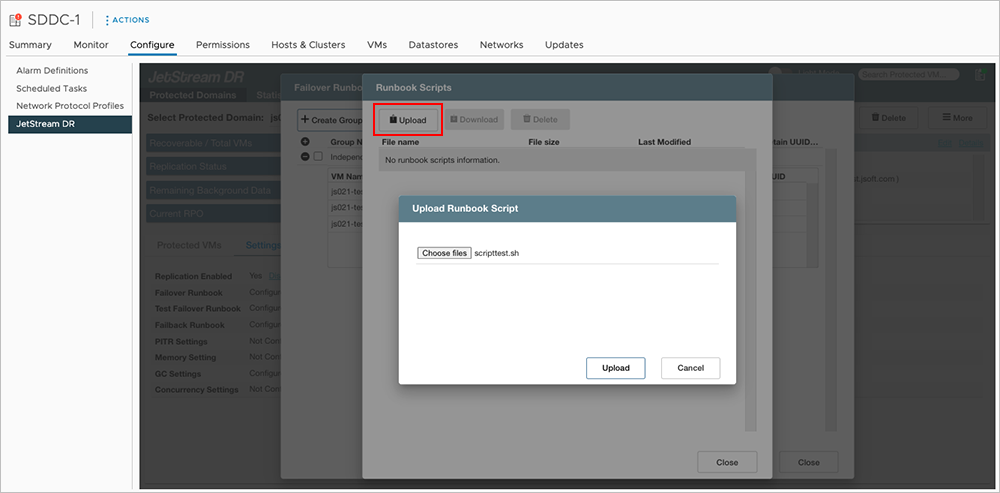
Figure 128: Upload a script file.
- The script will be saved to the Domain's object store from where it can be used with runbooks.
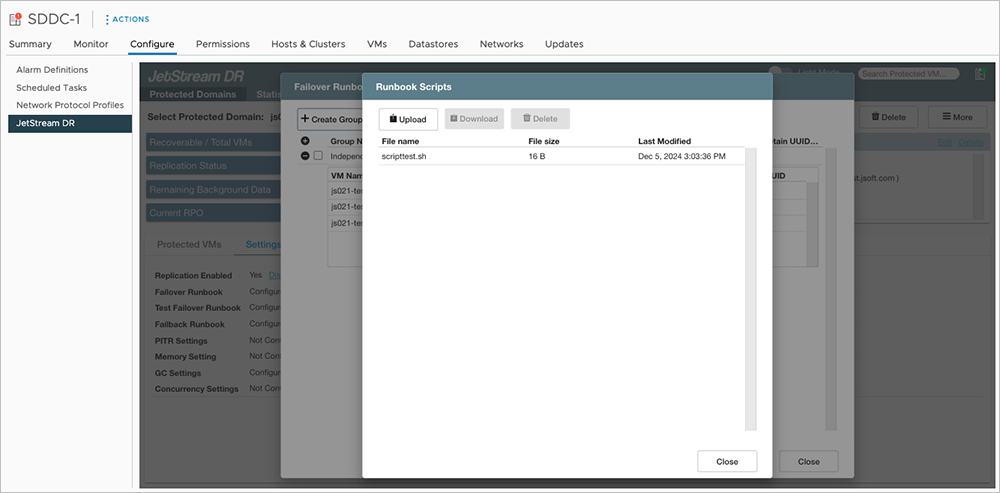
Figure 129: Script is saved to the object store of the Domain.
- During the runbook configuration process, scripts uploaded to the object store (see above) will be available for selection.
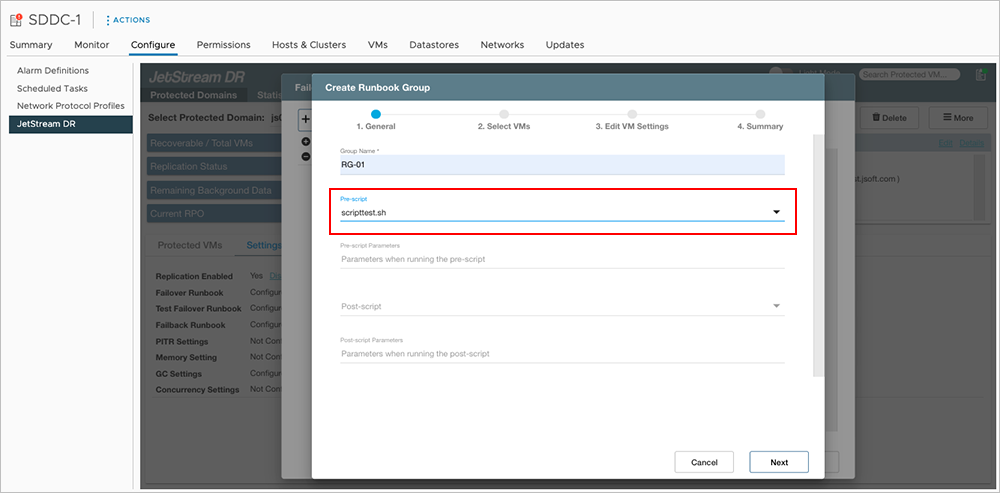
Figure 130: Select the script to use when configuring the runbook.
Runbook Script Example
Here is an example of the details for a typical command script. Refer to the JetStream DR REST API Reference for the complete list of available commands.
Fetch Runbook Script File Info from Object Store
This request gets the names of runbook scripts present in the Domain's container in the object store.
- Usage: GET on /domains/{domainId}/settings/runbook/scripts
- Request URL: https://<MS hostname>/jss/domains/{domainId}/settings/runbook/scripts
- Header: fios-session:vc_sessionId
- Request: N/A
- Example Response:
{
"runbookScriptsFileInfo": [{
"name": "postscript.py",
"size": 1237,
"lastModified": 1722595023000
},
{
"name": "prescript.sh",
"size": 1237,
"lastModified": 1722595024000
}
]
}
JetStream DR Environment Variable Example
This example illustrates how the environment variable JETDR_SCRIPT_PATH can be used in a script to reference a different file that has been uploaded to the object store1.
"postScript": {
"command": "/home/script/script1.sh",
"parameters": "$JETDR_SCRIPT_PATH/input_file"
},
Note:
1. The presence of files referenced by a pre-script or post-script is not checked by the system. The user must ensure all referenced files are available in the object store.