Import Protected Domain for Failover
Import a Protected Domain to failover the VMs contained within it.
Note: Failover operations are performed at the Protected Domain level which means all VMs in the Domain will be failed over together.
- Go to the recovery site.
- On the Storage Sites screen, select the object store from the storage site (added previously).
- Click the Scan Domains button.
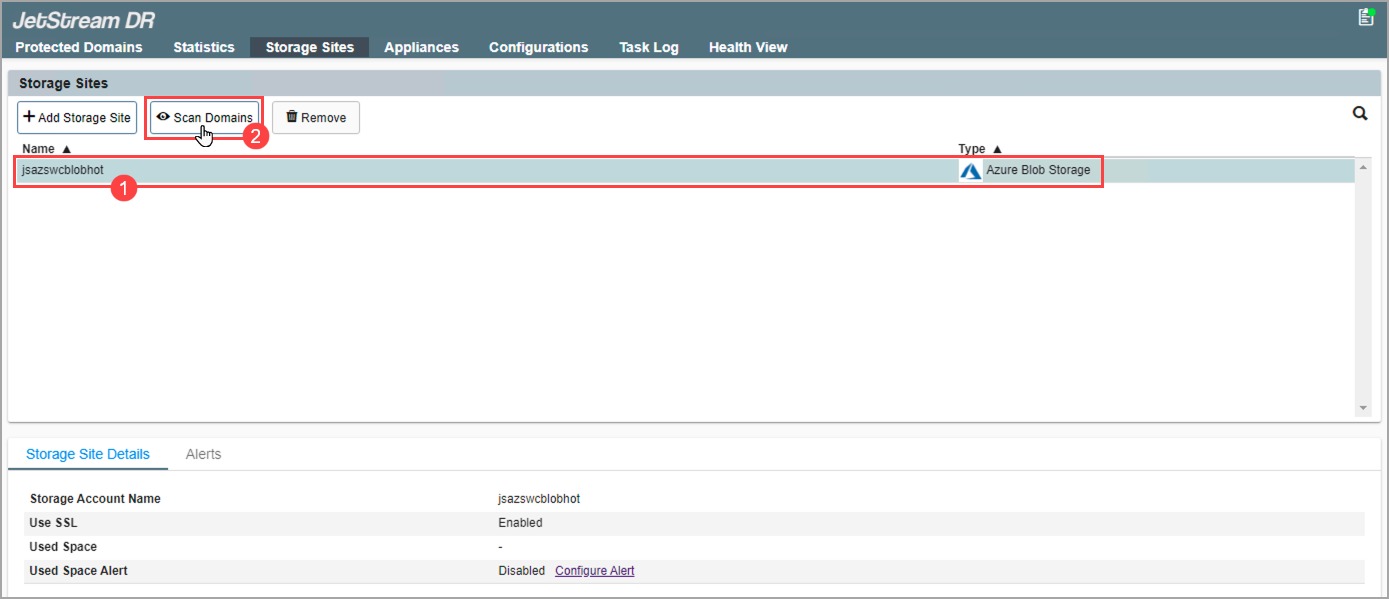
Figure 176: Scan Protected Domains from the storage site.
- In the pop-up dialog window that appears choose a Protected Domain to import and click its Import link.
- The Domain will be imported to the recovery site.
- This step can be repeated to import multiple Domains, as needed.
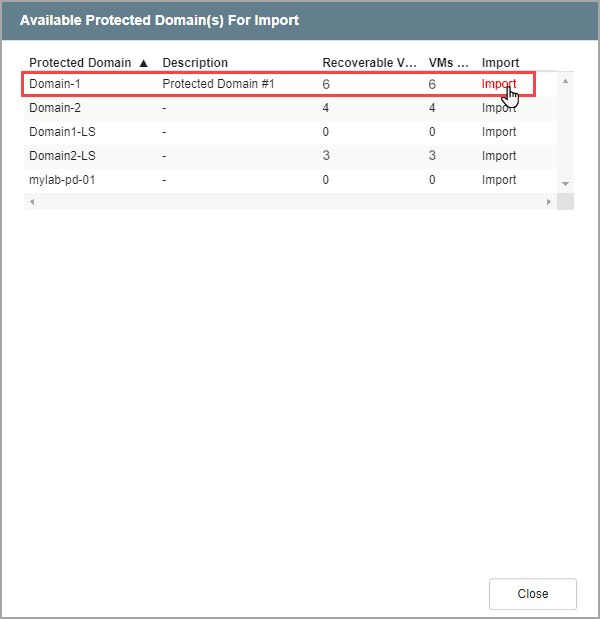
Figure 177: Import a Protected Domain.
- Go to the Protected Domains screen.
- Select the imported Domain from the Select Protected Domain menu.
- A list of all the recoverable VMs in the Domain will be displayed.
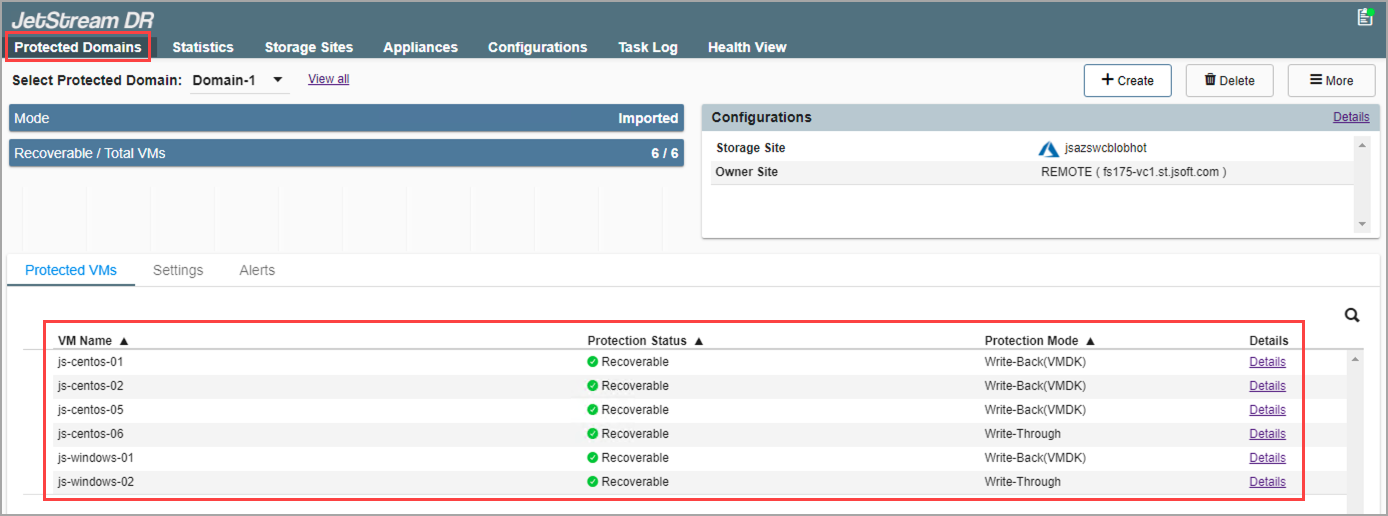
Figure 178: Select a Domain to view the protected VMs contained within it.
- If performing failover, only VMs with the protection status “Recoverable” will be failed over.
- If performing continuous failover, all VMs will be failed over regardless of their protection status level.
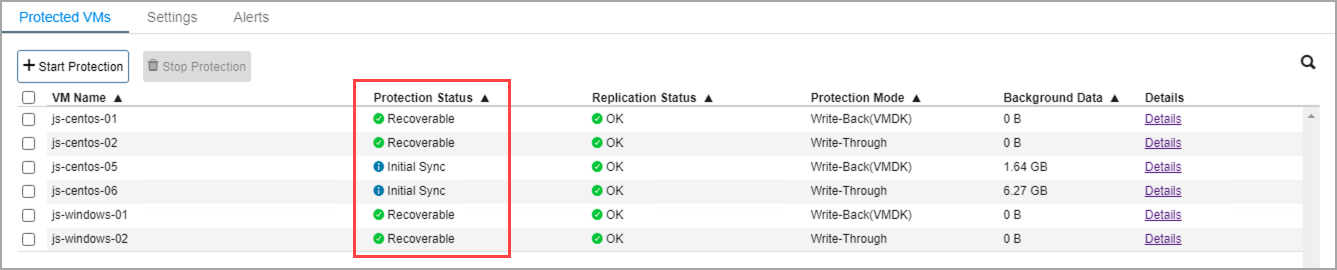
Figure 179: Status of protected VMs.
Also see:
After a Domain has been imported and selected, failover protected VMs to the recovery site.