"Continuous Failover" Mode
Continuous Failover mode is initiated before a disaster event has occurred. Continuous Failover operates in the background performing "continuous rehydration" writing data from the protected site to the object store and immediately re-hydrating that data to a recovery site. This minimizes recovery time and effort to deliver "near-zero RTO" performance.
Continuous Failover Operation
- When Continuous Failover (CFO) mode is used, the following conditions apply:
- Data is copied and kept synchronized between the protected and recovery sites.
- VMs can continue to be operated normally at the protected site without interruption.
- Once data is synchronized between the sites, the operating mode will indicate “Continuous Rehydration in Progress” and the protection status of VMs will become “Recoverable.”
- Continuous failover can be "completed" any time after this state has been achieved.
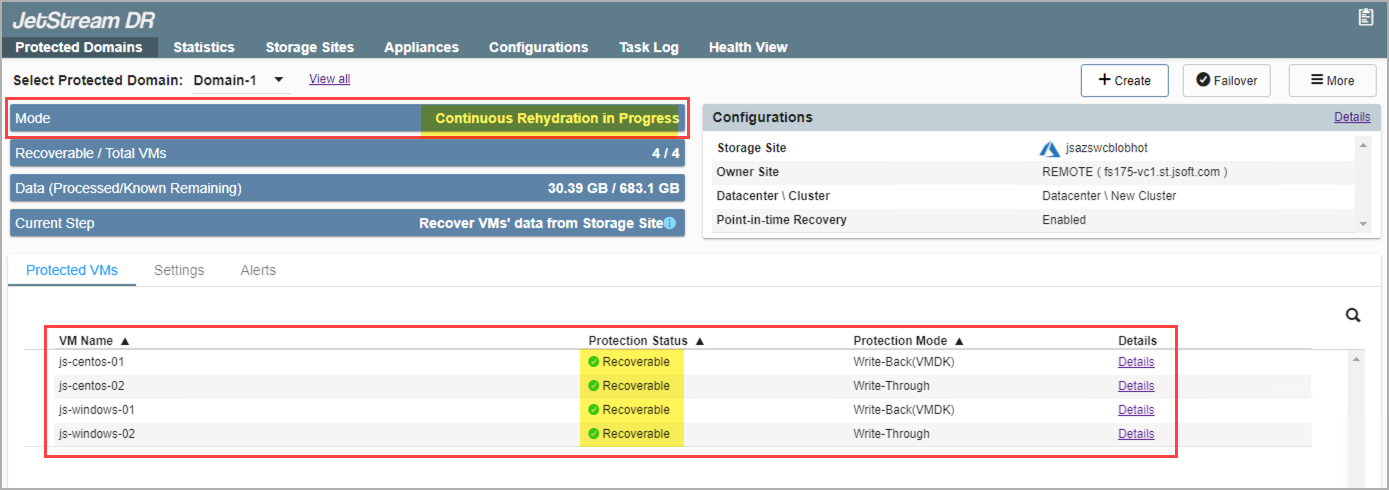
Figure 184: Running in continuous failover (CFO) mode.
Note: Additional VMs can be added to a Protected Domain operating in continuous failover mode. Additionally, VDISKs can be added to or removed from VMs of the Domain while operating in continuous failover mode.
Completing Continuous Failover
- When necessary (i.e., in response to a disaster), click the Failover button to rapidly complete failover to the recovery site.
- Failover runbook settings will be applied.
- Ownership of the protected VMs will be shifted to the recovery site.
- Protection of the Domain will be resumed (from the recovery site).
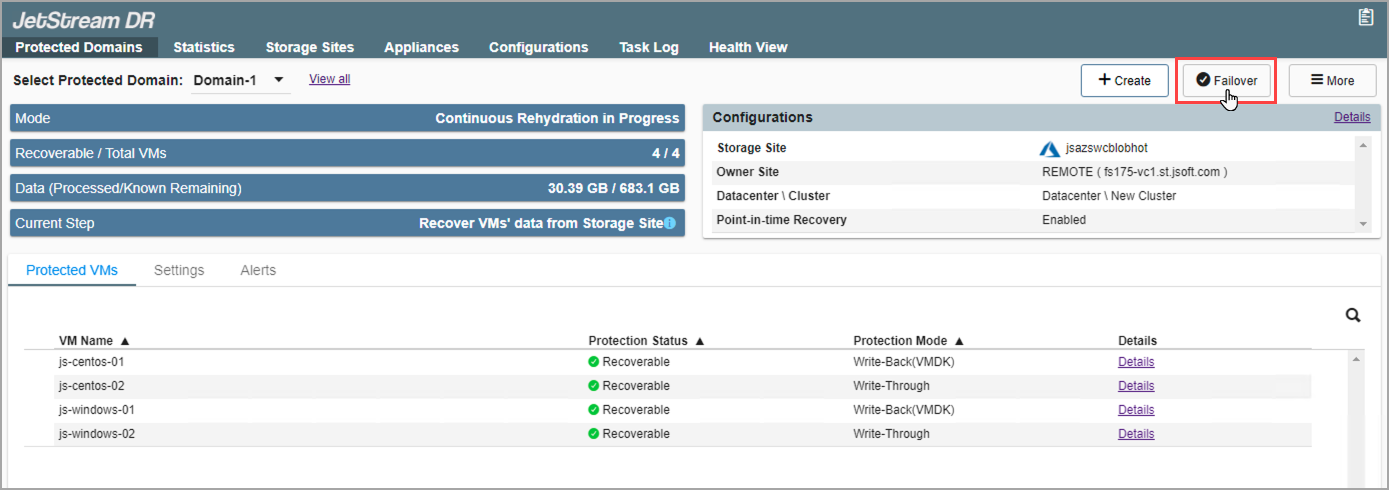
Figure 185: Conclude CFO mode by clicking the Failover button.