Recovery VA
Configure network details for the Recovery Virtual Appliance (RocVA).
- Step 3: Recovery VA
- Specify networks for:
- Management network
- Host I/O filter RocVA to DRVA network
- Recovery network to storage site network
- By default, all three networks will use the same settings as the management network. They can be individually customized by de-selecting the "Apply same network settings to all." option (see below).
- By default, DHCP will be used. This can be changed, if necessary (see below).
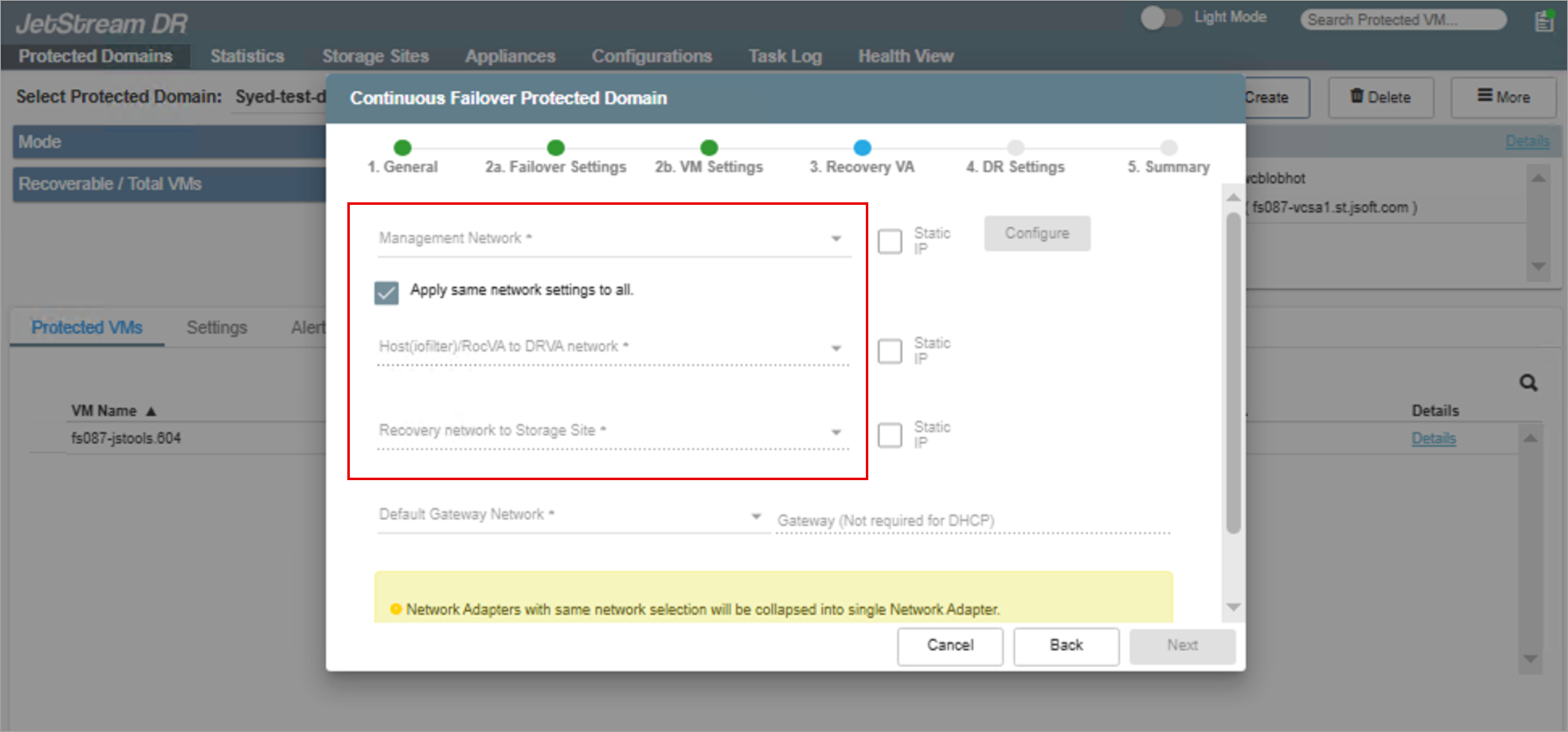
Figure 29: Specify networks for the RocVA.
Note: Additional IP routes must be added if different networks are used for the Management network, Host I/O filter RocVA to DRVA network, and the RocVA to object store network. These are added from the Appliances screen. Learn more about IP routing.
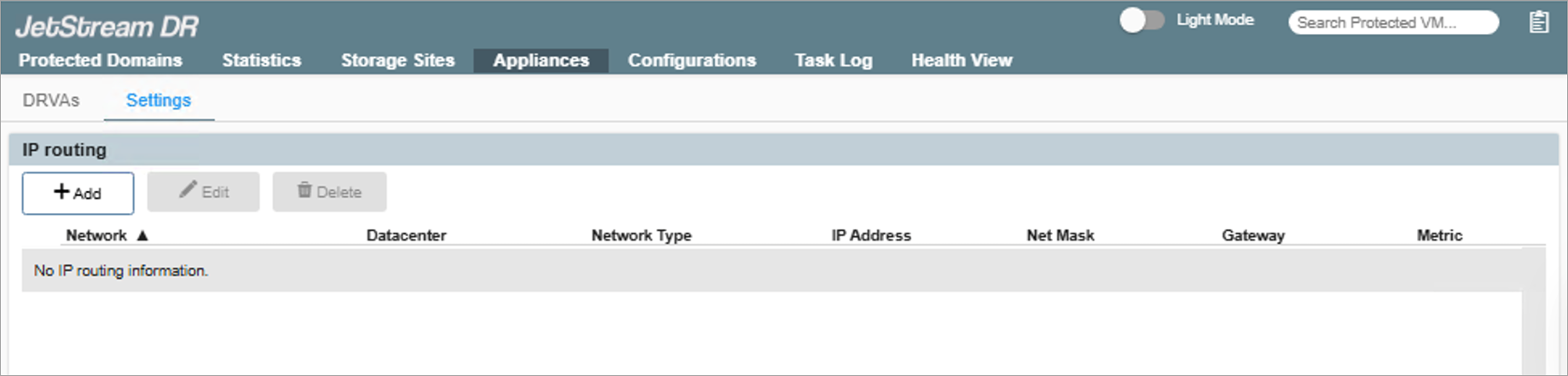
- Network options:
- If different networks will be used for the Host I/O filter RocVA to DRVA network and the RocVA to object store network, de-select the checkbox option "Apply same network settings to all."
- If the Static IP options remain un-checked, DHCP will be used by default.
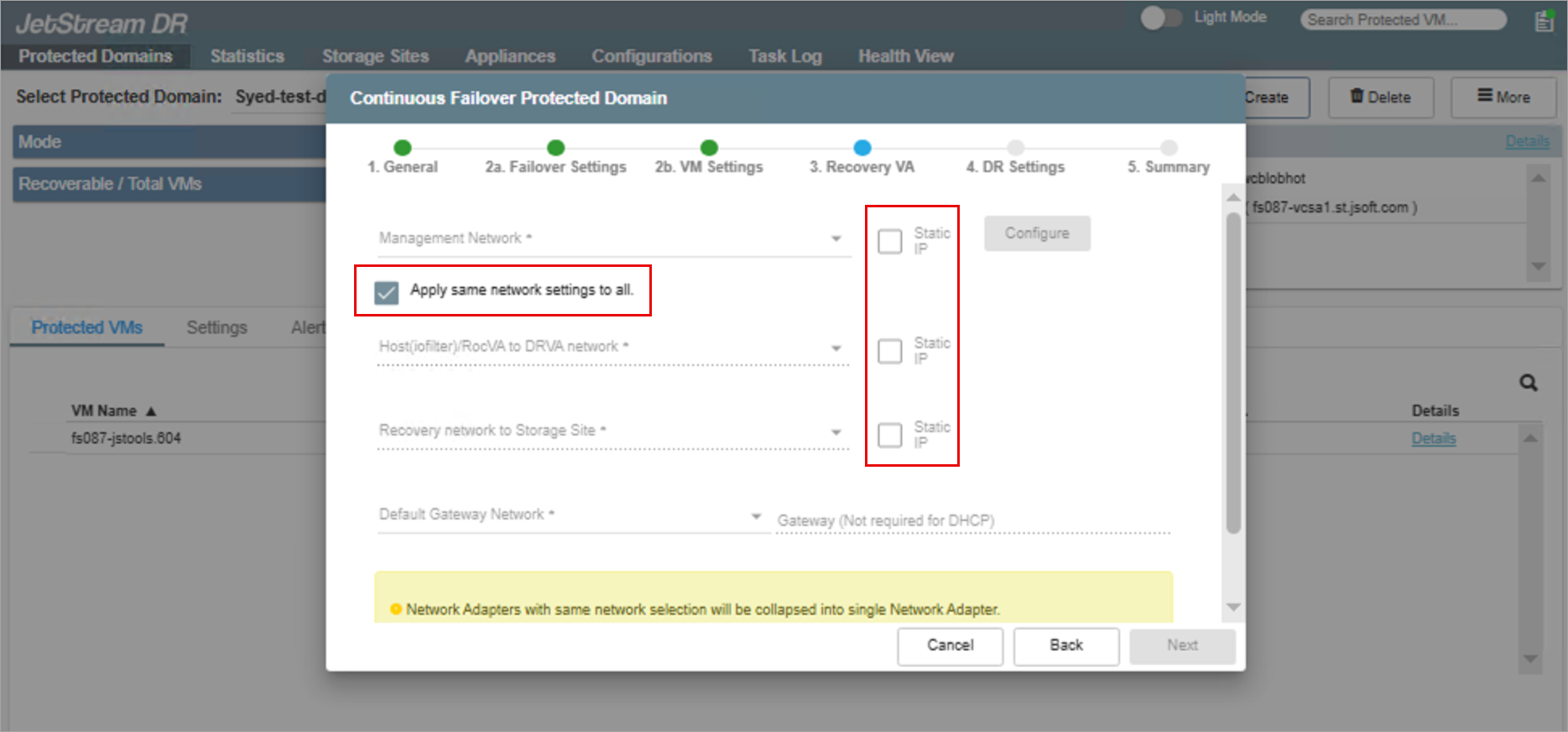
- To use static IP:
- Select a network and enable its Static IP check box. A pop-up window will appear allowing static IP values to be specified.
- RVM uses DHCP IP addresses from the selected ROCVA network segment by default.
- Static IP cannot be assigned to RVMs; this is by design.
- Specify a default gateway network. This is a requirement to use static IP (but not necessary for DHCP).
- Click the Configure button to save static IP settings.
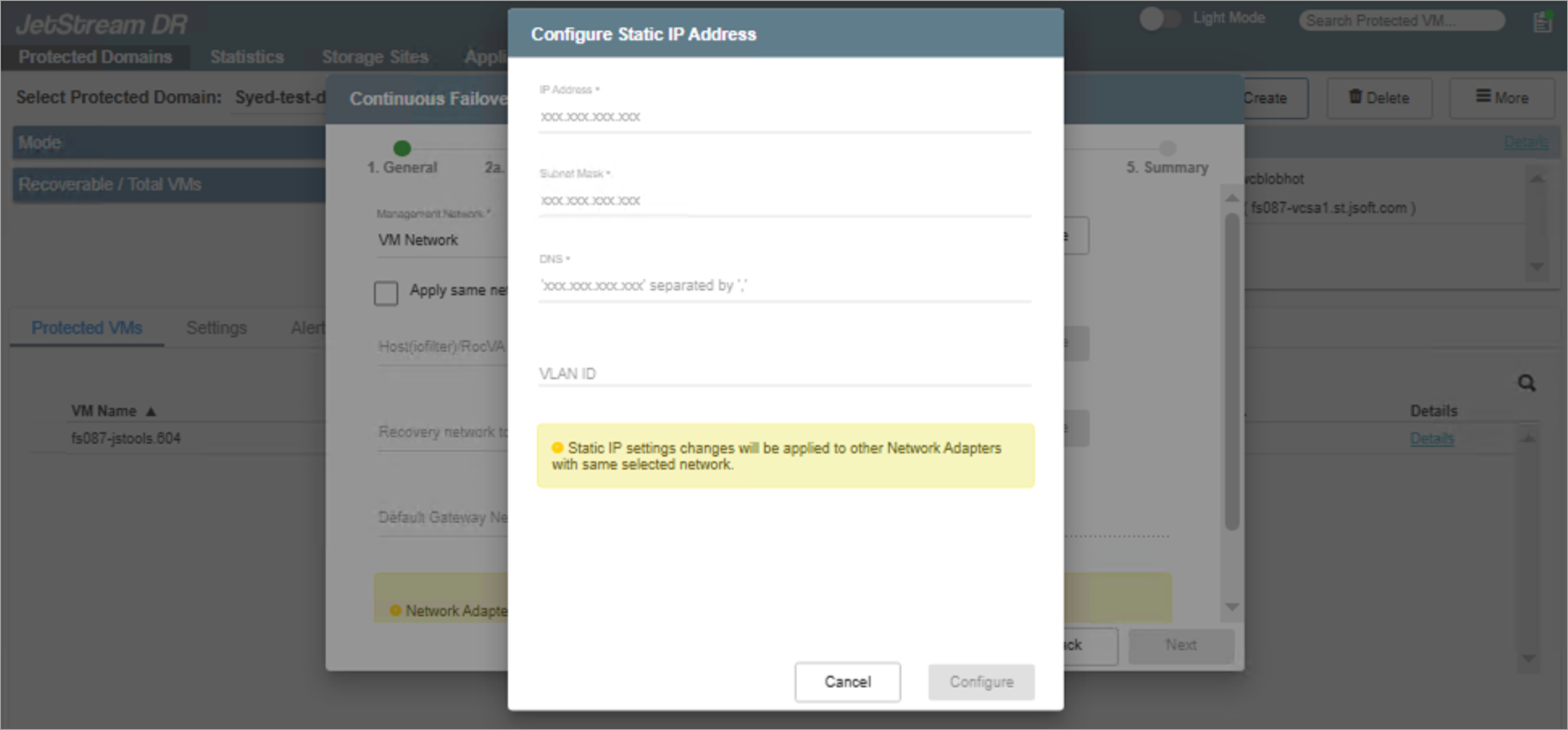
After done configuring all network details, click the Next button to proceed to the next step.