PITR Session: Failover
A Point-In-Time-Recovery session can be automatically started after the VMs of a PITR-enabled Domain have been failed over. Use this option if the entire protected site is compromised and all VMs should be failed over to the DR recovery site; PITR is then used to roll back the VMs to a specific point in time.
- This function applies to PITR-enabled Protected Domains.
- Failover the Protected Domain:
- Go to the recovery site.
- On the Protected Domains screen, open the More menu and select the Failover option.

Figure 251: Failover the PITR-enabled protected domain.
- From the pop-up dialog, follow the guided steps to configure failover settings.
- On Step 2a (Failover Settings) specify a failover type and select the Run PITR after recovering VMs option.
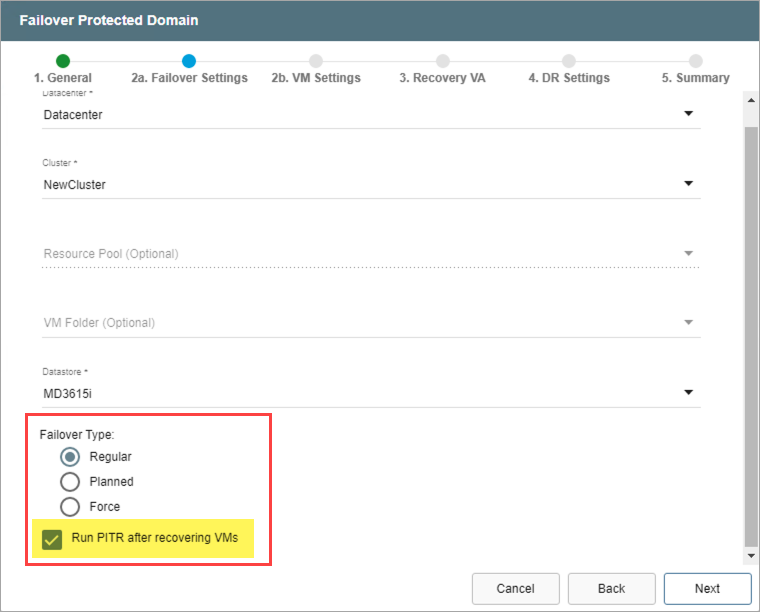
Figure 252: Select the option to run PITR after recovery.
- Various dialog window messages can appear announcing information about failover and the PITR session.
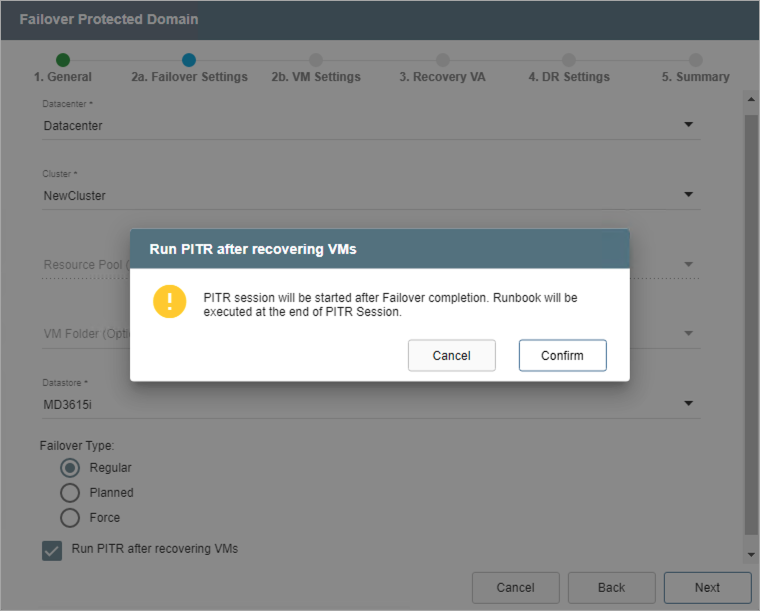
Figure 253: Message: PITR session.
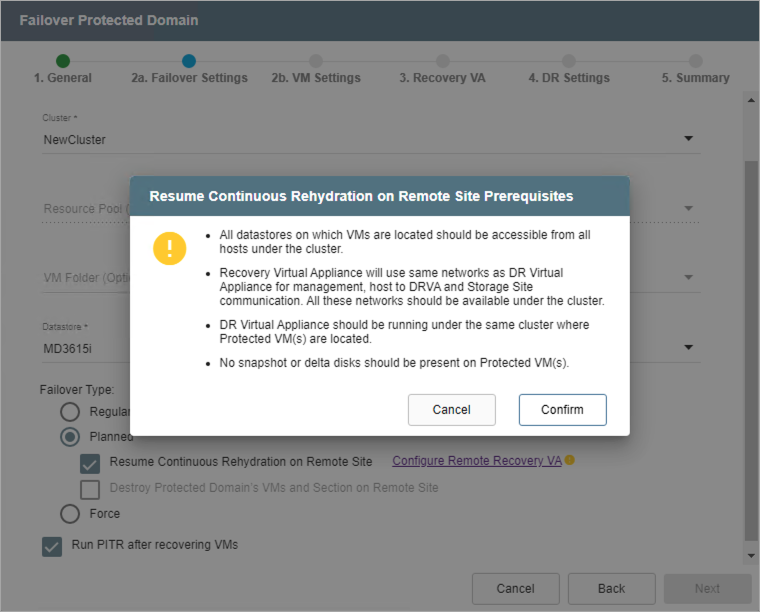
Figure 254: Message: Continuous rehydration.
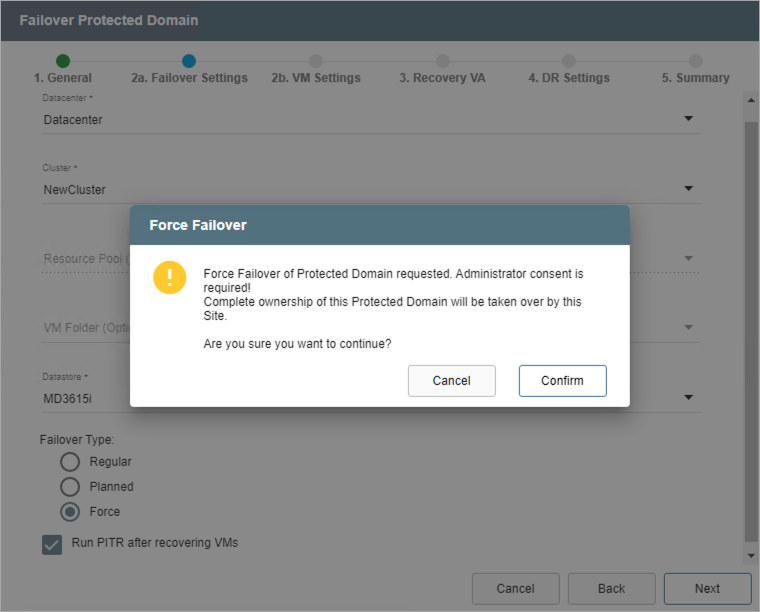
Figure 255: Message: Force failover.
- Complete the guided failover steps then click the Failover button to begin the failover process.

- A PITR session will automatically start once the failover VMs have been recovered. In this case, PITR becomes an integral step of the failover process and rollback should be performed to restore the VMs before exiting the PITR session and completing failover.
- While the PITR session is active, open the More menu then click the option Run PITR to roll back VMs to a specific point in time.
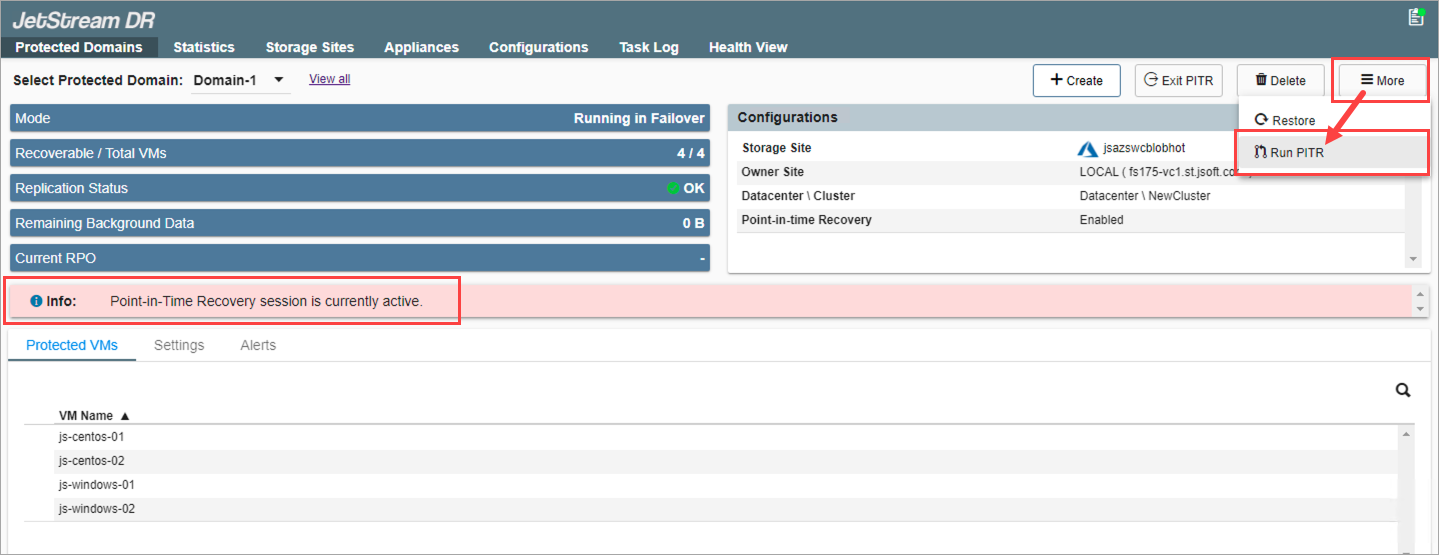
Figure 257: The PITR session initiates automatically during failover.
Notes:
1) While a PITR session is active, protection of the selected VMs is temporarily suspended. It is not possible to failover, failback or restore to any periods of time during which a PITR session was active. Therefore, it is advisable to keep PITR sessions active no longer than absolutely necessary; these periods of time are not covered by DR protection. After a PITR session is exited, all DR protection resumes normally.
2) While a PITR session is active, do not perform any VMware events on PITR VMs in the session (including: snapshots, vMotion, cloning, etc.)
Important: PITR following failover is considered an integral part of the failover process. It is expected the Domain will be rolled back to a point in time within the PITR window during the session. If the session is exited without performing a PITR rollback, all PITR data will be reset and it will no longer be possible to roll back to points in time from the original PITR window.
Also see: